EasyManua.ls Logo

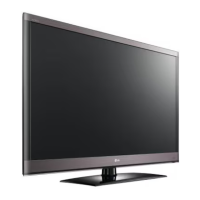
LG LCD TV / LED LCD TV - User Manual

LG LCD TV / LED LCD TV
242 pages
Print Icon
To Next Page IconTo Next Page
Loading...
www.lg.com
OWNER’S MANUAL
LCD TV / LED LCD TV
Please read this manual carefully before operating
your set and retain it for future reference.

Table of Contents

Questions and Answers

  • J
    jgreeneJul 31, 2025
    How to fix vertical bar or stripe on background on LG LCD TV?
    • J
      James BarreraJul 31, 2025
      To fix vertical bars or stripes on the background, horizontal noise, or an incorrect position on your LG LCD TV, use the Auto configure feature. Alternatively, manually adjust the clock, phase, or H/V position settings.
  • T
    tannernicholasAug 11, 2025
    Why is there a problem with PICTURE settings on my LG LCD TV?
    • S
      Seth ScottAug 11, 2025
      If you are experiencing issues with PICTURE settings on your LG LCD TV, it might be because the TV is set to Store Demo mode. To resolve this, go to the TV Menu, select OPTION, then Mode Setting, and finally choose Home use.
  • E
    Erin GreenAug 20, 2025
    What to do if there is a problem in PC mode on my LG LCD TV?
    • J
      jeromeboydAug 20, 2025
      If you encounter a problem in PC mode on your LG LCD TV, try adjusting the resolution, horizontal frequency, or vertical frequency. Also, ensure that you have selected the correct input source.

LG LCD TV / LED LCD TV Specifications

General IconGeneral
Operating SystemwebOS
Display TypeLED LCD
Screen SizeVaries by model (e.g., 43", 55", 65", 75")
Resolution4K Ultra HD (3840 x 2160) or Full HD (1920 x 1080) depending on the model
HDRYes (HDR10, HLG, Dolby Vision, depending on model)
Smart TVYes
Processorα7 Gen5 AI Processor 4K or α9 Gen5 AI Processor 4K, depending on model
Refresh Rate60Hz or 120Hz, depending on model
HDMI Ports3 or 4, depending on model
USB Ports2 or 3, depending on model
Wi-FiYes (Wi-Fi 5 or Wi-Fi 6 depending on the model)
BluetoothYes (version varies by model)
Speaker Type2.0CH or 2.2CH, depending on model
Dimensions (W x H x D)Varies by screen size and model
WeightVaries by screen size and model
Energy Efficiency ClassVaries by model
AI Picture ProYes (on select models)
AI Sound ProYes (on select models)

Related product manuals