EasyManua.ls Logo

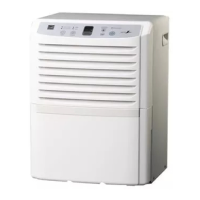
LG LD25EL - User Manual

LG LD25EL
49 pages
Print Icon
To Next Page IconTo Next Page
Loading...
DEHUMIDIFIER
USER’ S GUIDE & INSTALLATION INSTRUCTIONS
Please retain this ownerʼs manual for future
reference.
Read and follow all safety rules and instructions
before using this product.
To contact LG Electronics, 24 hours a day,
7
days a week:
1-800-243-0000 (US)
1-888-542-2623 (Canada)
Or visit us on the Web at: us.lge.com
P
ara contactar con LG Electronics, 24
horas al día, 7 días a la semana:
1-800-243-0000 (EE.UU.)
1-888-542-2623 (Canadá)
Visite nuestra Web: us.lge.com
Model/Modelo
LD25EL
P/No. MFL47379701
MANUAL DE USUARIO E INSTRUCCIONES
DE INSTALACIÓN
Por favor, conserve el manual de usuario para
futuras referencias.
Lea y siga todas las reglas de seguridad e
instrucciones antes de utilizar este producto.
DESHUMIDIFICADOR
English
Español

Other manuals for LG LD25EL

Questions and Answers

  • J
    Joel BrooksAug 15, 2025
    What to do if my LG LD25EL is not working properly?
    • D
      Donald SheppardAug 15, 2025
      If your LG Dehumidifier isn't operating properly, several factors could be at play. Ensure the power cord is fully plugged into the outlet. Check your house's fuse or circuit breaker and replace the fuse or reset the breaker if needed. Also, make sure the water bucket isn't full and is correctly installed. If the room humidity is lower than the selected setting, adjust it. Finally, the sensor may be operating during defrosting.
  • F
    fsmithAug 18, 2025
    What to do if my LG LD25EL is not working?
    • A
      Anthony ClementsAug 18, 2025
      Several factors can prevent your LG Dehumidifier from operating correctly. First, make sure the power cord is fully plugged into the outlet. Check your house's fuse or circuit breaker and replace the fuse or reset the breaker if needed. Ensure the water bucket isn't full and is correctly installed. If the room humidity is lower than the selected setting, adjust it to a lower level. Finally, if the defrosting light is on, the sensor is operating as intended.
  • G
    Gary FowlerAug 22, 2025
    Why is my LG Dehumidifier not drying the air properly?
    • A
      Amy LoweryAug 22, 2025
      If your LG Dehumidifier isn't drying the air as expected, make sure all doors and windows are tightly closed. The area you're trying to dehumidify might be too large for the unit's capacity, so check with your dealer to ensure it's adequate. Also, avoid using the dehumidifier near humidity-generating objects like stoves.
  • D
    Debra HodgeAug 26, 2025
    Why does my LG LD25EL keep turning on and off?
    • G
      Gary SullivanAug 26, 2025
      If your LG Dehumidifier is turning on and off, it might be due to the AUTO dehumidified Mode automatically controlling the humidity. Try changing the humidity setting to a lower level.
  • K
    Kimberly MendezAug 28, 2025
    How to improve moisture removal in my LG Dehumidifier?
    • J
      Juan WheelerAug 28, 2025
      If the moisture removal of your LG Dehumidifier is minimal, start by cleaning or changing the air filter, especially if it's been about 5 months since the last change. If the Air Deodorizing mode is on, switch to the automatic dehumidification mode. Adjust the temperature or humidity if they are too low. Also, check for and remove any obstructions blocking the air inlet or outlet.
  • T
    travisjohnsonSep 1, 2025
    Why is my LG LD25EL Dehumidifier making fan noise?
    • B
      Brandon RaySep 1, 2025
      If you hear excessive fan noise from your LG Dehumidifier, ensure the unit is placed on a stable floor. Also, check the air filter for clogs and clean it if necessary.
  • J
    James CoxSep 4, 2025
    What to do if my LG Dehumidifier is leaking water?
    • W
      William LopezSep 4, 2025
      If your LG Dehumidifier is leaking water, it may have been tipped or fallen over. Exercise caution when moving the unit.
  • M
    Michelle StewartSep 7, 2025
    Why is my LG Dehumidifier removing so little moisture?
    • B
      Bruce Obrien IISep 7, 2025
      Small moisture removal by your LG Dehumidifier can occur for several reasons. Clean or replace the air filter, especially if it's been over 5 months. If Air Deodorizing mode is enabled, switch to the automatic dehumidification mode. Adjust the temperature or humidity if they are low. Clear any blockages from the air inlet or outlet.
  • J
    John SalazarSep 12, 2025
    How to reduce fan noise from my LG LD25EL?
    • C
      Christopher MendozaSep 12, 2025
      Fan noise from your LG Dehumidifier can be due to a couple of reasons. If the floor is unstable, place the unit on a stable surface. Also, a clogged air filter can cause noise, so clean the air filter.

Summary

Parts and Features

Key Parts and Components

Identifies and describes the main physical components of the dehumidifier, including handles, bucket, and air discharge.

Control Panel

Details the functions and indicators of the dehumidifier's control panel, including modes, timer, and humidity settings.

How to Use

Before Using Your Dehumidifier

Instructions for preparing the dehumidifier for operation, including unpacking and positioning.

Before Operating

Steps and conditions for operating the dehumidifier, including temperature range and ventilation requirements.

Using the Control

Explanation of how to use the POWER and MODE buttons to select operating functions.

Spot Dry

Instructions for using the Spot Dry mode with the attached hose for targeted drying.

Continuous Dry

Details on operating the dehumidifier in Continuous Dry mode for non-stop dehumidification.

Auto Swing

Explanation of how to use the Auto Swing function to change airflow direction.

Timer

How to set and cancel the timer function for automatic shut-off.

Humidity Control

Instructions for adjusting the desired humidity level in 10% increments.

Defrost Operation;Full Bucket Indication

Information on the defrost operation indicator and the full bucket indicator.

Emptying Collected Water

Step-by-step guide on how to safely remove and empty the water bucket.

Continuous Drain Operation

Instructions for setting up continuous water drainage using an external hose.

Transport

Guidance on how to safely drain and move the dehumidifier for transport.

Care and Cleaning

Cleaning the Outside

How to clean the exterior surfaces of the dehumidifier using a damp cloth.

Cleaning the Filters

Instructions for cleaning the air and deodorizing filters for optimal performance.

Normal Maintenance

Routine maintenance tasks for the drain bucket and periodic checks of the power cord.

Long-Term Storage

Steps for preparing the dehumidifier for long-term storage, including cleaning and drying.

Troubleshooting

Before Calling for Service

Common problems and their potential causes and solutions before contacting service.

The Following Symptoms are Normal

Information on normal operating symptoms that should not be mistaken for defects.

Warranty

LG LD25EL Specifications

General IconGeneral
BrandLG
ModelLD25EL
CategoryDehumidifier
LanguageEnglish

Related product manuals