Programmed Playback
WMA
MP3CD
22
11
Insert a disc.
Audio CD and MP3/WMA Discs:
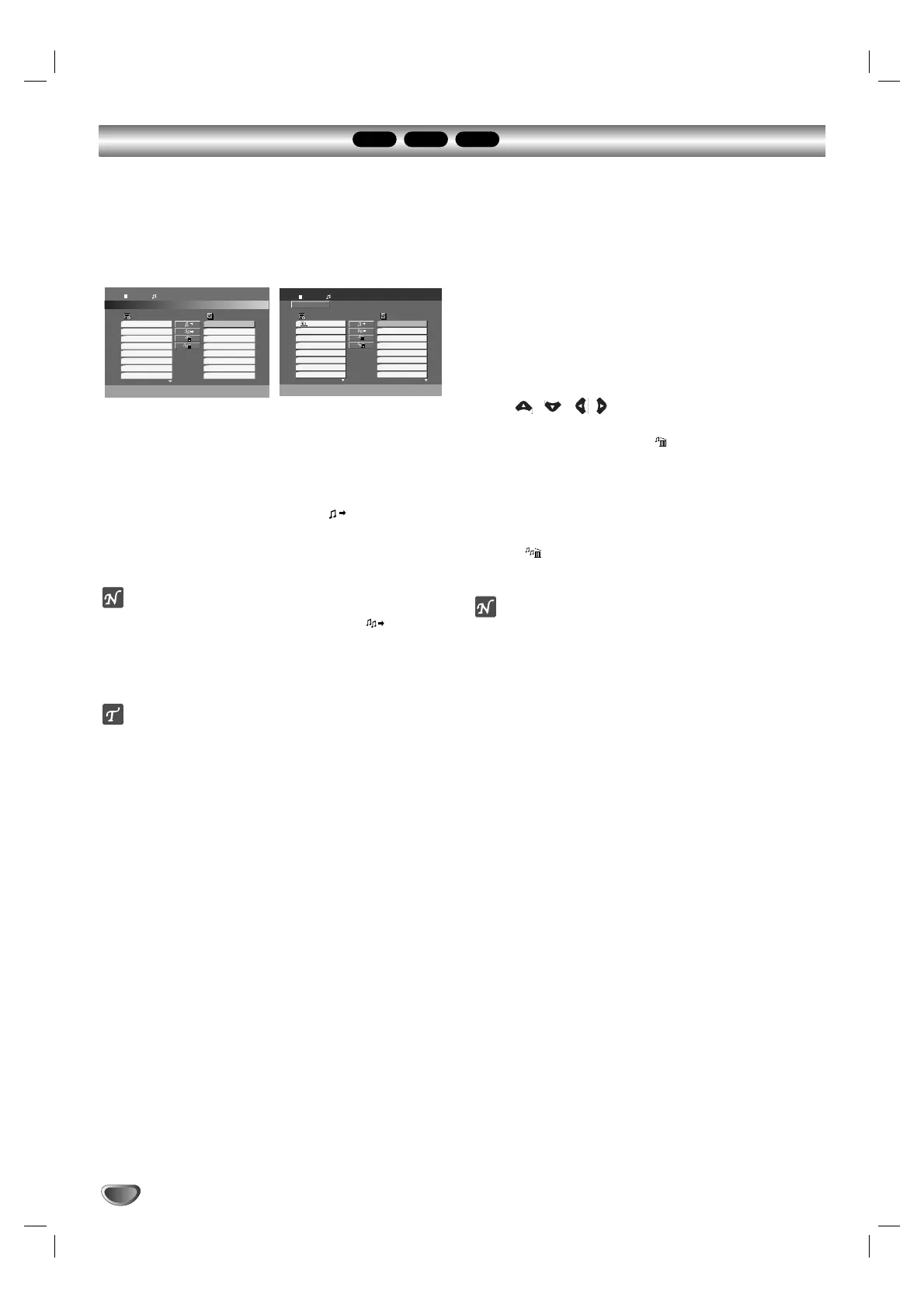
Audio CD or MP3/WMA menu appears as below.
Audio CD Menu MP3/WMA Menu
22
Select a track on the List.
33
Press PROGRAM. Or, select “ (Add)” icon
then SELECT/ENTER to place the selected track
on the Program list. Repeat to place additional
tracks on the list.
ote
You can add all tracks in the disc. Select “ (Add All)”
icon then press SELECT/ENTER.
44
Select the track you want to start playing on the
Program list.
Tip
Press MENU to move to the next page.
55
Press PLAY or SELECT/ENTER to start.
Playback begins in the order in which you pro-
grammed the tracks and “PROG.” appears on the
display window. Playback stops after all of the
tracks on the Program list have played once.
Repeat Programmed Tracks
You can play a title/chapter/all/track on a disc.
1 Press REPEAT when playing a disc. The repeat icon
appears.
2 Press REPEAT to select a desired repeat mode.
• Track: repeats the current track
• All: repeats all the tracks on a disc.
• Off (No display): does not play repeatedly.
Erasing a Track from Program List
1 Use / //to select the track that you wish
to erase from the Program list.
2 Press CLEAR. Or, select “ (Delete)” icon then
Press SELECT/ENTER to place the selected track on
the Program list. Repeat to erase additional tracks on
the list.
Erasing the Complete Program List
Select “ (Del all)”, then press SELECT/ENTER. The
complete Program for the disc is erased.
ote
The programs are also cleared when the disc is removed.
To resume normal playback from programmed playback
Select a track on the List then press SELECT/ENTER.
“PROG.” disappears from the display window.
The Program function enables you to store your favorite tracks from any disc in the player memory.
A program can contain 300 tracks (Audio CD/MP3/WMA).


 To Next Page