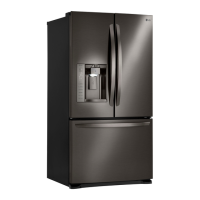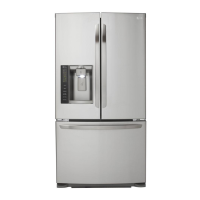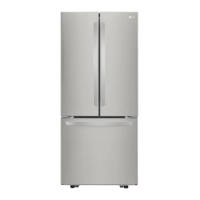
EasyManua.ls Logo

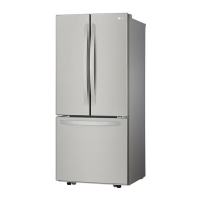
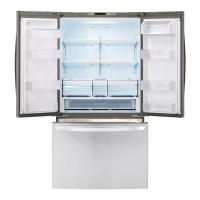
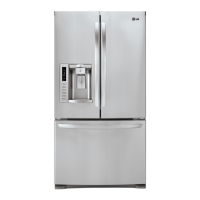
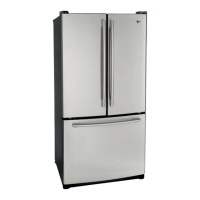
LG LFNS22520 Series - User Manual

LG LFNS22520 Series
51 pages
Print Icon
To Next Page IconTo Next Page
Loading...
ENGLISH
OWNER’S MANUAL
FRENCH DOOR
REFRIGERATOR
Please read this owner’s manual thoroughly before
operating and keep it handy for reference at all times.
LFC22770**
LFC24770**
LFC24786**
GF24BGS
GF22BGS GF24BGSK
GF22BGSK1
GM-B223RSNM
LFNS22520*
LRFNS2200*
LFCS22520*
GF22BGSK LFNS22530*
P/No.: MFL67851601-15
Copyright © 2013 - 2020 LG Electronics Inc. All Rights Reserved.
www.lg.com
ENGLISH ESPAÑOL
Model Name/Nombre del modelo **=color number/número de color

Other manuals for LG LFNS22520 Series

Questions and Answers

  • K
    Kaitlyn VaughnSep 12, 2025
    What to do if LG LFNS22520 Refrigerator icemaker is still not making enough ice?
    • A
      Angela MillerSep 12, 2025
      If your LG Refrigerator icemaker recently connected is still not making enough ice, remember that it may take up to 24 hours to begin making ice. Ensure that the ice detecting sensor is not obstructed and is clean. Also, confirm the refrigerator is connected to the water supply.
  • J
    joseph98Aug 25, 2025
    Why is my LG LFNS22520 icemaker not making enough ice?
    • B
      Becky HumphreyAug 25, 2025
      If your LG Refrigerator icemaker isn't making enough ice, it could be due to several reasons. The demand might exceed the icemaker's capacity, which is about 70-210 cubes in 24 hours. Check if the house water supply is connected and the valve is fully open and not clogged. Low water pressure or a kinked water supply tube could also be the cause. Ensure the doors are not opened too often or for long periods. If the doors are not properly closed, ice production will be affected.
  • S
    Sheila CookAug 25, 2025
    What to do if LG LFNS22520 or Freezer section is too warm?
    • V
      Vicki JonesAug 26, 2025
      If your LG Refrigerator or Freezer section is too warm, it might be because it was recently installed and needs up to 24 hours to reach the desired temperature. Also, check if the air vents are blocked and ensure doors aren't opened too often or for long periods. Avoid installing the unit in a hot location (above 110°F or 43°C) and let hot food cool before putting it in. Make sure the temperature control is correctly set, adjusting it one increment at a time and waiting for the temperature to stabilize. The defrost cycle may have recently completed; wait 30 minutes.
  • D
    David FosterSep 23, 2025
    How to prevent interior moisture buildup in my LG Refrigerator?
    • R
      rachel15Sep 23, 2025
      To prevent interior moisture buildup in your LG Refrigerator, try to lessen door openings and ensure the doors are closed correctly. Maintaining a reasonable level of humidity in the home will help control the amount of moisture that can enter the compartments. Wait 30 minutes after the defrost cycle has completed. Wipe all containers dry and store food in sealed packaging to prevent condensation and frost.
  • R
    robertdiazSep 13, 2025
    Why won't the doors on my LG LFNS22520 Refrigerator close correctly or keep popping open?
    • M
      Monique FreemanSep 14, 2025
      If your LG Refrigerator doors will not close correctly or pop open, rearrange food containers to clear the door and door shelves. Ensure the ice bin, crisper cover, pans, shelves, door bins, or baskets are in their correct positions. Remove and replace the doors according to the Removing and Replacing Refrigerator Handles and Doors section. Level the refrigerator.
  • V
    Victor DukeSep 22, 2025
    What if my LG LFNS22520 Refrigerator icemaker is still not making enough ice?
    • E
      Erica GreenSep 22, 2025
      If your LG refrigerator's icemaker continues to have issues, consider these points. If the refrigerator or icemaker was recently installed, allow up to 24 hours for it to begin making ice. Ensure the ice detecting sensor is clean. Verify the refrigerator is connected to the water supply and that the valve is turned ON.
  • R
    Richard MatthewsSep 6, 2025
    What to do if my LG LFNS22520 is too warm?
    • N
      Nathan ScottSep 6, 2025
      If your LG Refrigerator or Freezer section is too warm, it could be due to several factors. If recently installed, allow up to 24 hours to reach the desired temperature. Make sure the air vents aren't blocked. Avoid frequent or prolonged door openings. Ensure the unit isn't in a hot location (above 110°F or 43°C). Allow hot food to cool before placing it inside. Also, check that the doors are closing correctly and that the temperature control is properly set. Finally, wait 30 minutes after the defrost cycle has completed.
  • P
    Paul OlsonSep 7, 2025
    Why is food freezing in my LG LFNS22520 Refrigerator?
    • D
      daniel06Sep 7, 2025
      If food is freezing in your LG Refrigerator compartment, it might be because food with high water content is placed near an air vent; rearrange these items. Also, check if the refrigerator temperature control is set too cold and adjust it accordingly. Ensure the refrigerator is not installed in a cold location (below 55°F or 13°C).
  • M
    Melissa WrightSep 23, 2025
    Why do frost or ice crystals form on frozen food outside of the package in my LG LFNS22520?
    • R
      Ricky SmithSep 23, 2025
      The formation of frost or ice crystals on frozen food outside the package in your LG refrigerator may be caused by frequent or prolonged door openings. Increased moisture will lead to frost and condensation.
  • E
    Elizabeth BauerAug 31, 2025
    Why is food freezing in my LG LFNS22520 Refrigerator compartment?
    • W
      William NguyenAug 31, 2025
      If food is freezing in your LG Refrigerator compartment, it might be because food with high water content was placed near an air vent; rearrange these items. If the temperature control is set incorrectly, adjust it one increment at a time and wait for the temperature to stabilize. Also, avoid installing the refrigerator in a cold location (below 55°F or 13°C).

Summary

PRODUCT FEATURES

Key Refrigerator Features

Highlights features like Door Alarm, Crispers, Glide'N'Serve, Auto Hinge, Ice Plus.

IMPORTANT SAFETY INSTRUCTIONS

General Safety Precautions and Warnings

Covers power, installation, usage safety, and hazard symbols.

FIRE AND FLAMMABLE MATERIAL SAFETY

Refrigerant and Flammable Gas Risks

Addresses hazards associated with R600a refrigerant and flammable gases.

REFRIGERATOR COMPONENTS

Exterior and Interior Components

Identifies and labels external and internal parts of the refrigerator.

INSTALLATION GUIDE

Installation Overview

Summary of the installation process.

Refrigerator Specifications

Technical details, dimensions, and weight of the appliance.

Unpacking, Location, and Flooring

Steps for unpacking, choosing a location, and floor requirements.

Clearance, Temperature, and Handle Installation

Airflow, ambient temperature, and door handle procedures.

Freezer Drawer Handle and Door;Drawer Removal

Instructions for freezer handle and overall door/drawer detachment.

Removing the Left Refrigerator Door

Detailed steps for detaching the left refrigerator door from its hinges.

Removing the Right Refrigerator Door

Detailed steps for detaching the right refrigerator door from its hinges.

Assembling the Right Refrigerator Door

Instructions for correctly reattaching the right refrigerator door.

Assembling the Left Refrigerator Door

Instructions for correctly reattaching the left refrigerator door.

Removing the Freezer Drawers

Step-by-step guide to detach freezer drawers from their rails.

Assembling the Freezer Drawers

Step-by-step guide to reattach freezer drawers to their rails.

Water Line Connection and Setup

Steps for connecting the icemaker water supply, including pressure and valve installation.

Power and Leveling

Connecting power and ensuring the unit is level and aligned.

DOOR ALIGNMENT ADJUSTMENT

Door Alignment Types and Procedures

Adjusting doors using nuts or snap rings for proper alignment.

HOW TO USE YOUR REFRIGERATOR

Initial Setup Before First Use

Steps to prepare the refrigerator before storing food.

Pre-Operation Cleaning and Cooling Procedures

Cleaning the interior and allowing the unit to cool before use.

Control Pad Operation and Features

Explains the control panel display, buttons, and functions like Door Alarm and Ice Plus.

AUTOMATIC ICEMAKER OPERATION

Icemaker Functions and Control

Details on ice production, capacity, and on/off controls.

Icemaker Usage, Maintenance, and Vacation Prep

Tips for ice quality, sounds, and preparation for absence.

FOOD STORAGE GUIDELINES

Optimal Food Placement and Storage Zones

Guide to storing different food types in designated compartments.

General Food Storage and Freezing Tips

Advice on wrapping foods and proper freezing techniques.

Frozen Food Packaging Recommendations

Guidelines for packaging food for successful freezing.

CRISPER AND GLIDENSERVE MANAGEMENT

Humidity Controlled Crisper and GlideNServe Usage

How to adjust crispers and use the Glide'N'Serve drawer.

STORAGE BIN AND ICE BIN MANAGEMENT

Interior Bin Removal and Reassembly

Instructions for removing and reinstalling interior storage bins.

Door Bin and Ice Bin Maintenance

How to clean and manage door bins and the ice bin.

REFRIGERATOR SHELF ADJUSTMENT

Shelf Removal and Installation

Step-by-step instructions for adjusting refrigerator shelves.

REFRIGERATOR MAINTENANCE AND CLEANING

General Cleaning Procedures and Tips

Cleaning interior, exterior, plastic parts, and condenser coils.

SMART DIAGNOSIS AND THINQ APP

ThinQ App Features and Smart Diagnosis

Using the app for smart features and troubleshooting.

TROUBLESHOOTING GUIDE

Cooling Performance Issues

Addresses problems with not cooling or running too much.

Refrigerator;Freezer Temperature Too High

Solutions for sections being warmer than desired.

Interior Moisture and Food Freezing Issues

Resolving moisture buildup and food freezing in the refrigerator.

Icemaker Production and Frozen Food Frost

Troubleshooting low ice and frost on frozen food.

Icemaker Taste, Odor, and Overproduction

Solutions for ice taste, odor, and excessive ice production.

REFRIGERATOR OPERATIONAL SOUNDS

Understanding and Addressing Refrigerator Noises

Explains normal sounds and troubleshooting for unusual noises.

ADDITIONAL TROUBLESHOOTING

Door Closure, Stability, and Lighting Problems

Resolving issues with door alignment, unit wobble, and interior lights.

Interior Odors and Surface Contamination

Solutions for unusual smells and dust/soot buildup inside.

LIMITED WARRANTY INFORMATION

Warranty Period, Coverage, and Exclusions

Details on the warranty duration, scope, and limitations.

Arbitration and Dispute Resolution Process

Explains the mandatory arbitration process for resolving disputes.

LG LFNS22520 Series Specifications

General IconGeneral
BrandLG
ModelLFNS22520 Series
CategoryRefrigerator
LanguageEnglish

Related product manuals