This document is a user guide for the LG-M250F mobile phone, providing comprehensive information on its custom-designed features, basic functions, useful applications, phone settings, and an appendix with additional details.
Function Description
The LG-M250F is a smartphone designed with a modular type, allowing users to replace the battery or install various accessories (LG Friends) into the module slot to expand its functionality. It features an Always On Display that shows date, time, and notifications even when the screen is off, and a Daylight mode for clear screen visibility in bright outdoor conditions. The device boasts a 135º Wide-angle lens and dual cameras on the back, enabling users to capture a wide range of scenes from close-ups to vast landscapes. The Pop-out Picture feature allows taking both normal and wide-angle photos simultaneously with various background effects. For video recording, it includes Steady recording to minimize motion blur and Snap Video for creating short clips. Other camera modes include Panorama, Slow-motion Video, and Time-lapse. The phone supports various gestures for taking selfies, such as Gesture Shot and Interval Shot, and an auto-selfie function that detects faces.
The LG-M250F also integrates several smart features like Smart Bulletin, which collects and displays useful information on the Home screen, and Smart Notice, which provides contextual reminders based on time and location. Smart Doctor helps diagnose and optimize device performance by closing unused apps and analyzing battery, mobile data, and network status. Quick Share facilitates immediate sharing of photos and videos after capture. QuickHelp offers a searchable user guide and FAQs. QuickRemote allows the device to control various electronic devices using infrared signals. QuickMemo+ is an advanced notepad for creative notes, image management, and screenshots. QSlide enables multitasking by running apps in small, resizable windows. LG Health helps users track exercises and manage health information. The device also includes "Do not disturb" settings to manage notifications and Ringtone ID for automatically composed ringtones for selected contacts. Fingerprint recognition is available for unlocking the screen and accessing locked content. Content sharing features allow playing content on other devices (like TVs) and viewing content from nearby devices or cloud accounts. Dual Play enables displaying the device screen on another display while using different apps simultaneously.
Important Technical Specifications
- Model: LG-M250F
- SAR Limit (ICNIRP): 2 W/kg averaged over 10 g of tissue.
- Highest SAR Value (at ear): 0.000 W/kg (10 g)
- Highest SAR Value (body-worn): 0.000 W/Kg (10 g)
- Body-worn separation distance: At least 5 mm from the body.
- SIM Card Type: Nano-SIM
- Memory Card Support: Up to 2 TB microSD
- Operating Temperature: 0 ºC to 40 ºC
- Connectivity: Wi-Fi, Bluetooth, NFC, USB tethering, Wi-Fi hotspot, Bluetooth tethering, DLNA (Media server), LG AirDrive.
- Display: IPS Quantum Display (enhanced for outdoor daylight).
- Camera: Dual rear cameras (normal and wide-angle lens), front camera.
- Battery: Rechargeable, specific type recommended by LG.
Usage Features
- Touch Screen Gestures: Tapping, tapping and holding, double-tapping, dragging, swiping, pinching and spreading for navigation and interaction.
- Home Screen Customization: Manage apps, widgets, folders, status bar, quick access area, and Home touch buttons.
- Screen Lock: Options include None, Swipe, Knock Code, Pattern, PIN, and Password. Smart Lock allows automatic unlocking in trusted situations.
- KnockON: Turn the screen on or off by double-tapping.
- Keyboard: Smart keyboard with cursor movement, word suggestions, customizable QWERTY layout, adjustable height, split keyboard for landscape mode, and one-handed operation mode. Voice input is also supported.
- Copy and Paste: Text can be cut or copied and pasted, with a Clip Tray storing up to 20 items.
- Phone Functions: Voice calls, making calls from keypad or contacts, answering/rejecting calls, three-way calling, viewing call records, and call options customization.
- Messaging: Send and receive text messages, attach files.
- Camera Functions: Multiple shooting modes (Simple, Auto, Manual), switching between front/rear cameras, zoom in/out, various effects and settings (aspect ratio, HDR, film effects, timer, voice commands, guide grids, location saving, auto-shooting settings for front camera, Gesture View, flip images).
- Gallery: View and manage photos and videos, edit photos and videos.
- Calculator: Simple and scientific modes, calculation history.
- Weather: View weather information for specific cities.
- Downloads: View, delete, or share downloaded files.
- Clock: Alarm, world clock, timer, stopwatch.
- Voice Recorder: Record and play voice files, tag events, save location details.
- Music: Play and manage music files, supports Hi-Fi audio playback.
- E-mail: Register and manage email accounts, check and send emails.
- Contacts: Save and manage contacts, import contacts, add to speed dial, search, edit, delete, add to favorites, create groups.
- Calendar: Manage events and tasks, sync events with Google Calendar, Event pocket for temporarily saving content.
- File Manager: View and manage files on device or cloud.
- Tasks: Register and manage tasks.
- Evernote: Write, collect, and share important information.
- Cell Broadcast: View real-time emergency text broadcasts.
- LG Backup: Back up, restore, and move data.
- RemoteCall Service: Remote diagnosis for device issues.
- SmartWorld: Download games, audio, apps, and fonts from LG Electronics.
- Google Apps: Chrome, Docs, Drive, Gmail, Google, Hangouts, Maps, Photos, Play Movies & TV, Play Music, Sheets, Slides, Voice Search, YouTube.
- Phone Settings: Networks (Wi-Fi, Bluetooth, Mobile data, NFC, Android Beam, File sharing, Media server, Screen sharing, LG AirDrive, Printing, USB tethering, Wi-Fi hotspot, Bluetooth tethering, Airplane mode, VPN), Sound & notification, Display, General (Language & keyboard, Location, Accounts & sync, Cloud, Users, Accessibility, Shortcut keys, Google services, Fingerprints & security, Smart settings, Date & time, Storage & USB, Battery & power saving, Memory, Smart Doctor, Apps, Tap & pay, Backup & reset, About phone).
Maintenance Features
- Product Care: Use genuine LG accessories, do not disassemble, keep away from heat/electrical appliances, avoid dropping/mechanical shock, switch off in restricted areas, do not handle with wet hands while charging, avoid charging near flammable materials or on soft furnishings, clean with dry cloth, avoid excessive smoke/dust, keep away from credit cards, do not tap screen with sharp objects, avoid liquid/moisture exposure.
- Battery Care: Use only LG batteries and chargers, do not disassemble/short-circuit, keep contacts clean, replace when performance degrades, recharge after long storage, avoid direct sunlight/high humidity/extreme temperatures, dispose of used batteries properly, unplug charger when fully charged, avoid sharp objects contacting battery.
- Software Updates: LG Bridge for computer-based updates, Over-the-Air (OTA) updates. Backup personal data before updating software.
- Troubleshooting (FAQ): Provides solutions for common problems like SIM card errors, network issues, codes not matching, app problems, calls not available, phone not turning on, charging errors, number not allowed, and inability to send/receive SMS/photos.
- Anti-Theft Guide: Set a screen lock and add a Google account to prevent unauthorized use after factory reset. Remember Google account password and backup PIN.

 Need help?
 General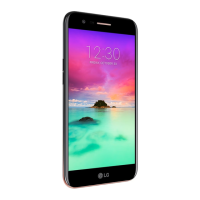

 To Next Page









