EasyManua.ls Logo

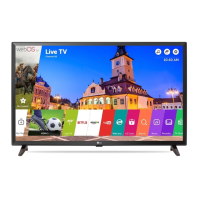
LG LJ50 Series - User Manual

LG LJ50 Series
31 pages
Print Icon
To Next Page IconTo Next Page
Loading...
P/No: MFL69675032 (1704-REV01)
Printed in Korea
LED TV
LJ50**
MT42**
www.lg.com
: Depending on model / Abhängig vom Modell / Selon le modèle / In base al modello / En función del modelo / Dependendo do modelo / Afhankelijk van het model /
Ανάλογα με το μοντέλο / Odvisno od modela / Típusfüggő / Zależnie od modelu / Závisí na modelu / Vvislosti od modelu / În funcţie de model / В зависимост
от модела / Sõltub mudelist / Priklauso nuo modelio / Atkarībā no modeļa / U zavisnosti od modela / Ovisno o modelu / Në varësi të modelit / Ovisno o modelu / Во
зависност од моделот / Beroende på modell / Avhengig av modell / Afhængigt af modellen / Mallin mukaan /
AAA
X 2
(M4 x L16)

Other manuals for LG LJ50 Series

Question and Answer IconNeed help?

Do you have a question about the LG LJ50 Series and is the answer not in the manual?

Summary

Warning! Safety instructions

Preparing

Lifting and moving the TV

Using the button

Securing the TV to a wall

Mounting on a table

Mounting on a wall

Separate purchase (Wall mounting bracket)

Information on specific wall mount bracket models and compatible screws for different LG TV models.

Connections (notifications)

Satellite dish connection

Guidance on connecting the TV to a satellite dish for satellite TV reception.

CI module connection

Instructions for inserting and using a CI module for encrypted digital TV services.

Other connections

Details on connecting various external devices like audio systems, PCs, and gaming devices via HDMI.

Remote control

Licenses

Open source software notice information

Settings

Automatically Setting Up Programme

How to automatically tune and register TV programmes for viewing.

To use Energy Saving feature

Instructions on how to activate and adjust the energy saving mode to reduce power consumption.

To select Picture Mode

Guide on selecting different picture modes for optimal viewing experience.

Fine-tuning Picture Mode

To set advanced control

To set additional picture options

Resetting picture settings

To adjust Aspect Ratio

Selecting Sound Mode

Using the Sound Effect function

To set Auto Volume

Using Manual Tuning

Editing programmes

To select Programme mode

About Cl Information

To set current time

To set the TV to turn on and off automatically

To use Sleep Timer

To set Automatic Standby

To set password

To lock system

To set Language

To set the Location

To select audio commentary or subtitles

To set Subtitle

To specify Factory Reset

To change the TV Mode

To obtain the source code

To update the software

To use My Media

To remove the USB device

Using a USB storage device - warning

My Media supporting file

Supported Video Formats

Details on video file types, codecs, and resolutions supported by the TV.

Supported Audio Formats

Lists supported audio file types, bit rates, and sample frequencies.

Supported Photo Formats

Specifications for supported photo file types, categories, and dimensions.

Troubleshooting

Abnormal Display

Explains common display anomalies like pixel variations, brightness differences, and image sticking.

Generated Sound

Describes common sounds like cracking or buzzing and their causes, assuring they are normal.

Specifications

HDMI-DTV supported mode

Component port connecting information

HDMI-PC supported mode

LG LJ50 Series Specifications

General IconGeneral
Display TypeLED
Refresh Rate60Hz
HDMIYes
USBYes
Resolution1366 x 768
Audio Output20W
HDRYes (HDR10, HLG)

Related product manuals