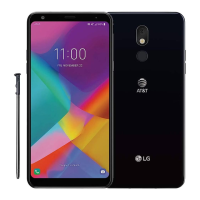
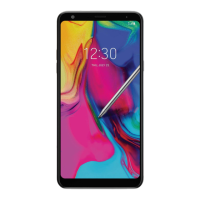
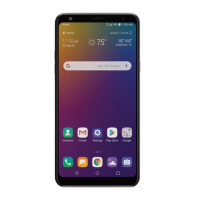
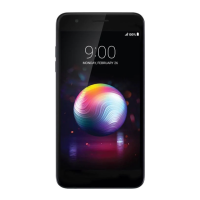
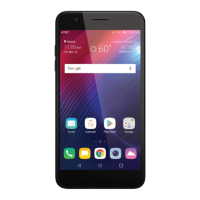
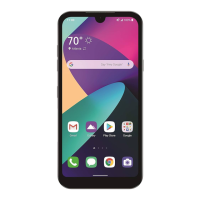
This document serves as a user guide for the LG Stylo™ 4, model LM-Q710ULS, a smartphone manufactured by LG Electronics Inc. The guide covers various aspects of the device, including custom-designed features, basic functions, useful applications, settings, and safety information.
Function Description
The LG Stylo™ 4 is a versatile smartphone designed for communication, multimedia, and productivity. It features a stylus pen for enhanced interaction, a camera with wide-angle and portrait modes, AI CAM for optimized photo quality, and Google Lens integration for intelligent object recognition. The device supports multi-tasking with a Multi-Window feature, allowing users to run two applications simultaneously. It also includes Google Assistant for voice commands and information retrieval, and fingerprint and face recognition for secure unlocking and content access.
For communication, the device supports voice calls, messaging, and advanced calling features like high-definition voice and video calls. It offers various connectivity options including Wi-Fi, Wi-Fi Direct, Bluetooth, and mobile data with tethering capabilities. Multimedia functions include a camera for photos and videos, a photo gallery, music playback, and FM radio. Productivity tools include QuickMemo+ for note-taking, a calculator, and Google apps like Docs, Drive, Gmail, Maps, Sheets, Slides, and YouTube.
The device also incorporates several maintenance and utility features such as Smart Cleaning for optimizing performance, a File Manager for organizing files, and a Downloads section for managing downloaded content. System updates are available to ensure the device runs the latest software.
Important Technical Specifications
- Model: LG Stylo™ 4 (LM-Q710ULS)
- Stylus Pen: Integrated stylus for memo creation and app access.
- Camera:
- Front Camera: Supports wide-angle and portrait modes.
- Features: AI CAM, Google Lens, Flash Jump-Cut (GIF creation), Steady recording, Auto-Exposure/Auto-Focus lock, Burst shot, Guide shot, Grid shot, Match shot, Food mode, Snap shot, YouTube Live, Panorama, quick share.
- Selfie Shot Options: Gesture shot, Auto shot, Interval shot, Save as flipped.
- Memory Card: Supports up to 2 TB microSD card (optional, sold separately).
- SIM Card: Supports Nano SIM cards.
- Battery: Internal rechargeable battery.
- Charging Port: USB Type-C.
- Display: Touch screen with customizable settings for font, display size, screen resolution, brightness, and screen timeout.
- Security: Fingerprint recognition, face recognition, pattern, PIN, password, secure start-up, memory card encryption.
- Connectivity: Wi-Fi, Wi-Fi Direct, Bluetooth, USB tethering, Wi-Fi hotspot, Bluetooth tethering, mobile data, VPN.
- Audio: Customizable sound profiles (Sound, Vibrate only, Silent), volume control, ringtones, notification sounds, sound quality and effects, vibration types.
- Accessibility Features: TalkBack (screen reader), voice notifications, font adjustments, display size adjustments, touch zoom, window zoom, large mouse pointer, high contrast screen, screen color inversion, screen color adjustment, monochrome mode, end call with Power key, captions, Blink LED, Flash alerts, TTY mode, Real Time Text (RTT) keyboard, mute all sounds, audio channel selection, sound balance, touch assistant, touch input adjustments, physical keyboard customization, auto mouse click, touch and hold for calls, screen timeout, touch control areas, accessibility features shortcut, auto-rotate screen, Select to Speak, Switch Access.
- Operating System: Android (specific version not detailed, but implies Android 9 Pie based on 2019 copyright and features).
Usage Features
- Stylus Pen: Pulling out the stylus pen activates "Pen Pop" options, allowing quick access to Pop Memo, Coloring book, Draw chat, QuickMemo+, and custom shortcuts.
- Camera Modes: Users can switch between various camera modes like Auto, Portrait, AI CAM, Flash Jump-Cut, Steady recording, Guide shot, Grid shot, Match shot, Food, Snap shot, YouTube Live, and Panorama.
- Multi-tasking: The Multi-Window feature enables running two apps simultaneously, with adjustable screen division.
- Home Screen Customization: Users can rearrange apps and widgets, change wallpapers, themes, icon shapes, and app sorting. Home touch buttons are customizable in style, color, and visibility.
- Screen Lock: Multiple security options are available, including pattern, PIN, password, fingerprint, and face recognition. Secure start-up provides additional protection.
- Text Entry: Smart keyboard offers various input methods, cursor movement, word suggestions, and clip tray functionality for copying and pasting.
- Content Sharing: Files can be shared via Bluetooth, Wi-Fi Direct, and a dedicated Sharing panel. Media server functionality allows sharing content with DLNA-supported devices.
- Notifications: A customizable notifications panel provides quick access to settings and alerts.
- KnockON: Double-tap the screen to turn it on or off.
- Dual App: Allows using some applications with two separate accounts.
- Shortcuts: Customizable shortcuts for fingerprint sensor actions (selfie, screenshot, notification panel) and Power/Volume key presses (Open Camera, Capture+).
Maintenance Features
- Battery Management: Users can monitor battery usage, view battery percentage on the status bar, enable adaptive battery features, set background restrictions, activate battery saver mode, and define power saving exclusions.
- Storage Management: Provides an overview of internal and SD card storage, allowing users to manage apps and files.
- Smart Cleaning: Helps diagnose device condition and optimize performance by deleting temporary files and unused apps.
- System Updates: The Update Center allows checking for and installing the latest app and software updates.
- Backup & Reset: Options for backing up data (including LG Mobile Switch for transferring data to new LG devices), restoring from backups, and performing a factory data reset.
- Troubleshooting (FAQ): The guide includes a section for common issues like device overheating, SIM card errors, network connection problems, and app errors, offering solutions and advice on when to contact customer service.

 Need help?
 General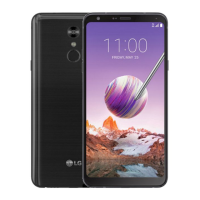

 To Next Page