EasyManua.ls Logo

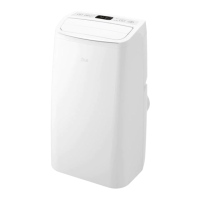
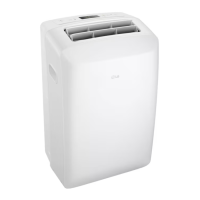
LG LP0524WFR - User Manual

LG LP0524WFR
25 pages
Print Icon
To Next Page IconTo Next Page
Loading...
www.lg.com
OWNER’S MANUAL
AIR CONDITIONER
Copyright © 2023 LG Electronics Inc. All Rights Reserved.
TYPE: PORTABLE AIR CONDITIONER
Rev.00
Read this owner’s manual thoroughly before operating the
appliance and keep it handy for reference at all times.
EN ENGLISH
ES ESPAÑOL
LP0524WFR
LP0624WFR
A2L

Questions and Answers

  • G
    Gabrielle MaldonadoAug 10, 2025
    What to do if my LG Air Conditioner does not start?
    • R
      Ryan WeaverAug 10, 2025
      If your LG Air Conditioner doesn't start, first ensure it's fully plugged into the outlet. Check your home's fuse or circuit breaker box; replace the fuse or reset the breaker if needed. If there was a power failure, turn the mode control to off, and wait 3 minutes after power is restored before restarting to protect the compressor. Also, check the current interrupter device by pressing the RESET button on the power cord plug; discontinue use and consult a service technician if the button won't stay engaged. Finally, if 'FL' appears on the display, drain the water collection tank and reset your settings.
  • K
    Kara HernandezAug 25, 2025
    Why is my LG LP0524WFR Air Conditioner not cooling properly?
    • C
      Christopher MartinezAug 26, 2025
      If your LG Air Conditioner isn't cooling as expected, make sure that curtains, blinds, or furniture are not blocking the front of the unit. Also, check the temperature setting; set it lower than the current room temperature. The room may have been hot. Also, cold air may be escaping. Finally, if the cooling coils have iced up, see 'Air conditioner freezing up'.

LG LP0524WFR Specifications

General IconGeneral
TypePortable Air Conditioner
Cooling Capacity5, 000 BTU
Power Supply/Voltage115V
Room Coverage150 sq. ft.
Cooling Settings2
Fan Speeds2
Air FilterWashable
Installation TypePortable

Related product manuals