EasyManua.ls Logo

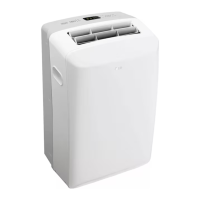
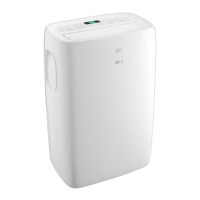
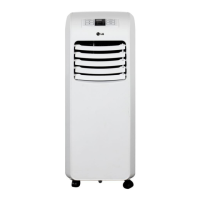
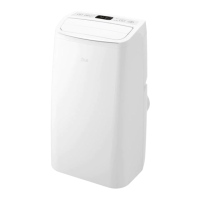
LG LP0623WSR - User Manual

LG LP0623WSR
29 pages
Print Icon
To Next Page IconTo Next Page
Loading...
www.lg.com
OWNER’S MANUAL
AIR CONDITIONER
Copyright © 2022 - 2023 LG Electronics Inc. All Rights Reserved.
TYPE: PORTABLE AIR CONDITIONER
Rev.00
Read this owner’s manual thoroughly before operating the
appliance and keep it handy for reference at all times.
EN ENGLISH
ES ESPAÑOL
LP0623WSR
LP0723WSR
LP0823GSSM
A2L

Questions and Answers

  • A
    Aaron PooleAug 15, 2025
    How to improve cooling in my LG LP0623WSR Air Conditioner?
    • T
      Tonya WalterAug 15, 2025
      If your LG Air Conditioner isn't cooling as effectively as it should, consider the following: * Ensure that curtains, blinds, or furniture aren't blocking the front of the unit. * Set the desired temperature to be lower than the current room temperature. * If you've just turned it on, allow sufficient time for the room to cool down. * Make sure that nothing obstructs air flow from registers and cold air returns. * Refer to the 'Air conditioner freezing up' section for further assistance.
  • M
    Michael AdamsAug 23, 2025
    How to reset current interrupter device on LG Air Conditioner?
    • C
      courtney73Aug 23, 2025
      To reset the current interrupter device on your LG Air Conditioner, press the RESET button located on the power cord plug. If the RESET button will not stay engaged, discontinue use of the air conditioner and contact a service technician.
  • S
    Sheila CoffeyAug 30, 2025
    Why does my LG LP0623WSR Air Conditioner show FL and not start?
    • K
      Kathleen BondAug 30, 2025
      If your LG Air Conditioner displays 'FL' and doesn't start, it means the water collection tank is full. You should drain the tank and then reset your settings.
  • D
    Danielle JamesNov 6, 2025
    What to do if my LG LP0623WSR Air Conditioner does not start?
    • T
      Timothy DavisNov 7, 2025
      If your LG Air Conditioner doesn't start, there are several potential causes: * The unit might be unplugged. Ensure the air conditioner plug is fully inserted into the outlet. * A fuse may be blown or a circuit breaker tripped. Check your house's fuse/circuit breaker box, and replace the fuse or reset the breaker. * There may be a power failure. If this occurs, turn the mode control to off. When power returns, wait 3 minutes before restarting the air conditioner to prevent compressor overload. * The current interrupter device may have tripped. Press the RESET button on the power cord plug. If the RESET button won't stay engaged, stop using the unit and contact a service technician. * 'FL' might be displayed. This indicates the water collection tank is full. Drain the tank and re...

Summary

Safety Instructions

Important Safety Instructions

Key safety precautions to reduce risks like explosion, fire, shock, and injury.

Grounding Instructions

Proper grounding procedures to minimize electric shock hazards.

Product Overview

Key Parts and Components

Identifies and describes the main parts and components of the air conditioner.

Installation

Electrical Information

Details electrical requirements and safety precautions for installation.

Before Installing the Air Conditioner

Preparation steps and important notes before commencing the installation.

Wireless Remote Control

Instructions on inserting batteries and notes for using the remote control.

Preparing for Installation

Lists basic installation materials and tools required for setup.

Selection of Installation Location

Guidance on choosing the optimal location for the air conditioner unit.

Attaching the Flexible Vent Hose Set

Step-by-step instructions for connecting the exhaust vent hose assembly.

Window Vent Panel and Extensions

How to install window vent panels for sealing exhaust hose.

Installing Vent Panels

Detailed steps for attaching foam seals and installing vent panels.

Garden Hose Installation for Dehumidifying (Dry Mode Only)

Instructions for connecting a garden hose for continuous drainage in Dry mode.

Operation

Control Panel and Remote Control

Overview of the air conditioner's control panel and remote control functions.

Key Operation Functions

Covers Power, Mode, Temperature, Fan Speed, and Timer settings.

Additional Operation Features

Includes Auto Swing, Light, Clean Filter, Wi-Fi, and Condensation Removal.

Smart Functions

LG ThinQ Application (On Some Models)

Using the LG ThinQ app to control and communicate with the appliance.

Installing the LG ThinQ Application

Steps to download and install the LG ThinQ application on a smartphone.

FCC and Wireless Specifications

Details FCC compliance, RF exposure, and wireless LAN module specifications.

Maintenance

Emptying the Water Collection Tank

Steps to drain the internal water collection tank when it is full.

Cleaning the Case

Instructions on how to clean the exterior case of the air conditioner.

Cleaning the Air Filter

Procedure for cleaning the air filters to maintain efficiency.

Troubleshooting

Before Calling for Service

Common problems and solutions to check before contacting customer support.

Wi-Fi Connectivity Issues

Troubleshooting common problems with connecting the appliance to Wi-Fi.

Warranty

What This Warranty Covers

Details of what the LG limited warranty covers for the product.

Warranty Period

Specifies the duration of the warranty for parts and labor.

How Service Is Handled: In-Home Service

Explains the process for receiving in-home service under warranty.

This Limited Warranty Does Not Cover

Lists exclusions and items not covered by the limited warranty.

Arbitration and Dispute Resolution

Notice regarding arbitration provision and procedure for resolving disputes.

LG LP0623WSR Specifications

General IconGeneral
TypePortable
Cooling Capacity6, 000 BTU
Energy Efficiency Ratio (EER)8.5
EER8.5
DehumidificationYes
Fan Speeds3
Power Supply115V
Control TypeElectronic
Display TypeLED
Remote ControlYes
Filter TypeWashable
Voltage115V
Amps5.2A
Watts600W
Power Consumption600W
RefrigerantR410A

Related product manuals