EasyManua.ls Logo

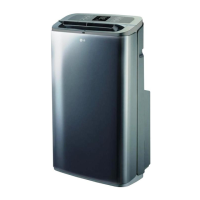
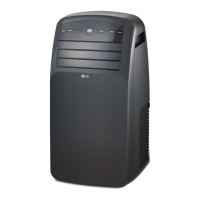
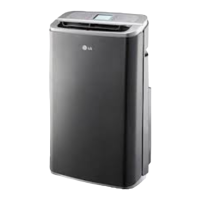
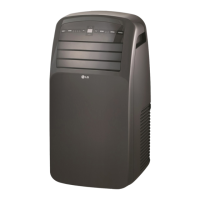
LG LP123CD3A - User Manual

LG LP123CD3A
51 pages
Print Icon
To Next Page IconTo Next Page
Loading...
Window Air Conditioner
SVC MANUAL(Exploded View)
MODEL : LP123CD3A
CAUTION
Before Servicing the unit, read the safety precautions in General SVC manual.
Only for authorized service personnel.
Internal Use Only
http://biz.lgservice.com

Questions and Answers

  • M
    michael94Aug 19, 2025
    What to do if my LG Air Conditioner fan motor runs intermittently?
    • J
      Jennifer GardnerAug 19, 2025
      If the fan motor in your LG Air Conditioner runs intermittently because it revolves on overload: * Check the voltage against the specified limits. If it's not within limits, consult an electrician. * Test the capacitor. * Check the bearings. Also, verify that the fan blade rotates freely. If not, replace the fan motor. Pay attention to any change from high speed to low speed. If the speed does not change, replace the motor.
  • T
    Tina Gordon MDAug 25, 2025
    How to fix fan motor noise in my LG LP123CD3A Air Conditioner?
    • L
      Laura BensonAug 25, 2025
      To address fan motor noise in your LG Air Conditioner, consider the following: * **Grommets:** Check the grommets and replace them if they are worn or missing. * **Fan:** If the fan is cracked, out of balance, or partially missing, replace it. * **Turbo Fan:** If the turbo fan is cracked, out of balance, or partially missing, replace it. * **Loose Set Screw:** Tighten any loose set screws. * **Worn Bearings:** If knocking sounds continue when running or if the bearings are loose, replace the motor.
  • M
    michael58Oct 30, 2025
    What to do if my LG LP123CD3A is running but cooling is ineffective?
    • J
      jmitchellOct 30, 2025
      If your LG Air Conditioner is running but not cooling effectively, there are several things you can check: * Examine the heat load increase. * Ensure smooth cold air circulation. * Inspect the outdoor coil (heat exchanger) and fan operation. * Check for gas leakage and repair it if found. * Examine the indoor coil (heat exchanger). * Check for an overloaded circuit. * Verify the fan is functioning correctly. * Check inside gas pressure. * Address any identified issues. * Check for and repair any clogging in the refrigeration circuit. * Inspect the air filter for clogging. * Look for obstructions at the air outlet. * Adjust the refrigerant charge. * Verify the compressor is working correctly. * Consider replacing the unit if it's beyond repair. * If needed, ...
  • B
    beasleywilliamNov 5, 2025
    What to do if the compressor will not run, but fan motor runs in my LG LP123CD3A Air Conditioner?
    • K
      Kristopher EllisonNov 5, 2025
      If the compressor in your LG Air Conditioner isn't running while the fan motor is, here's what you can check: * **Voltage:** Ensure the voltage is within the specified limits. If not, consult an electrician. * **Wiring:** Inspect wire connections for looseness; repair or replace terminals as needed. Refer to the wiring diagram for correct wire placement. * **Rotary Switch:** Check the rotary switch for continuity, using the wiring diagram for terminal identification. Replace the switch if the circuit is open. * **Thermostat:** Verify the knob is at the coldest setting. Check the thermostat's continuity; replace it if the circuit is open. * **Capacitor:** Check the capacitor and replace if it's not within ±10% of the manufacturer's rating or if it's shorted, open, or damaged. * ...
  • C
    caitlynmorganNov 11, 2025
    Why won't the fan motor run on my LG LP123CD3A?
    • M
      Marcus RhodesNov 11, 2025
      If the fan motor on your LG Air Conditioner won't run, consider these potential causes and solutions: 1. **No Power:** Check the voltage at the outlet and correct if there is none. 2. **Power Supply Cord:** Check the voltage to the rotary switch. If there's no voltage, inspect the power supply cord. Replace the cord if the circuit is open. 3. **Rotary Switch:** Check the switch continuity. Refer to the wiring diagram for terminal identification. Replace the switch if it's defective. 4. **Wire Disconnected or Connection Loose:** Connect any disconnected wires. Refer to the wiring diagram for terminal identification. Repair or replace any loose terminals. 5. **Capacitor:** Test the capacitor. Replace it if it's not within ±10% of the manufacturer's rating or if it's shorted, open, or d...

Summary

Specification

Features and Benefits

Unit Features Overview

Details on various unit features including IIR, compressor protection, fan controls, and diagnostics.

Control Locations and Operation

Ventilation and Electronic Controls

Information on ventilation lever and electronic control panel functions and operation.

Self-Diagnosis

Error Code Interpretation

Guide to interpreting error codes and LED flash rates for system diagnostics.

Additional Controls and Configurations

Accessing Controls and Setting Limits

Procedures for accessing controls, using switches, and setting temperature limits.

Disassembly Instructions

Mechanical Parts Disassembly

Step-by-step guide for disassembling mechanical components of the unit.

Electrical Parts Disassembly

Instructions for safely removing electrical components like motors, compressor, and PCB.

Refrigeration Cycle Components

Procedures for disassembling and servicing refrigeration cycle components.

Refrigerant System Procedures

Detailed steps for evacuating and charging the refrigerant system.

Installation

Unit Installation and Wall Sleeve Preparation

Guidelines for installing the unit and preparing the wall sleeve, including framing and sealing.

Installing Unit into Wall Sleeve

Step-by-step instructions for inserting the unit chassis into the wall sleeve.

Electrical Data and Safety Precautions

Essential electrical data for 208/230V models and critical safety guidelines.

Field Installed Accessories

Control Panel Key Lock Installation

Instructions for installing the optional control panel key lock accessory.

Pump Kit Installation Procedures

Steps for installing the condensate disposal pump kit, including connections and reassembly.

Grille Installation Procedures

Instructions for installing stamped and architectural aluminum grilles on the wall sleeve.

Drain Kit Installation and Notes

Information on drain kit components, installation, and important usage notes.

Outdoor Drain Component Installation

Steps for installing outdoor drain kit components onto the wall sleeve.

Indoor Drain Kit Installation Procedures

Steps for installing the indoor drain kit.

Leveling Legs Description and Installation

Details on leveling legs, including description, receiving, and installation checklist.

Leveling Leg Installation on Wall Sleeve

Detailed steps for assembling and installing leveling legs onto the wall sleeve.

Junction Box Kit Installation and Wiring

Instructions for installing and wiring the hard wire junction box kit.

Hard Wire Kit Wiring Procedures

Wiring procedures for 208/230V and 265V units using the hard wire junction box.

Fuse Holder Kit Installation

Instructions for installing the fuse holder kit, including options without a subbase.

Fuse Holder Kit Installation with Subbase

Steps for installing the fuse holder kit when using a subbase.

Escutcheon Kit Installation

Instructions for installing the remote escutcheon kit.

Subbase Installation and Wiring

Detailed procedures for installing and wiring the subbase unit.

Subbase Dimensions and Configurations

Information on subbase dimensions, wiring diagrams, and NEMA plug configurations.

Troubleshooting Guide

Piping System Overview

Description of the refrigeration cycle components and refrigerant flow for troubleshooting.

Troubleshooting Ineffective Cooling

Steps to diagnose and resolve issues when the unit is running but cooling is ineffective.

Troubleshooting Unit Fails to Start

Flowchart for diagnosing and resolving unit startup failures.

Fan Motor Troubleshooting

Common causes and remedies for fan motor issues like non-operation or intermittent running.

Compressor and Voltage Troubleshooting

Troubleshooting steps for compressor failures and understanding unit voltage limits.

Troubleshooting Performance Issues

Addressing issues like compressor overload, poor cooling/heating, and excessive noise.

Piping Diagrams

Refrigeration Cycle Diagram and Component Functions

Visual representation of the refrigeration cycle with descriptions of component functions.

Schematic Diagram

Electrical Schematic and Connections

Detailed electrical schematic illustrating power input, control board, and component interconnections.

Exploded View

Exploded View Parts Identification

Visual diagram showing the breakdown of unit components for parts identification.

LG LP123CD3A Specifications

General IconGeneral
TypePortable Air Conditioner
Cooling Capacity12, 000 BTU
RefrigerantR410A
Fan Speeds3
Voltage115V
Noise Level52 dB
Dimensions28.1 x 14.4 inches
Power Supply115V, 60Hz
Power Consumption1, 150 watts
Room Coverage400 sq. ft.

Related product manuals