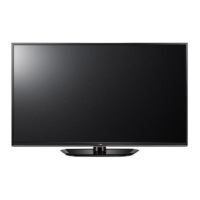
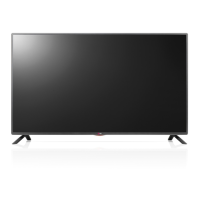
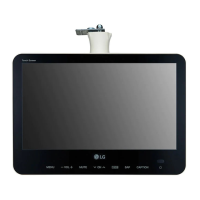
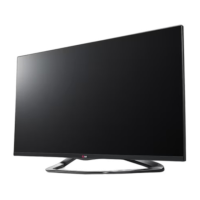
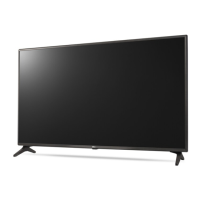
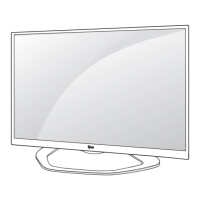
This document is an owner's manual for an LG LED TV, specifically covering models LN54**, LP36**, and LP63**. The manual provides comprehensive information on the TV's installation, operation, maintenance, and technical specifications.
Function Description
The LG LED TV is designed to display digital video and audio signals from various external devices. It supports multiple input sources, including antenna, satellite dish, HDMI, DVI, RGB-PC, component, USB, CI module, and Euro Scart. The TV can also connect to external audio systems and headphones. Certain models feature EzSign 2.0 for displaying content, and some support wired or wireless network connections, as well as an LED Clock. The TV can be controlled via a remote control or external control devices using an RS-232C serial port.
Important Technical Specifications
The TV models come in various sizes, including 32, 37, 42, and 47 inches, with corresponding dimensions and weights.
- Power Requirement: AC 100-240 V~50/60 Hz.
- Power Consumption: Varies by model and size, ranging from 80 W to 130 W.
- CI Module Size: 100.0 mm x 55.0 mm x 5.0 mm.
- Environment Conditions:
- Operating Temperature: 0 °C to 40 °C
- Operating Humidity: Less than 80%
- Storage Temperature: -20 °C to 60 °C
- Storage Humidity: Less than 85%
- Television System:
- Satellite Digital TV: DVB-T, DVB-C, DVB-S/S2 (Only satellite models)
- Digital TV: DVB-T/T2, DVB-C (Only DVB-T2 support models)
- Analogue TV: PAL/SECAM B/G/D/K, PAL I/I', SECAM L/L' (Except for DVB-T2 support models)
- Programme Coverage: VHF, UHF, C-Band, Ku-Band for Satellite Digital TV; VHF, UHF for Digital and Analogue TV.
- Maximum Number of Storable Programmes: 6,000 for Satellite Digital TV, 1,500 for Digital and Analogue TV.
- External Antenna Impedance: 75 Ω.
- Headphone Specifications:
- Impedance: 16 Ω
- Max audio output: 9mW to 15 mW
- Jack size: 0.35 cm
- Supported PC Resolutions (RGB-PC, HDMI/DVI-PC):
- 720x400 (31.469 kHz, 70.08 Hz)
- 640x480 (31.469 kHz, 59.94 Hz)
- 800x600 (37.879 kHz, 60.31 Hz)
- 1024x768 (48.363 kHz, 60.00 Hz)
- 1152x864 (54.348 kHz, 60.053 Hz)
- 1360x768 (47.712 kHz, 60.015 Hz)
- 1280x1024 (63.981 kHz, 60.020 Hz)
- 1920x1080 (66.587 kHz, 59.934 Hz for RGB-PC, 67.50 kHz, 60.00 Hz for HDMI-PC)
- Supported DTV Resolutions (HDMI/DVI-DTV):
- 720x480 (31.469 kHz, 59.94 Hz; 31.5 kHz, 60 Hz)
- 720x576 (31.25 kHz, 50 Hz)
- 1280x720 (37.5 kHz, 50 Hz; 44.96 kHz, 59.94 Hz; 45 kHz, 60 Hz)
- 1920x1080 (28.125 kHz, 50 Hz; 33.716 kHz, 29.976 Hz; 33.72 kHz, 59.94 Hz; 33.75 kHz, 30.00 Hz; 56.25 kHz, 50 Hz; 67.43 kHz, 59.94 Hz; 67.5 kHz, 60 Hz)
- Component Port Supported Signals: 480i/576i, 480p/576p, 720p/1080i, 1080p (50 Hz / 60 Hz only).
- RS-232C Communication Parameters:
- Baud rate: 9600 bps (UART)
- Data length: 8 bits
- Parity: None
- Stop bit: 1 bit
- Communication code: ASCII code
- Cable type: Crossed (reverse) cable.
Usage Features
- Installation: Detailed instructions for unpacking, attaching the stand, and mounting the TV on a table or wall. Includes guidelines for securing the TV to prevent tipping.
- Connectivity: Comprehensive guide for connecting various external devices using RF cables, HDMI, DVI-HDMI, RGB-PC, component cables, USB, CI modules, Euro Scart, and audio cables (digital optical and headphone).
- Remote Control: Description of all remote control buttons and their functions, including power, channel selection, volume, input source, aspect ratio, AV mode, subtitle, teletext, menu navigation, and special functions like SIMPLINK and alarm.
- Adjustments: Ability to adjust screen angle (15° or 90° swivel depending on model), volume, contrast, brightness, colour, tint, sharpness, balance, and colour temperature.
- Screen Mute: Option to mute the screen (picture off) or video (OSD displayed).
- Remote Control Lock Mode: Function to lock front panel and remote controls.
- Energy Saving: Feature to reduce power consumption with various levels (Off, Minimum, Medium, Maximum, Screen Off, Auto).
- Tune Command: Select channels by physical number.
- Programme Add/Skip: Set skip status for programmes.
- Control Back Light: Adjust the backlight level.
- Input Select: Choose input source for the main picture.
- EzSign 2.0 (Only 32/37/42/47LN549E): A feature for displaying content, with specific cautions regarding USB drive usage, subtitle formats, and initial setup. It supports external subtitles but not internal ones for movies.
- Network Setup (Only 32/37/42LP63 and 32/37/42/47LN549E)**:
- Wired Network: Connects to a Pro:Centric server via LAN port.
- Wireless Network: Connects via a Wireless Dongle (AN-WF100).
- LED Clock Connection (Only 32/37/42LP63)**: Connects to an LED Clock (LEC-001) via the CLOCK port.
- Dual Lock™ (Only 32/37/42LP63)**: A method to fix a set-top box to the TV using Velcro strips.
Maintenance Features
- Cleaning: Instructions for cleaning the TV screen, frame, cabinet, stand, and power cord. Emphasizes using a dry, soft cloth for light dirt and a damp cloth with mild detergent for major dirt.
- Safety Precautions: Warnings against using unapproved items, touching the screen, applying excessive force, or using chemicals for cleaning. Advises disconnecting power during cleaning or installation.
- Power Cord: Regular removal of accumulated dust or dirt from the power cord.
- Troubleshooting: Provides solutions for common issues such as remote control malfunction, no image/sound, sudden TV shutdown, and 'No signal'/'Invalid Format' when connecting to a PC.

 Need help?

 To Next Page
 General