EasyManua.ls Logo

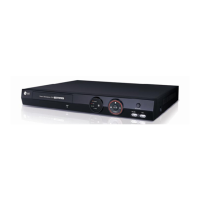
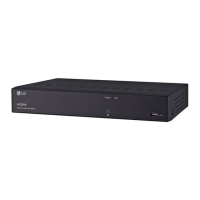
LG LRA3040N-NH - User Manual

LG LRA3040N-NH
47 pages
Print Icon
To Next Page IconTo Next Page
Loading...
OWNER’S MANUAL
Digital Video
Recorder
Please read this manual carefully before operating your
set and retain it for future reference.
MODELS
LRA3040N-NH
LRA3080N-NH
LRA3160N-NH
(V1.0) 1602

Questions and Answers

  • N
    nphillipsAug 15, 2025
    Why is my LG LRA3040N-NH DVR not sending emails?
    • T
      Theresa AguilarAug 16, 2025
      If you're not receiving emails sent from your LG DVR, even with SMTP server settings configured, several factors could be at play. First, if you see a message prompting you to check SMTP information or the internet cable, verify the SMTP server address, port number, and network settings. If an authentication error appears, double-check the username and password. If no error message is displayed, ensure the receiver's email address is correct and that your email isn't being marked as spam in their settings. If you haven't set up the SMTP server, ensure your network is correctly configured, the email address is entered accurately, and check the recipient's spam settings. Consider using a public SMTP server, as some private servers may not be supported.
  • T
    Thomas VaughanAug 18, 2025
    What to do if my LG LRA3040N-NH DVR camera images are not displaying?
    • L
      Lindsay HaynesAug 19, 2025
      If your LG DVR displays camera numbers but not the actual images, try the following: Ensure the camera's power cable is properly connected, verify the LAN cable is correctly connected, and check the IP Camera cable connection. As a last resort, turn off the NVR system and then turn it back on.
  • R
    rjohnsonAug 21, 2025
    How to fix LG DVR when the system power does not turn on?
    • W
      woodwardshelbyAug 21, 2025
      If the LG DVR system power does not turn on, ensure the power cable is correctly connected and that the input voltage is correct. If the system still fails to power on, contact the service center.
  • R
    Robert TaylorAug 25, 2025
    What to do if my LG LRA3040N-NH DVR has power but no video on the monitor?
    • M
      michelleclarkAug 25, 2025
      If the LG DVR system power is on, but no video data is displayed on the monitor, ensure the monitor power cable is connected properly and that the monitor is turned on. If the issue persists, unplug the power cable and plug it back in.
  • A
    Andrea BeckerAug 27, 2025
    Why is my LG LRA3040N-NH DVR not recording video?
    • X
      xcarpenterAug 27, 2025
      If your LG DVR is showing camera video but not recording, check the following: 1. Verify the recording mode in the record setting menu. 2. Check the HDD detection status in the System Information window; if abnormal, check the HDD formatting and connection. 3. Ensure there is recordable disk space on the HDD. 4. Check the overwrite option in the setup menu for overwrite recording. 5. If using IP cameras, confirm the IP Camera's motion detection feature is activated for motion recording.
  • O
    ogonzalezAug 30, 2025
    Why can't I search recorded video on my LG LRA3040N-NH DVR?
    • T
      Theresa DavisAug 31, 2025
      If you cannot search through recorded video on your LG DVR, first verify that there is recorded video data for the time you are searching. If not, check the recording mode in the record setting menu. Also, check the HDD detection status in the system information window, and if it's abnormal, check the HDD formatting and connection. Finally, ensure you are using an authorized user account, as the search function is unavailable for unauthorized users.
  • M
    Mark GrossSep 2, 2025
    How to fix LG DVR audio not playing?
    • K
      Kathleen TorresSep 2, 2025
      If audio data recorded with video data on your LG DVR is not playing, verify that the audio recording option is correctly set for the camera you wish to record audio. Also, check that the speakers on the rear of the system are connected correctly and that the connected speaker is working properly.
  • C
    Christopher LeeSep 5, 2025
    What to do if the connected sensor on my LG LRA3040N-NH DVR is not working?
    • S
      ssmithSep 5, 2025
      If the connected sensor on your LG DVR is not operating, verify that the sensor type in the camera setting matches the connected sensor. Also, check that the system is set to use the sensor in the recording schedule window within the recording setting menu and ensure the sensor is properly connected to the ALARM-IN.
  • S
    Stephanie MartinSep 8, 2025
    Why is my LG LRA3040N-NH remote control not working?
    • A
      Ashley BassSep 8, 2025
      If the remote control for your LG DVR is not working properly, check the batteries in the remote control and ensure there are no obstacles between the remote control and the unit.
  • M
    Michael ClarkSep 12, 2025
    Why is my LG LRA3040N-NH PTZ camera not operating?
    • E
      Eric ClarkSep 12, 2025
      The PTZ camera control is not available for a normal user. Check the user type.

Summary

Safety Information

Safety Warnings and Cautions

Important warnings and cautions for user safety and property protection.

Product Preparation

Device Installation

System Startup and Configuration

Guide to initial system startup, wizard, HDD, network, and schedule configuration.

Web Viewer Program

Web Viewer Login and Overview

Steps for logging into the web viewer and an overview of its interface.

Troubleshooting Guide

Troubleshooting: Power and Video Issues

Guide for diagnosing and resolving common system power and video display problems.

Troubleshooting: Audio, Sensor, PTZ, and Email

Resolving issues related to audio, sensors, PTZ cameras, and email notifications.

LG LRA3040N-NH Specifications

General IconGeneral
Channels4
CompressionH.264
Motion DetectionYes
Remote ViewingYes
Operating Temperature14°F ~ 122°F (-10°C ~ 50°C)

Related product manuals