40
Ch5. Removing and replacing a part
■ 1040 Keyboard
Remove the following parts in order before replacing this part
1. Battery Pack(1010) 2. Hard Disk Drive(1020) 3. W/L LAN Card(1030)
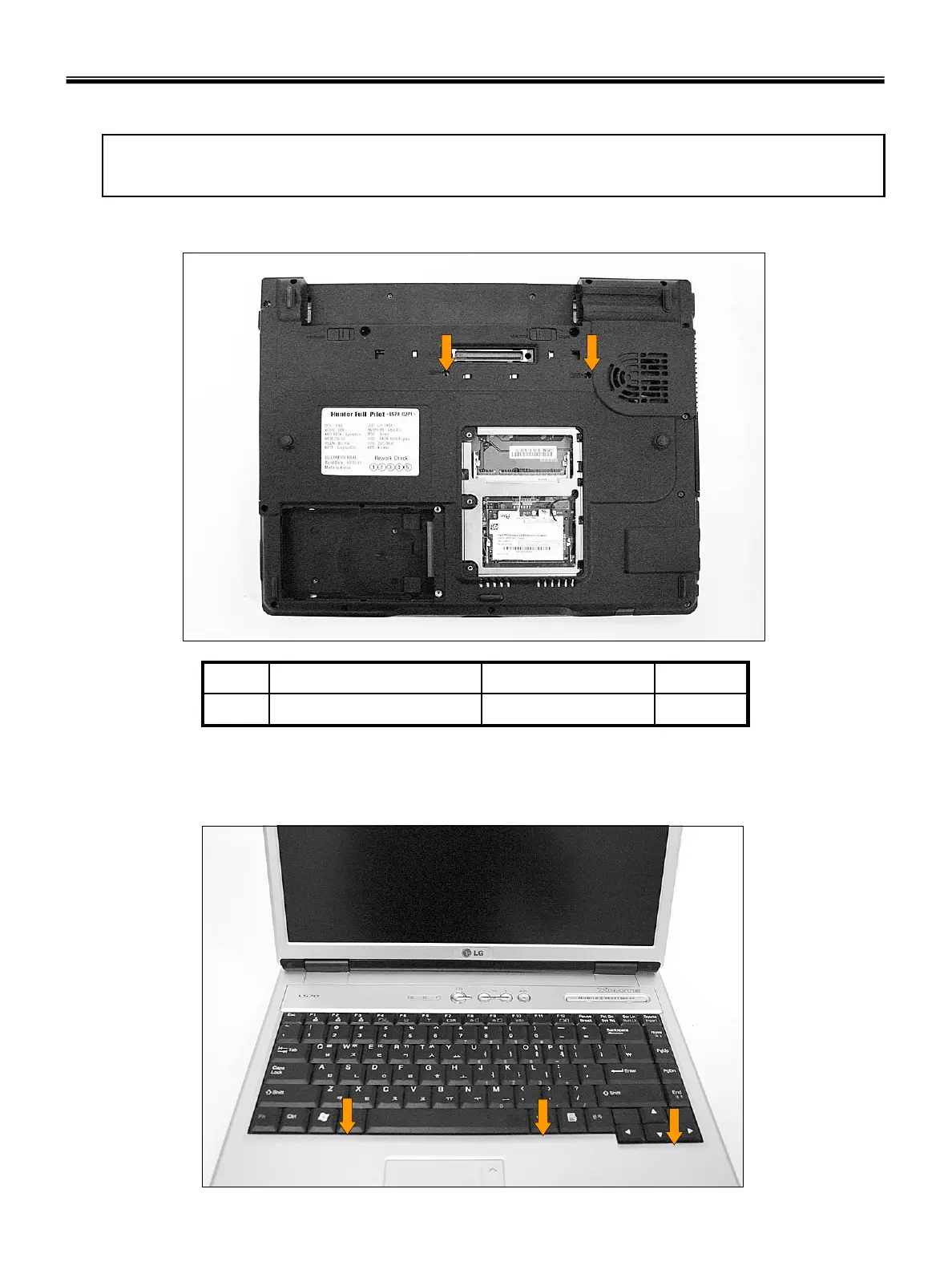
1. Remove 2 screws.
2M2.5 X L6.51SZZBA4097A1
QtySpecificationFRU No.No.
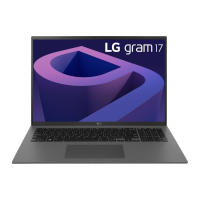
2. To remove 3 hooks, insert a (-) type screwdriver into a hook located at the lower end of keyboard,
and pull it up.



 To Next Page