39
Ch5. Removing and replacing a part
■ 1030 Wireless LAN Card
Remove the following parts in order before replacing this part
1. Battery Pack(1010) 2. Hard Disk Drive(1020) 3. Keyboard(1030)
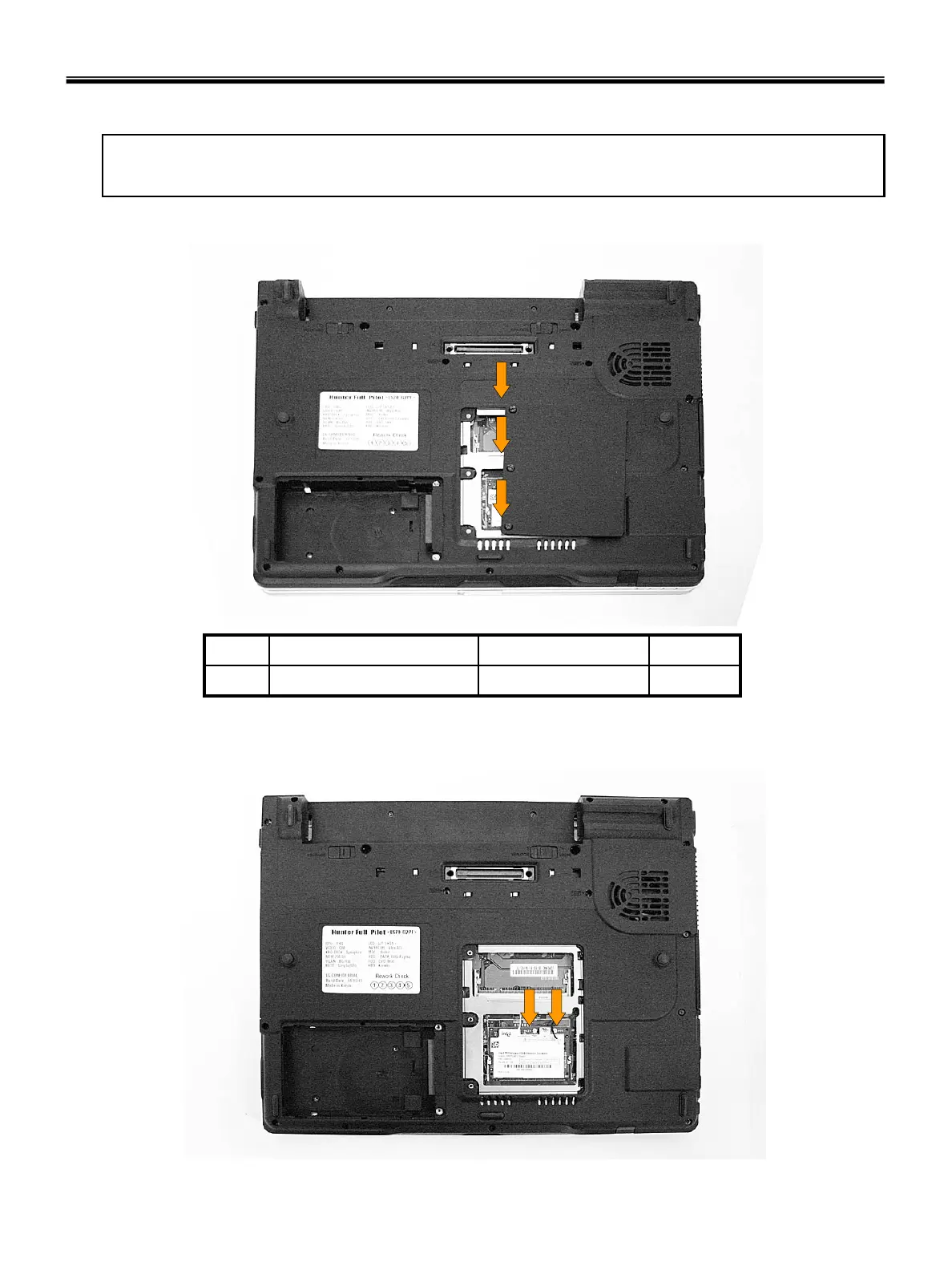
1. Remove 3 Memory Cover screws.
3M2.5 X L3.51SZZBA4063A1
QtySpecificationFRU No.No.
2. Remove WLAN Card Antenna cable. Remove WLAN Card.



 To Next Page