EasyManua.ls Logo

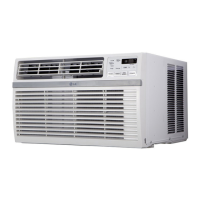
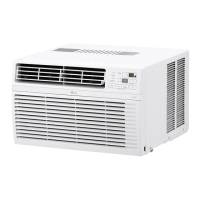
LG LW8016HR - User Manual

LG LW8016HR
30 pages
Print Icon
To Next Page IconTo Next Page
Loading...
www.lg.com
EN ENGLISH
*MFL70559721*
Copyright © 2020 - 2021 LG Electronics Inc. All Rights Reserved
MFL70559721
Rev.06_110621
AIR CONDITIONER
Read this owner’s manual thoroughly before operating the appliance
and keep it handy for reference at all times.
OWNER’S MANUAL
TYPE : WINDOW
LW8016HR
LW8021HRSM

Questions and Answers

  • J
    Jason WhitneyAug 14, 2025
    What to do if my LG Air Conditioner does not start?
    • K
      Kimberly RuizAug 14, 2025
      If your LG Air Conditioner doesn't start, first ensure it's fully plugged into the outlet. Then, check your house's fuse or circuit breaker box, replacing the fuse or resetting the breaker if needed. If a power failure occurred, switch the mode control to off and wait 3 minutes after power is restored before restarting to protect the compressor. Also, check the current interrupter device by pressing the RESET button on the power cord plug. If the reset button won't stay engaged, stop using the air conditioner and contact a qualified technician.
  • A
    Albert McintoshAug 17, 2025
    Why is my LG LW8016HR not cooling as it should?
    • S
      Scott SmithAug 17, 2025
      If your LG Air Conditioner isn't cooling properly, ensure that curtains, blinds, or furniture aren't blocking the front of the unit. Adjust the temperature setting to be lower than the current room temperature. Clean the air filter at least every 2 weeks. Remember that after turning on the air conditioner, you need to allow time for the room to cool down. Check for open furnace floor registers and cold air returns. If the cooling coils have iced up, set the mode control at High Fan or High Cool.
  • R
    Ralph LeonardAug 20, 2025
    Why LG Air Conditioner is not connecting to the Wi-Fi?
    • D
      dhenryAug 20, 2025
      If your LG air conditioner is not connecting to Wi-Fi, try moving the router closer to the air conditioner or install a Wi-Fi repeater. Also, ensure you're selecting the correct wireless router and that it's set to 2.4 GHz, as this is required for compatibility.
  • S
    Samantha MortonAug 25, 2025
    Why is water dripping indoors from my LG LW8016HR Air Conditioner?
    • K
      Krystal GreenAug 25, 2025
      If water is dripping indoors from your LG Air Conditioner, ensure the unit slants slightly from the front to the rear for proper water disposal.
  • R
    Robin PetersAug 27, 2025
    Why does my LG LW8016HR turn on and off rapidly?
    • K
      Kristin RomeroAug 27, 2025
      If your LG Air Conditioner turns on and off rapidly, try cleaning the air filter. If the outside temperature is extremely hot, refer to the installation instructions or check with the installer.
  • P
    philipmillerAug 30, 2025
    Why is my LG LW8016HR making noise when unit is cooling?
    • S
      Steven WilliamsAug 30, 2025
      If your LG Air Conditioner is making noise when cooling, it could be due to normal air movement sounds; if it's too loud, try setting the fan to a lower setting. Alternatively, window vibration from poor installation could be the cause; in that case, refer to the installation instructions or consult with the installer.
  • J
    Jorge CoxSep 3, 2025
    Why is my room too cold with LG Air Conditioner?
    • S
      samuel87Sep 3, 2025
      If the room is too cold when using your LG Air Conditioner, the set temperature might be too low. Try increasing the set temperature.
  • D
    davisjustinSep 6, 2025
    What to do if my LG Air Conditioner is freezing up?
    • D
      Danielle HuynhSep 6, 2025
      If your LG Air Conditioner is freezing up, it means the cooling coils are iced over. Set the mode control to High Fan or High Cool.
  • A
    Alex BrownSep 9, 2025
    Why is LG Air Conditioner remote sensing deactivating prematurely?
    • W
      williamsdeniseSep 9, 2025
      If the remote sensing deactivates prematurely on your LG Air Conditioner, make sure the remote control is within a 20 feet range and 120° radius of the front of the unit, and that there are no obstructions blocking the remote control signal.

Summary

Safety Instructions and Warnings

Understanding Safety Symbols

Explains the meaning of safety alert symbols, WARNING, and CAUTION.

Important Safety Instructions

Crucial safety guidelines for operating and installing the air conditioner.

Operational Safety and Grounding

Safe Operation Practices

Guidelines for safe operation, including cord handling and appliance use.

Proper Grounding Procedures

Details on grounding the appliance to prevent electrical hazards.

Operational Cautions and Maintenance Prep

General Cautions for Use

Precautions related to appliance use, cleaning, and battery handling.

Maintenance Preparation

Initial steps and warnings before performing maintenance tasks.

Product Overview

Exterior Parts Identification

Identifies and labels the external components of the air conditioner unit.

Interior Parts Identification

Identifies and labels the internal components of the air conditioner unit.

Installation: Electrical and Parts

Electrical Data and Requirements

Specifies electrical requirements, plug type, and power supply details.

Included Parts and Tools

Lists all components provided and necessary tools for installation.

Installation: Unit and Window Prep

How to Install the Unit

Step-by-step guide for installing the air conditioner unit.

Window and Storm Window Requirements

Specifies window dimensions and storm window considerations for installation.

Installation: Cabinet Preparation

Cabinet Preparation Steps

Guides on preparing the cabinet, attaching seals, and fitting panels.

Installation: Cabinet Mounting

Cabinet Installation in Window

Details on mounting the cabinet into the window and securing it with supports.

Sill Support Attachment

Instructions for attaching sill supports for cabinet stability.

Installation: Final Assembly

Unit and Curtain Panel Installation

Covers sliding the unit into the cabinet and installing curtain panels.

Window Locking Bracket

Instructions for attaching a window locking bracket for security.

Installation: Front Grille

Front Grille Attachment

Steps for folding the vent control lever and attaching the front grille.

Operation: Controls

Control Panel Functions

Explains the buttons and indicators on the air conditioner's control panel.

Remote Control Functions

Details operation modes, fan speed, and timer settings via remote.

Operation: Features

Wi-Fi and ThinQ Connectivity

Information on connecting the unit to Wi-Fi and the ThinQ application.

Filter Status and Temperature Control

Explains the Clean Filter indicator and thermostat operation.

Wireless Remote Control Setup

Instructions for inserting batteries and general use of the wireless remote.

Operation: Airflow and Extras

Ventilation and Air Direction

How to use ventilation and adjust horizontal/vertical airflow.

Additional Operational Features

Covers features like Slinger Fan and Drain Pipe for optimal operation.

Smart Functions Overview

LG ThinQ Application Guide

Introduction to using the LG ThinQ app for smart control.

Smart Diagnosis Feature

Explains how to use the Smart Diagnosis for troubleshooting appliance issues.

ThinQ Application Settings

Information on settings and notes for using the ThinQ application.

Smart Functions: Advanced Use

Installing the ThinQ Application

Steps to search, download, and install the LG ThinQ application.

Open Source Software Information

Details on open source software licenses and how to obtain source code.

Diagnosing Issues with ThinQ

How to use the ThinQ app to diagnose and solve appliance problems.

Regulatory Information

FCC Compliance Notice

Explains FCC rules compliance for the device's transmitter module.

RF Exposure and LAN Specs

Information on RF radiation exposure limits and wireless LAN module specs.

Maintenance Procedures

Air Filter Cleaning Guide

Instructions for removing, washing, and replacing the air filter.

Cleaning the Air Conditioner

Guidance on cleaning the unit's exterior surfaces and grilles.

Troubleshooting Guide

Before Calling for Service Checks

Preliminary checks to perform before contacting customer support for issues.

Understanding Normal Sounds

Describes common sounds the unit may make during normal operation.

Warranty Information

What the Warranty Covers

Details the scope of the limited warranty for defects in materials and workmanship.

Warranty Service and Period

Explains how to obtain in-home service and the warranty duration.

Warranty Exclusions

Lists specific conditions and damages not covered by the limited warranty.

Warranty Records and Contact

For Your Records Section

Space to record model, serial numbers, and dealer information.

Obtaining Warranty Service

Information on how to get warranty service and additional product information.

Dispute Resolution Procedure

Binding Arbitration Agreement

Outlines the arbitration process and requirement for resolving disputes.

Notice of Dispute Requirements

Specifies the written notice procedure for initiating arbitration.

Dispute Resolution Details

Arbitration Fees and Hearings

Details arbitration fees, hearing options, and locations.

Opting Out of Arbitration

Instructions on how to opt out of the dispute resolution procedure.

LG LW8016HR Specifications

General IconGeneral
TypeWindow Air Conditioner
Cooling Capacity8, 000 BTU
Energy Efficiency Ratio (EER)12.1
Voltage115V
Fan Speeds3
Window Width (Min/Max)23 - 36 inches
Room Coverage350 sq. ft.
Operating Frequency60 Hz
Noise Level54 dB

Related product manuals