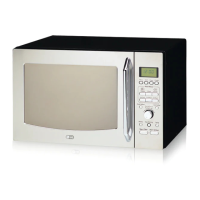
Please follow the given steps to operate cook functions (Diet Fry/Low Calorie,
Tandoor Se/Kids’ Delight, Indian Roti Basket, Indian Cuisine, Pasteurize
Milk/Tea/Dairy Delight, Cooking Aid/Steam Clean/Dosa/Ghee) in your
Microwave.
Cook
Functions
STEP-1
STEP-2
STEP-3
STEP-4
STEP-5
Diet Fry/
Low
Calorie
Press
STOP/CLEAR
Press
STOP/CLEAR
Press
STOP/CLEAR
Press
STOP/CLEAR
Press
STOP/CLEAR
Press
STOP/CLEAR
Press
Diet Fry/&
twice for Low
Calorie
Turn Dial
to select
the Menu
(dF1-dF25
SA1-SA13
HP1-HP20
So1-So20
Co1-Co21)
Press
START/
Add
30secs
Turn the
dial to
select
the weight
Indian
Roti
Basket
Tandoor
Se/Kids’
Delight
Press
Indian
Roti
Basket
Press
Tandoor
Se/& twice for
Kids’ Delight
Turn Dial
to select
the Menu
(br1-br25)
Turn Dial
to select
the Menu
(tS1-tS14
CF1-CF27
bA-bA13)
Press
START/
Add
30secs
Press
START/
Add
30secs
Turn the
dial to
select
the weight
Turn the
dial to
select
the weight
Indian
Cuisine
Press
Indian
Cuisine
Turn Dial
to select
the Menu
(IC1-IC40
SC1-SC20
rd1-rd20
CC1-CC15)
Press
START/
Add
30secs
Turn the
dial to
select
the weight
Pasteurize
Milk/Tea
/Dairy
Delight
Press
Pasteurize
Milk/& twice
forTea/Dairy
Delight
Turn Dial
to select
the Menu
(PS1)
dd1-dd11)
PA1-PA2
CU1-CU2)
Press
START/
Add
30secs
Turn the
dial to
select
the weight
Cooking
Aid/Steam
Clean/
Dosa/Ghee
Press
Cooking
Aid/Steam
Clean/
Dosa/Ghee
Turn Dial
to select
the Menu
(UC1-UC15)
(SL1)
(do1-do8)
(Gh1)
Press
START/
Add
30secs
Turn the
dial to
select
the weight
STEP-6
Press
START/
Add
30secs
Press
START/
Add
30secs
Press
START/
Add
30secs
Press
START/
Add
30secs
Press
START/
Add
30secs
Press
START/
Add
30secs
25
Various Cook Functions / fofHkUu dqd dk;Ziz.kkfy;k¡


 To Next Page
 Loading...