This document is a Quick Start Guide for the LG LED LCD Monitor (LED Monitor) from the MK4 series, specifically covering models 20MK4, 22MK4, 24MK4, and 27MK4. It provides essential information for setting up and using the monitor.
Function Description
The LG LED LCD Monitor is designed to display visual output from a computer or other compatible devices. It serves as a primary display unit, offering a clear and vibrant viewing experience. The monitor is equipped with various input ports to accommodate different connection types, ensuring versatility in its application. It is suitable for both personal and professional use, providing a reliable display solution for various tasks such as browsing, document editing, multimedia consumption, and gaming.
Important Technical Specifications
While specific technical specifications like resolution, refresh rate, or panel type are not explicitly detailed in this quick start guide, the document highlights key aspects of the monitor's design and connectivity.
- Model Series: MK4 series, including 20MK4, 22MK4, 24MK4, and 27MK4. The numerical prefix likely indicates the screen size in inches (e.g., 20-inch, 22-inch, 24-inch, 27-inch).
- Power Input: DC-IN (19 V =). This indicates that the monitor requires a 19-volt DC power supply, typically provided by an external power adapter.
- Video Inputs:
- HDMI IN: For digital video and audio input from devices like computers, gaming consoles, or media players.
- D-SUB IN: Also known as VGA, for analog video input, commonly used with older computers.
- Audio Output: H/P (Headphone Port): Allows users to connect headphones or external speakers for audio output.
- Included Components (Illustrative): The guide illustrates various accessories that may come with the monitor, though it notes that "All Connection cables shown in the picture are not included along with the monitor set."
- Monitor panel
- Monitor stand components (base and neck)
- Power adapter and power cord
- HDMI cable (illustrated as an example, but not necessarily included)
- D-SUB cable (illustrated as an example, but not necessarily included)
- Owner's Manual (mentioned as a resource)
- Compliance: The product is identified by P/No: MBM66205787 (1802-REV00), which is a part number and revision identifier.
Usage Features
The Quick Start Guide focuses on the initial setup and basic connectivity of the monitor, outlining several key usage features:
- Easy Assembly: The guide provides a step-by-step visual instruction for assembling the monitor stand and attaching it to the monitor panel. This process is designed to be straightforward, allowing users to quickly set up their display.
- Step 1 (Preparation): Unpacking the components.
- Step 2 (Stand Assembly): Attaching the stand neck to the monitor panel. This step varies slightly between the 20/22/24MK4 series and the 27MK4 series, indicating minor design differences in the stand attachment mechanism.
- Step 3 (Base Attachment): Securing the stand base to the stand neck. Again, slight variations are shown for different model series.
- Step 4 (Final Assembly): Tightening screws or securing the base, ensuring a stable setup.
- Versatile Connectivity: The monitor supports both digital (HDMI) and analog (D-SUB) video inputs, offering compatibility with a wide range of devices. The presence of a headphone port allows for direct audio output from the monitor.
- HDMI Connection: Connects to devices with HDMI output. The guide illustrates connecting a PC via HDMI OUT and an AV device via HDMI OUT, implying the monitor can receive input from various sources.
- D-SUB Connection: Connects to devices with D-SUB (VGA) output, typically older PCs.
- Audio Output: The H/P port allows for private listening or connection to external speakers.
- Power Management: The guide illustrates how to connect the power adapter to the monitor and then to a power outlet. It shows two common power connection methods: direct plug-in or using a power adapter with a separate power cord.
- Power On/Off: A dedicated section shows the power button location and how to turn the monitor on, indicated by a power symbol.
- Recommended Components: The guide explicitly states, "It is recommend that use the supplied components," emphasizing the importance of using original or compatible accessories for optimal performance and to prevent malfunction.
- Owner's Manual Reference: Users are advised to "Read Owner's Manual" for more detailed information, suggesting that this Quick Start Guide covers only the most essential setup steps.
Maintenance Features
While the guide does not explicitly detail maintenance procedures, it provides crucial information that contributes to the proper care and longevity of the device:
- Safe Assembly Practices: A "CAUTION" note advises, "When attaching the stand to the monitor set, place the screen facing down on a cushioned table or flat." This is a critical safety and maintenance tip to prevent scratches, damage, or breakage to the monitor screen during assembly.
- Cable Compatibility: The guide warns, "Using a DVI to HDMI cable may cause compatibility issues." This is an important note for users who might attempt to use adapter cables, guiding them towards using direct HDMI connections where possible to avoid potential display problems.
- Use of Supplied Cables: The instruction "Make sure to use the supplied cable. Otherwise, this may cause the device to malfunction" is a key maintenance recommendation. Using non-standard or incompatible cables can lead to poor performance, damage to the ports, or even electrical issues, thus emphasizing the importance of using the manufacturer-recommended accessories.
- Unpacking Instructions: The "Unpacking" section advises users to "Check your product box for the following items. If there are any missing accessories, contact the local dealer where you purchased your product." This ensures that users have all necessary components from the start, preventing potential issues that could arise from using incomplete or incorrect setups.
- Visual Discrepancy Note: "Image may vary depending on model" and "Image shown may differ from your monitor" are included to manage user expectations regarding the visual representation in the manual versus the actual product, which is a common practice in user guides to account for minor design variations across different models or production batches. This helps prevent confusion and unnecessary troubleshooting.

 Need help?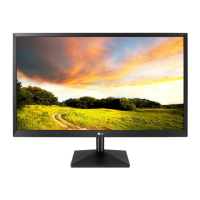

 To Next Page
 General