Getting Started 9
Getting Started
1
a
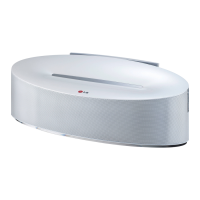
Display window
Displays each of functions.
b
Remote sensor
c
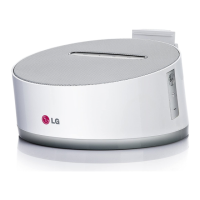
iPod/iPhone/iPad Dock (Lightning Connector)
Connects your iPod/iPhone/iPad.
d
Android device Dock (Micro USB)
Connects your Android device.
e
Tag on
LG Tag On allows you to install and open “LG
Bluetooth Remote” app to NFC-enabled phone.
f
Speaker
g 1/
I : Switches the unit ON or OFF.
F : Selects the function and input source.
(LG Sound Sync function is only selected by
using the SOUND SYNC button on the rear of
the unit.)
+/- (Volume) : Adjusts speaker volume.
Precautions in using the touch buttons
y
Use the touch buttons with clean and dry
hands. - In a humid environment, wipe out
any moisture on the touch buttons before
using.
y
Do not press the touch buttons hard to
make it work. - If you apply too much
strength, it can damage the sensor of the
touch buttons.
y
Touch the button that you want to work in
order to operate the function correctly.
y
Be careful not to have any conductive
material such as metallic object on the
touch buttons. It can cause malfunctions.
>
Caution
How to open the dock station
,
Note



 To Next Page