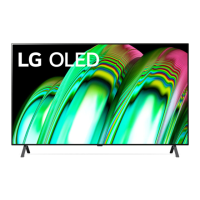
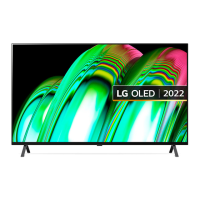
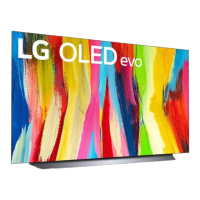
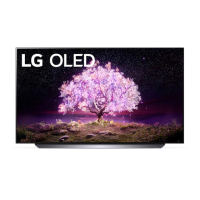
Need help?
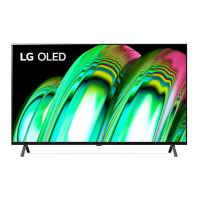
Do you have a question about the LG OLED48A2PUA and is the answer not in the manual?
Guidance on how to read the manual and access online resources for TV information and support.
Information regarding optional accessories that may be available for purchase separately.
Covers general safety guidelines for preventing fire, electric shock, and ensuring proper ventilation and cord handling.
Instructions for safely lifting, moving, and placing the TV on a table, including ventilation space.
Details on securing the TV to a wall using brackets and proper installation procedures for safety.
Guidance on connecting antennas, cables, and cable boxes for TV reception.
Instructions on how to turn the TV on and off using the built-in button controls.
Guidelines for connecting devices via HDMI, USB, and using the IR Blaster for external control.
Information on obtaining RS-232C external control setup details from the LG website for advanced integration.
Information on obtaining source code for open source software and details on product licenses and certifications.
Identifies image types that cause retention and provides recommendations for minimizing it, including pixel cleaning.
Details FCC and Industry Canada compliance, RF exposure, and interference correction measures.
Crucial warnings about TV stability hazards and notes for cable/TV installers regarding grounding.
Explanation of common symbols and LG's e-waste take-back and recycling services.
Guidelines for safe TV usage, child climbing prevention, mounting, and moving older televisions to prevent injury.
A comprehensive list of remote control key codes and their corresponding functions for external device control.
Details on connecting USB to Serial converters and RS-232C serial cables for external TV control.
Information on phone jack connections and detailed RS-232C configurations for PC and phone interfaces.
Procedure for setting the Set ID number for controlling the TV via external devices.
Defines communication parameters and provides a reference list of commands for external TV control.
Explains the command protocol, acknowledgements, error handling, and data mapping for external control.
Commands for Power, Aspect Ratio, Screen Mute, Volume, Contrast, Brightness, Color, Tint, Sharpness, Treble, Bass, Balance, and Color Temp.
Commands for OSD selection, remote control lock mode, Treble, Bass, Balance, and Color Temperature adjustments.
Details commands for Equalizer, Energy Saving, and channel tuning (Tune Command).
Commands for adding/deleting channels, sending key codes, and selecting input sources.
Commands used to change 3D modes and settings for compatible TVs.
Details commands for Extended 3D options and the Auto Configure function for picture optimization.
This document is an owner's manual for an LG OLED TV, providing essential information for safe operation, installation, and maintenance, along with details for external control device setup.
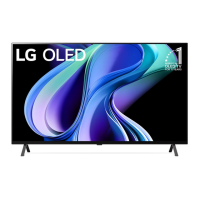
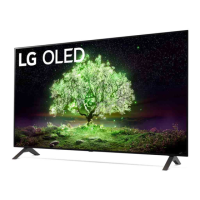
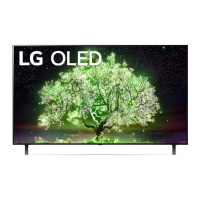
The LG OLED TV is a high-resolution display that utilizes organic light-emitting diodes (OLED) for each pixel, delivering perfect black colors and clear images without blurring. It is designed for home entertainment, offering various connectivity options for external devices such as Blu-ray players, HD receivers, DVD players, VCRs, audio systems, USB storage devices, PCs, and gaming consoles. The TV can be controlled via its integrated buttons or a remote control. It supports both analog and digital broadcasting systems, including ATSC/NTSC-M, 64 & 256 QAM, and various VHF/UHF/CATV channels. The TV also features an IR Blaster for universal control of compatible external devices. For advanced control and integration into a larger A/V system, the TV supports external control via USB to Serial (RS-232C) converters or direct RS-232C serial connections, allowing for programmatic control of various TV functions. Wireless connectivity is available through Wireless LAN (IEEE 802.11a/b/g/n/ac/ax) and Bluetooth, enabling network access and connection to wireless accessories.
The TV offers a range of user-friendly features. Basic operation includes power on/off, volume control, and channel selection via the TV's physical buttons or the remote control. The remote control provides access to various menus for adjusting picture settings, sound settings, and other TV functions. The TV supports multiple aspect ratios, including Normal screen (4:3), Wide screen (16:9), Zoom, Zoom 2, Just Scan, Full Wide, and Cinema Zoom, allowing users to optimize the display for different content types. Users can adjust picture parameters such as contrast, brightness, color/colour, tint, and sharpness to suit their preferences. Sound settings, including treble and bass, can also be adjusted. The TV includes an OSD (On Screen Display) feature that can be toggled on or off for remote control. A remote control lock mode is available to disable front panel controls and the remote, preventing unintended changes.
The TV's input selection feature allows users to easily switch between various sources like DTV, CADTV, ATV, Satellite DTV, AV, Component, RGB, and multiple HDMI inputs. For models supporting 3D, there are options to change 3D modes, including 3D On/Off, 3D to 2D, 2D to 3D, and various 3D pattern options like Top and Bottom, Side by Side, Check Board, Frame Sequential, Column interleaving, and Row interleaving. The 3D effect (depth) can also be adjusted. An "Auto Configure" function is available for RGB (PC) mode to automatically adjust picture position and minimize image shaking. The TV also features an Energy Saving mode with options like Minimum, Medium, Maximum, Auto (for LCD/LED TVs), Intelligent sensor (for PDP TVs), and Screen off, helping to reduce power consumption. Channel tuning can be performed for analog and digital channels, with options to add or delete channels from the program list.
The manual emphasizes several maintenance and safety features to ensure the longevity and proper functioning of the TV. For physical cleaning, it recommends using only a dry cloth and avoiding water or other liquids directly on the TV. Harsh chemicals like glass cleaner, air freshener, insecticide, lubricants, wax, abrasive, thinner, benzene, or alcohol should not be used, as they can damage the product or panel. When moving the TV, it is advised to keep it in its original packaging, disconnect all cables, and have at least two people carry larger TVs, holding the top and bottom frame firmly while keeping the screen facing away to prevent damage. The manual also warns against placing the TV face down on the floor without padding.
To protect the OLED screen from image retention (burn-in), the TV includes a built-in "Pixel Cleaning" feature that automatically runs when the TV is turned off, based on accumulated viewing time. This feature checks the screen status and prevents image retention. Users can also manually run Pixel Cleaning. Recommendations for minimizing image retention include setting the picture mode to [APS], reducing [OLED Pixel Brightness], and adjusting [Adjust Logo Brightness] to [High]. When displaying images with black bars, users are advised to use [Vertical Zoom] or [4-Way Zoom] to remove them. It is also recommended to turn off device setup menus that might remain on screen for extended periods. The TV is designed to automatically reduce screen brightness when a fixed image is displayed for a long time, restoring it once the content changes, as a normal function to minimize image retention.
Safety instructions highlight the importance of proper ventilation, avoiding heat sources, and protecting the power cord from damage. Users are advised to unplug the TV during lightning storms or when unused for long periods. Servicing should only be performed by qualified personnel. The manual also includes a troubleshooting section for common issues like remote control problems, no image/sound, sudden TV turn-off, and abnormal display, as well as explanations for generated sounds like cracking noise and electrical circuit humming/panel buzzing, which are considered normal for the product.
 General
| Screen shape | Flat |
|---|---|
| Display diagonal | 48 \ |
| Display brightness | - cd/m² |
| Display technology | OLED |
| Native aspect ratio | 16:9 |
| Native refresh rate | 60 Hz |
| Contrast ratio (typical) | - |
| Dimming type | Pixel Dimming |
| Game features | Auto Low Latency Mode (ALLM), Game Optimizer, HGiG, NVIDIA GeForce Now |
| USB recording | No |
| Audio formats supported | AAC, AC3, AC4, EAC3, HE-AAC, MP2, MP3, PCM, WMA, apt-X |
| Picture processing technology | LG AI Picture Pro |
| High Dynamic Range (HDR) supported | Yes |
| High Dynamic Range (HDR) technology | Cinema HDR, Dolby Vision IQ, Filmmaker Mode, High Dynamic Range 10 (HDR10), Hybrid Log-Gamma (HLG) |
| Processor | α7 Gen5 AI Processor 4K |
| Sound modes | AI Sound Pro, Clear Voice Pro |
| Audio decoders | Dolby Atmos, Dolby Digital AC3, Dolby Digital AC4 |
| RMS rated power | 20 W |
| Audio output channels | 2.0 channels |
| Wi-Fi standards | Wi-Fi 5 (802.11ac) |
| Bluetooth version | 5.0 |
| HDMI version | 2.2 |
| HDMI ports quantity | 3 |
| USB 2.0 ports quantity | USB 2.0 ports have a data transmission speed of 480 Mbps, and are backwards compatible with USB 1.1 ports. You can connect all kinds of peripheral devices to them. |
| Digital audio optical out | 1 |
| Consumer Electronics Control (CEC) | SimpLink |
| USB 3.2 Gen 1 (3.1 Gen 1) Type-A ports quantity | 0 |
| AC input voltage | 120 V |
| AC input frequency | 50/60 Hz |
| Power consumption (standby) | 0.5 W |
| Power consumption (typical) | 85 W |
| Music apps | Spotify, iHeartRadio |
| Video apps | Amazon Prime Video, Apple TV, HBO Max, Hulu, Netflix, Paramount+, Peacock, Youtube TV |
| Smart modes | Cinema, Filmmaker, Game, Sports, Standard, Vivid |
| Sports apps | Sports Alerts |
| Operating system version | webOS 22 |
| Operating system installed | Web OS |
| Annual energy consumption | 158 kWh |
| Cables included | AC |
| Package type | Box |
| Package depth | 152 mm |
| Package width | 1220 mm |
| Package height | 735 mm |
| Package weight | 14500 g |
| Product color | Black |
| Panel mounting interface | 300 x 200 mm |
| Tuner type | Digital |
| Digital signal format system | ATSC, QAM |
 Weight and Dimensions
| Stand width | 933 mm |
|---|---|
| Depth (with stand) | 235 mm |
| Width (with stand) | 1070 mm |
| Height (with stand) | 684 mm |
| Weight (with stand) | 11700 g |
| Depth (without stand) | 45.9 mm |
| Height (without stand) | 620 mm |
| Weight (without stand) | 11500 g |

 To Next Page