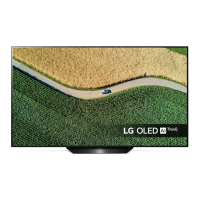
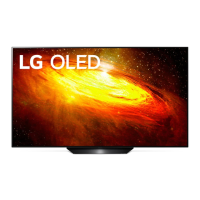
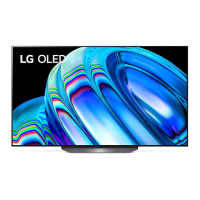
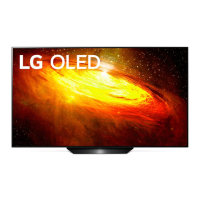
This document is an owner's manual for an LG OLED TV, providing essential information on safety, setup, usage, and maintenance.
Function Description
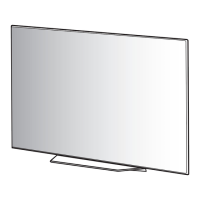
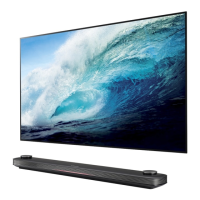
The LG OLED TV is a self-emissive display technology that offers significant benefits in image quality and performance. It serves as a primary display device for various external sources, including Blu-ray players, HD receivers, DVD players, VCRs, audio systems, USB storage devices, PCs, and gaming devices. The TV supports both digital and analogue broadcasting systems, allowing users to access a wide range of channels. It can be mounted on a table using its stand or on a wall with an optional wall mount bracket. The TV features a Magic Remote Control for intuitive navigation and control, including voice recognition (model-dependent). It also includes functions to prevent temporary image retention, a common characteristic of self-emissive displays, through features like Pixel Refresher and automatic brightness adjustments for static images.
Important Technical Specifications
- Display Technology: OLED (Self-emissive)
- Broadcasting Systems:
- Digital TV: DVB-T/T2, DVB-C, DVB-S/S2 (model-dependent)
- Analogue TV: PAL B/B, PAL B/G, PAL D/K, PAL-I, SECAM B/G, SECAM D/K, NTSC-M
- Channel Coverage (Digital TV):
- DVB-S/S2: 950 ~ 2,150 MHz
- DVB-C: 46 ~ 890 MHz
- DVB-T/T2: VHF III (174 ~ 230 MHz), UHF IV (470 ~ 606 MHz), UHF V (606 ~ 862 MHz), S Band II (230 ~ 300 MHz), S Band III (300 ~ 470 MHz)
- Channel Coverage (Analogue TV): 46 ~ 862 MHz
- Maximum Number of Storable Programmes:
- Digital TV: 6,000
- Analogue TV: 3,000
- External Antenna Impedance: 75 Ω
- CI Module Dimensions (W x H x D): 100.0 mm x 55.0 mm x 5.0 mm
- HDMI Audio Format Support: DTS (44.1 kHz, 48 kHz, 88.2 kHz, 96 kHz), DTS HD (44.1 kHz, 48 kHz, 88.2 kHz, 96 kHz, 176.4 kHz, 192 kHz), True HD (48 kHz), Dolby Digital / Dolby Digital Plus (32 kHz, 44.1 kHz, 48 kHz), PCM (32 kHz, 44.1 kHz, 48 kHz, 96 kHz, 192 kHz)
- HDMI ULTRA HD Deep Colour Support:
- On: 4K @ 50/60 Hz (4:4:4, 4:2:2, 4:2:0)
- Off: 4K @ 50/60 Hz 8 bit (4:2:0)
- USB Port Requirements: Bezels less than 10 mm thick and 18 mm width for optimal connection. USB 2.0 extension cable recommended if needed.
- Wireless Module (LGSBWAC92) Specifications (IEEE 802.11a/b/g/n/ac):
- Frequency Range: 2,400 to 2,483.5 MHz, 5,150 to 5,725 MHz, 5,725 to 5,850 MHz (Not for EU)
- Output Power (Max.): 18 dBm (2.4 GHz), 18 dBm (5.15-5.725 GHz), 12 dBm (5.725-5.850 GHz)
- Bluetooth Specifications:
- Frequency Range: 2,400 to 2,483.5 MHz
- Output Power (Max.): 8 dBm
- Environmental Conditions:
- Operating Temperature: 0 °C to 40 °C
- Operating Humidity: Less than 80%
- Storage Temperature: -20 °C to 60 °C
- Storage Humidity: Less than 85%
- VESA Wall Mount Standard (A x B) (mm):
- OLED55/65B9*, OLED55/65C9*, OLED55/65E9*: 300 x 200 (Standard screw M6, 4 screws, bracket OLW480B)
- OLED77B9*, OLED77C9*: 400 x 200 (Standard screw M6, 4 screws, bracket OLW480B)
Usage Features
- Power On/Off: The TV can be turned on or off using the power button on the TV itself or the Magic Remote Control. Holding the power button for more than 1 second will turn off all running apps and stop any recording in progress.
- Menu Navigation: Access and adjust menus by pressing the button on the TV or using the Magic Remote's Wheel (OK) button and directional pads.
- Volume Control: Adjust volume levels using the dedicated buttons on the TV or Magic Remote.
- Programme Control: Scroll through saved programmes using the dedicated buttons on the TV or Magic Remote.
- Input Source Selection: Change input sources via the (INPUT) button on the Magic Remote.
- Quick Settings: Access quick settings using the (Q. Settings) button on the Magic Remote. Holding it displays the [All Settings] menu.
- Home Menu: Access the Home menu using the (HOME) button. Holding it shows previous history.
- Voice Recognition: (Model-dependent) Use the voice recognition function on the Magic Remote for commands (requires network connection).
- Quick Access: Customize number buttons on the Magic Remote to directly launch specified apps or Live TV.
- Accessibility: Access the [Accessibility] menu by holding the (MUTE) button.
- Set-top Box Control: Use the STB PWR button on the Magic Remote to control a connected set-top box if added to the universal remote control.
- Media Control: Play, pause, fast forward, and rewind media content using the control buttons on the Magic Remote.
- User Guide: An embedded USER GUIDE provides comprehensive information on TV operation, accessible through the TV menu: →() → [General] → [About This TV] → [User Guide].
- PC Mode: When connecting a PC, users can adjust resolution, refresh rate, brightness, and contrast to optimize picture clarity and minimize noise. CAT 7 cable is recommended for wired LAN connections.
Maintenance Features
- Cleaning: Unplug the power cord before cleaning. Wipe the TV gently with a soft/dry cloth. Do not spray water or other liquids directly onto the TV. Avoid using chemicals like glass cleaner, air freshener, insecticide, lubricants, wax, abrasive, thinner, benzene, or alcohol, as these can damage the product or panel.
- Battery Replacement (Magic Remote): Replace batteries (1.5 V AA) in the Magic Remote when the "Magic Remote battery is low" message appears. Ensure correct polarity.
- Image Retention Prevention:
- Pixel Refresher: This feature automatically activates after 2,000 cumulative viewing hours (or approximately five hours a day over a year) when the TV is turned off. It runs for about an hour to prevent temporary image retention. It also activates for a few minutes after every four cumulative hours of TV viewing (provided the power cord is plugged in). Users can also manually activate Pixel Refresher via the TV menu: →() → [Picture] → [Additional Settings] → [OLED Panel Settings] → [Pixel Refresher].
- Automatic Brightness Reduction: If a static image persists on screen for a long time, the TV automatically reduces screen brightness in specific areas to prevent image retention. Brightness returns to prior settings once the static image disappears.
- Recommended Settings: Adjust settings like [Picture Mode] to [Eco], [OLED LIGHT] to a lower value, and [Logo Luminance Adjustment] to [High] in [OLED Panel Settings] to minimize image retention risks.
- Black Bar Removal: Use [Vertical Zoom] or [All-Direction Zoom] in [Aspect Ratio Settings] to remove persistent black bars.
- External Device Menu Bar: Turn off menu bars on external devices (e.g., set-top boxes) to prevent long-term display.
- Troubleshooting: The manual provides guidance for common issues such as remote control malfunction (check batteries, sensor), no image/sound (check power, connections), sudden TV shutdown (check power settings, auto-off, signal), and no signal from PC (reconnect HDMI, restart PC).
- Safety Instructions: Emphasizes critical safety measures including proper ventilation, power cord protection, safe handling during movement (especially for larger TVs), avoiding impact to the screen, and proper disposal of batteries. It also warns against touching the apparatus or antenna during lightning storms and using unapproved attachments.

 Need help?
 General

 To Next Page