EasyManua.ls Logo

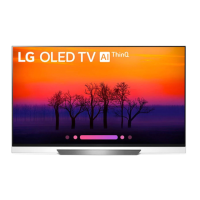
LG OLED55E8PCA - User Manual

LG OLED55E8PCA
59 pages
Print Icon
To Next Page IconTo Next Page
Loading...
(1802-REV00)
*MFL70320141*
AA
X 4
(M6 X L10)
12 14 16 20
X 1
(M4 X L10)
www.lg.com
OLED65E8*
OLED55E8*
1 2 3
4 5 6
7 8

Questions and Answers

  • E
    escobarderekAug 16, 2025
    What to do if my LG LED TV remote control is not working?
    • A
      andrew83Aug 16, 2025
      If you're having trouble controlling your LG LED TV with the remote, try these steps: First, check the remote control sensor on the TV and try again. Second, make sure there are no obstacles blocking the path between the remote and the TV. Finally, check the batteries in the remote to ensure they are working and properly installed.
  • B
    Betty Delgado MDAug 19, 2025
    Why does my LG OLED TV turn off by itself?
    • S
      Sara BeltranAug 20, 2025
      Your LG OLED TV might be turning off suddenly due to a few reasons. The power supply could be interrupted, so check the power control settings. Also, the auto-off function may be activated in the settings. Finally, if the TV doesn't receive a signal for 15 minutes, it will turn off automatically.
  • L
    llewisAug 22, 2025
    What to do if my LG LED TV turns off suddenly?
    • R
      Richard CervantesAug 22, 2025
      If your LG LED TV turns off suddenly, it could be due to a few reasons. First, check the power control settings to ensure the power supply isn't interrupted. Second, verify if the auto-off function is activated in the time-related settings. Finally, if the TV is on but not receiving a signal, it will automatically turn off after 15 minutes of inactivity.
  • G
    Gina DavisAug 25, 2025
    How to fix an LG LED TV that turns off by itself?
    • M
      Michaela AndersonAug 26, 2025
      If your LG LED TV is turning off unexpectedly, here's what you can do: Check the power control settings to ensure the power supply isn't being interrupted. Also, verify if the auto-off function is enabled in the time-related settings. Note that the TV will automatically turn off after 15 minutes of inactivity if there is no signal.
  • M
    Michael AnthonyAug 27, 2025
    What to do if LG OLED TV remote is not working?
    • J
      jessica14Aug 28, 2025
      If you're unable to control your LG OLED TV with the remote, first, make sure there are no obstructions between the remote and the TV's sensor. Then, check the remote control sensor on the product and try again. Finally, ensure the batteries are working and correctly installed.
  • T
    terri14Aug 30, 2025
    How to fix LG OLED TV when there is no picture or sound?
    • M
      Melissa KennedyAug 30, 2025
      If your LG OLED TV isn't displaying an image or producing sound, start by checking if the TV is turned on. Next, verify that the power cord is securely connected to a working wall outlet. You can test the outlet by plugging in another device to see if it works.
  • E
    Edward GreenSep 2, 2025
    How to fix LG LED TV remote control not working?
    • D
      David BowenSep 2, 2025
      If your LG LED TV remote control is not working, try the following: * Check the remote control sensor on the TV and try again. * Make sure there are no obstacles between the remote control and the TV. * Check if the batteries in the remote control are working and properly installed.
  • J
    Johnny OliverSep 5, 2025
    What to do if LG LED TV doesn't detect HDMI signal from PC?
    • S
      Sierra BrownSep 5, 2025
      If your LG LED TV isn't detecting an HDMI signal from your PC, try these steps: 1. Turn the TV off and then back on using the remote control. 2. Reconnect the HDMI cable. 3. Restart your PC while the TV is on.
  • M
    melissa26Sep 7, 2025
    What to do if my LG LED TV says no signal when connected to PC via HDMI?
    • T
      Thomas KnightSep 7, 2025
      If your LG LED TV isn't detecting a signal when connected to your PC via HDMI, try the following: Turn the TV off and then back on using the remote control. Disconnect and then reconnect the HDMI cable. Restart your PC while the TV is turned on.
  • D
    daybrianSep 12, 2025
    What to do if LG OLED55E8PCA OLED TV no signal from PC HDMI?
    • M
      martindennisSep 12, 2025
      If your LG OLED TV isn't detecting a signal from your PC via HDMI, try these steps: Turn the TV off and then on again using the remote control. Reconnect the HDMI cable securely to both the TV and the PC. Restart your PC while the TV is powered on.

LG OLED55E8PCA Specifications

General IconGeneral
Screen Size55 inches
Display TypeOLED
Smart TVYes (webOS)
Processorα9 Intelligent Processor
HDMI Ports4
USB Ports3
Refresh Rate120 Hz
Wi-FiYes
EthernetYes
BluetoothYes
Resolution3840 x 2160
HDR SupportHDR10, Dolby Vision, HLG

Related product manuals