12
ENGLISH
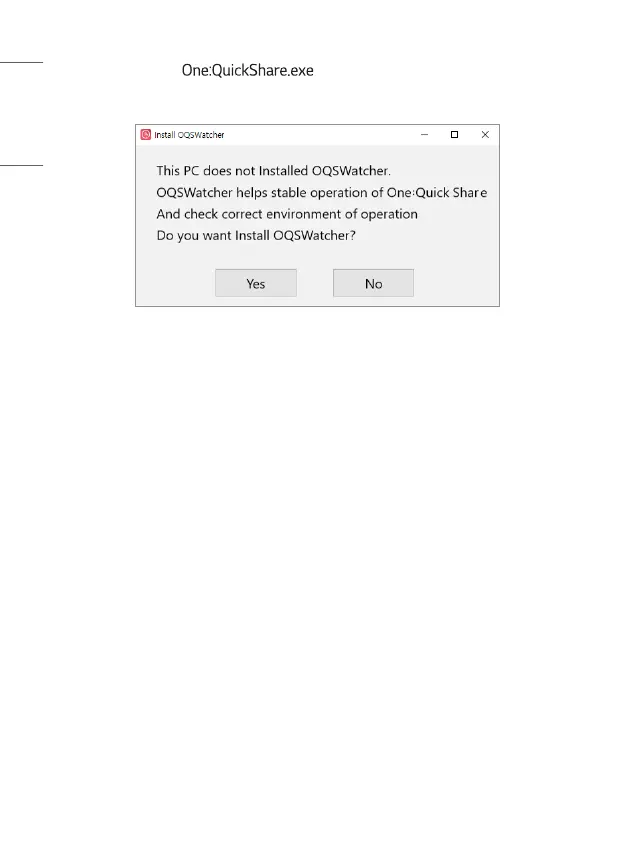
• When you run the file in the Explorer window, an
installation message appears.
• Click the [Yes] button to automatically install the drivers and PC app.
• The amount of time it takes to install the app varies depending on the OS
version and specifications of your PC.
• Installation may not be possible if the virus and threat protection settings are
turned on in the security settings supported by the OS. Please turn the related
settings off temporarily before installing the app.
• Certain anti-virus programs installed on the PC may prevent the app from
being installed. Please turn the related settings off temporarily before installing
the app.
• macOS may ask for your permission to capture your screen. In this case, you
must grant permission for the PC app to work properly.


 To Next Page