TABLETOP AUDIO SYSTEM ] USER GUIDE
5
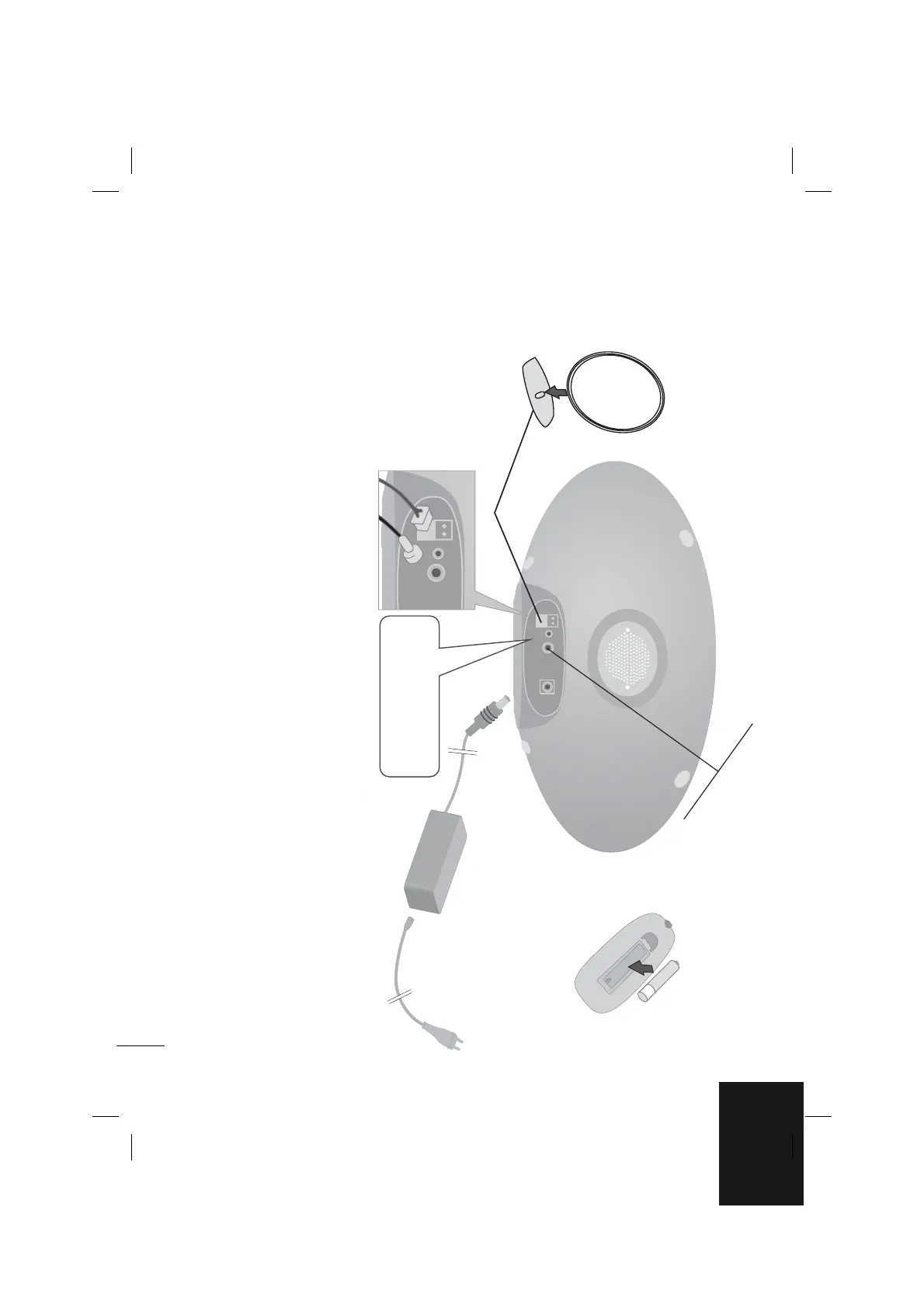
Setting up (Back Panel)
Put the battery in the remote control
Make sure that the + (plus) and - (minus) on
the battery (size AAA) match those on the
remote control.
PHONES
3.5 mm headphone jack.
11
Fit the AM loop antenna to its stand
Connect the AM loop antenna to the player.
22
Connect the FM antenna
The reception will be enhanced when the two loose ends of
the antenna are stretched as horizontally as possible.
33
Connecting the AC/DC adaptor* to an AC outlet
Connect the power cord to the adaptor, and then plug the
other end into an AC outlet.
*AC/DC adaptor : SL-A108
AM loop antenna
FM antenna


 To Next Page