Before finalizing, check the characteristics between the disc type in the table
below.
The finalized DVD-RW discs can be unfinalized
so that the disc can edit or record again.
Once you finalize a disc, you can not edit or
record anything on the disc.
Discs are automatically finalized when removed from
the unit.
The finalization does not needed.
Disc Label – This function allow you to change the default disc name to some-
thing more descriptive. This name appears when you load a disc and when you
display disc information on-screen. The keyboard menu appears by pressing
ENTER while [Edit] is selected.
Disc Protect – This function allow you to protect discs from accidental record,
erasure and editing by setting this option to [ON]. The DVD-R and Video mode
formatted DVD-RW are not available to protect.
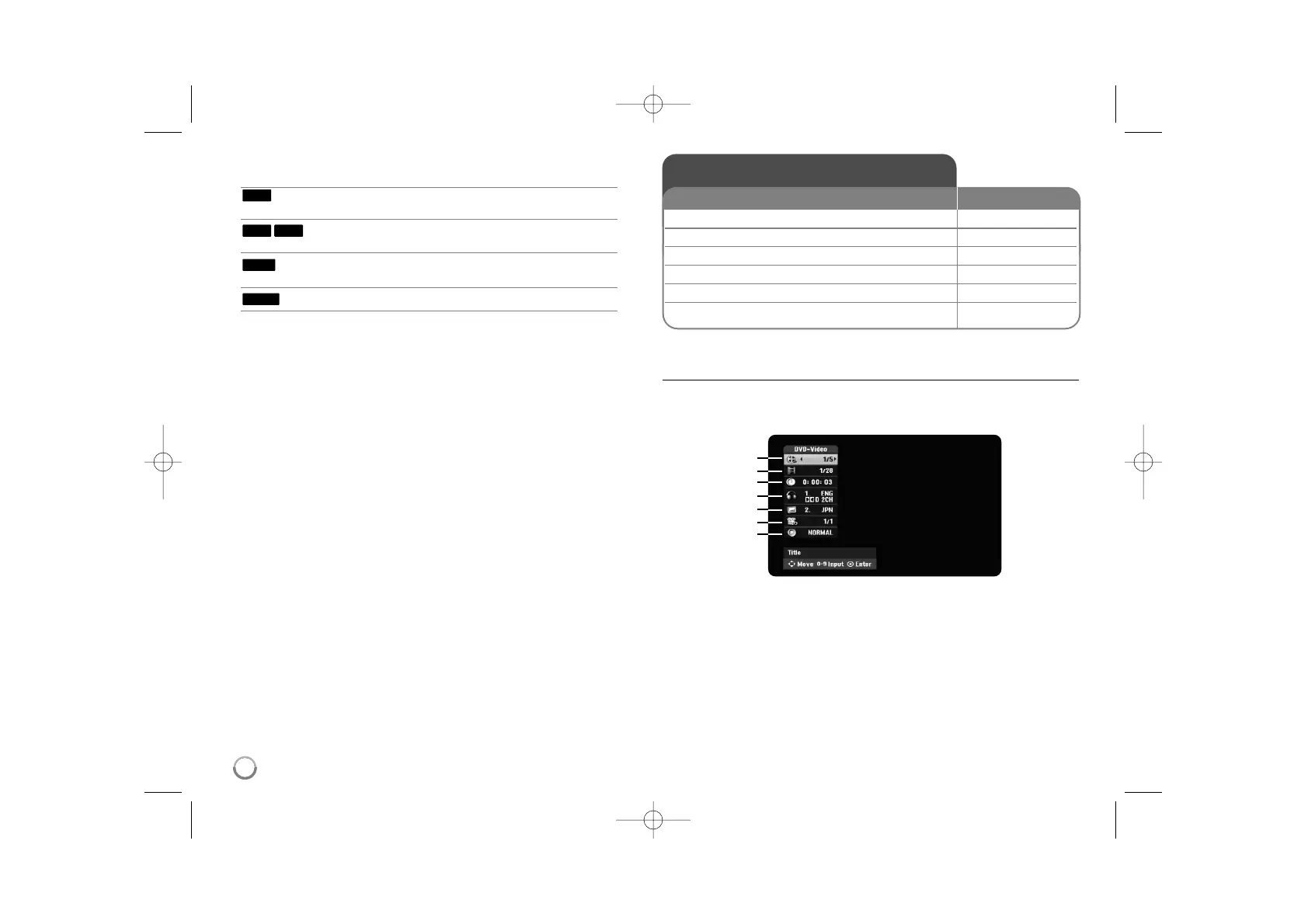
Displaying disc Information - more you can do
Adjusting playback menu item
You can select an item by pressing vV and change or select the setting by
pressing bB.
a Current title/track/file / Total number of titles/tracks/files
b Current chapter / total number of chapters
c Elapsed playing time
d Selected audio language or audio channel
e Selected subtitle
f Selected angle / Total number of angles
g Selected sound mode
RAM
+RW
-R+R
-RW
18
Displaying disc information
1 Play the disc loaded on the unit: PLAY
2 Displays current status of playback: DISPLAY
3 Displays the playback menu: DISPLAY
4 Select an item:
vv VV
5 Adjust the playback menu settings:
bb BB
6 Exit the disc playback menu: DISPLAY
ON REMOTE
a
b
c
d
e
f
g


 To Next Page