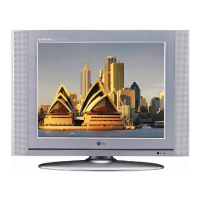
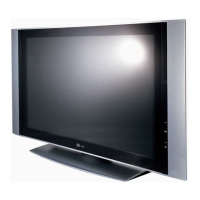
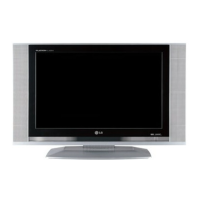
This document is a service manual for an LG LCD TV, specifically models RM/RZ-20LA70 (RM-20LA70 Rev A) with chassis ML-041B. It provides comprehensive information for technicians on servicing the device, including safety precautions, general guidance, adjustment instructions, troubleshooting, block diagrams, wiring diagrams, exploded views, and replacement parts lists.
Function Description
The LG LCD TV is designed to display video and audio signals from various sources. At its core, the device features a video controller unit and a display data conversion unit. The video controller unit processes video signals received from the tuner, AV ports (AV1, AV2, S-Video, component), and converts them into an analog RGB signal through a microcomputer (VCTI) that integrates various video decoder functions. This VCTI also serves as the main microprocessor, managing video and sound signal processing, and handling RF signals from the tuner.
The analog RGB, component YPbPr, or PC RGB signals are selected by a switching IC and then fed into a scaler (GM2221). The scaler modifies these signals into an LVDS signal (or a TTL output) before sending them to the LCD module for display. The scaler is crucial for controlling the timing to fit the LCD panel and adjusting the size and position of the input signal, ensuring optimal display quality.
The TV's power supply unit provides the necessary DC power (15V and 5V) to the mainboard. A PWM Step-Up DC/DC Converter circuit generates the 33V required for the tuner. The 15V power directly supplies the sound amplifier IC and is also regulated to produce 5V power. Additionally, 12V power is used for the LCD panel, and the 5V power is further converted to 3.3V and 1.8V power through regulators, which in turn supply electrical power to critical ICs like the VCTI and scaler.
The audio system is managed by a sound amplifier IC, which receives 15V power from the power supply unit. The TV supports various audio input levels and frequency responses, ensuring a clear and dynamic sound experience. External interfaces include multiple video inputs (CVBS, S-Video, Component, PC RGB), audio inputs, and a headphone output. The TV also features a tuner for receiving RF signals, supporting PAL/NTSC standards.
Additional features include Teletext (TOP, FLOF), a remote control (NEC Code), and various display modes such as Double Window (DW) and Multi Window (MW), although these are noted as "X" (not available) for this specific model. Other functionalities like Film Mode, Noise Reduction, Progressive Scan, Motion Detection, SRS WOW, swivel speaker, Ez-pip, ARC, DRP, DCDI, and HDCP are also listed, with some marked as "O" (available) or "X" (not available).
Usage Features
The LG LCD TV is designed for user-friendly operation, primarily through its remote control. The remote control, referred to as the SVC REMOCON, offers a wide range of functions to manage the TV's settings and features.
Basic Operation:
- POWER: Turns the TV on or off.
- POWER ON: Activates the TV automatically when power is supplied (can be deactivated).
- MUTE: Toggles the mute function.
- TV/AV: Selects external input sources for the TV screen.
- CH+ / CH-: Moves channel up/down or selects functions displayed on the screen.
- VOL+ / VOL-: Adjusts the volume.
- ENTER: Confirms a specific function or setting.
- MENU: Accesses various functions for video, voice, and channel settings.
- 0~9: Manually selects channels.
Display and Picture Adjustments:
- P-CHECK / S-CHECK: Quickly checks TV screen image and sound.
- ARC: Selects the main screen size (Normal, Spectacle, Wide, Zoom).
- TURBO PICTURE: Initiates turbo picture mode for enhanced visuals.
- IN-START: Enters adjustment mode for manufacturing, allowing screen voltage adjustments (automatic) and W/B adjustments.
- ADJ: Enters adjustment mode for horizontal line and sub-brightness.
- APC(PSM): Automatically adjusts the screen according to surrounding brightness.
- EYE: Automatically adjusts screen status to match surrounding brightness for natural color.
- STILL: Holds the main screen or sub-screen in PIP mode, also used as a hold key in teletext.
- SIZE: Used for PIP screen size and teletext mode.
- POSITION: Selects the position of the PIP screen.
- TILT: Adjusts screen tilt.
Audio Adjustments:
- TURBO SOUND: Initiates turbo sound mode.
- MPX: Selects multiple sound modes (Mono, Stereo, Foreign language).
- ASC(SSM): Automatically adjusts sound according to program type.
Teletext and Closed Captioning:
- CAPTION: Switches closed caption broadcasting on/off.
- TXT: Toggles teletext mode on/off.
- TIME: Displays teletext time, enables sub-code selection.
- MODE: Used as a Mode key in teletext.
- Teletext Sensitivity: Specifies the sensitivity for teletext reception.
- Closed Caption Sensitivity: Specifies the sensitivity for closed caption reception.
Input Management:
- MULTIMIDIA: Checks component input.
- FRONT-AV: Checks front AV input.
- PIP INPUT(OP4): Selects the input status in the PIP screen.
PIP (Picture-in-Picture) Functions:
- PIP CH+ / PIP CH- (OP1/OP2): Moves the channel in the PIP screen.
- PIP SWAP(OP3): Switches between main and sub-screens.
- PIP: Selects simultaneous screen.
The remote control also includes specific keys (OP1, OP2, OP3, OP4) that double as color keys (red, green, yellow, blue) for teletext mode, enhancing its versatility.
Maintenance Features
The service manual emphasizes several critical maintenance features and safety precautions to ensure the longevity and safe operation of the LG LCD TV.
Safety Precautions:
- Isolation Transformer: Always use an isolation transformer during servicing to protect technicians from electrical shocks and prevent damage to components.
- Part Replacement: Special safety-related parts, identified in the schematic diagram and parts list, must be replaced with identical components to prevent hazards like X-RADIATION, shock, or fire.
- Fuse Replacement: Blown fuses or fusible resistors must be replaced with specified components.
- Resistor Placement: High wattage resistors (over 1W) should be kept at least 10mm away from the PCB.
- Wire Routing: Keep wires away from high voltage or high temperature parts.
- X-RAY Radiation: The LCD panel and high voltage section are sources of X-RAY radiation. For continued protection, replacement panels must be of the same type as specified in the parts list. High voltage measurements should be checked with an accurate HV meter, and any out-of-tolerance readings require immediate correction.
- AC Leakage Current Check: Before returning the TV to a customer, perform an AC leakage current check on all exposed metallic parts to ensure electrical safety. Both cold and hot checks are described, with specific resistance and voltage limits.
Servicing Precautions:
- Unplugging: Always unplug the AC power cord before removing components, disconnecting electrical plugs, or connecting test substitutes.
- Electrolytic Capacitors: Incorrect polarity or part substitution for electrolytic capacitors can cause explosions.
- High Voltage Testing: Use appropriate high voltage meters; avoid "drawing an arc."
- Chemicals: Do not spray chemicals on or near the receiver.
- Contact Cleaning: Clean electrical contacts using a specific mixture of Acetone and Isopropyl Alcohol, applied with a non-abrasive applicator.
- Interlocks: Do not defeat B+ voltage interlocks.
- Heat Sinks: Ensure all solid-state device heat sinks are correctly installed before applying AC power.
- Grounding: Always connect the test receiver ground lead first and remove it last.
- Test Fixtures: Use only specified test fixtures and do not connect ground straps to heat sinks.
Electrostatically Sensitive (ES) Devices:
- Static Discharge: Technicians must discharge static electricity from their bodies by touching a known earth ground or wearing a discharging wrist strap before handling ES devices.
- Storage: Place electrical assemblies with ES devices on conductive surfaces (e.g., aluminum foil) after removal.
- Soldering: Use a grounded-tip soldering iron and anti-static solder removal devices. Avoid freon-propelled chemicals.
- Packaging: Keep replacement ES devices in protective packaging until immediately before installation.
- Handling: Minimize bodily motions when handling unpackaged ES devices to prevent static generation.
Soldering Guidelines:
- Soldering Iron: Use a grounded-tip, low-wattage soldering iron with a tip temperature between 500°F and 600°F.
- Solder: Use RMA resin-core solder (60% tin/40% lead).
- Tip Maintenance: Keep the soldering iron tip clean and well-tinned.
- Surface Preparation: Thoroughly clean surfaces to be soldered with a wire-bristle brush.
- Unsoldering Technique: Heat the component lead until solder melts, then quickly draw off melted solder with an anti-static suction device or solder braid, working quickly to avoid overheating the circuit board foil.
- Soldering Technique: Heat the component lead and printed circuit foil until solder flows, working quickly. Inspect and remove excess solder.
Component Removal/Replacement:
Detailed procedures are provided for removing and replacing various components, including ICs, "Small-Signal" Discrete Transistors, Power Output Transistor Devices, Diodes, Fuses, and Conventional Resistors. Emphasis is placed on careful handling, proper lead bending, secure crimping, and maintaining original spacing to prevent overheating.
Circuit Board Foil Repair:
Guidelines are provided for repairing damaged copper patterns on circuit boards, both at IC connections and other connections. This involves carefully removing damaged copper, scratching away solder resist, crimping jumper wires, and soldering connections, ensuring the jumper wire is insulated and dressed to avoid contact with other components or sharp edges.
Troubleshooting Flowcharts:
The manual includes flowcharts for common issues like "No power (LED indicator off)," "No Raster," "No Raster on Component signal," "No Raster on AV Signal (Video, S-Video)," "No Raster on TV(RF) signal," and "No Sound." These flowcharts guide technicians through a systematic diagnostic process, suggesting checks for voltage, component outputs, connectors, cables, and specific ICs, with steps for replacement or re-soldering defective parts.
Adjustment Instructions:
The manual outlines adjustment procedures for RF mode and component mode, including preparation steps like conducting heat runs and using specific pattern generators (801GF, VG819) for resolution and color bar signals. The "IN-START" key on the remote control is used to enter adjustment mode, and "VOL+" and "KEY" are used for adjustments, with "ENTER" to save.
Overall, this service manual provides a comprehensive guide for technicians to safely and effectively maintain and repair the LG LCD TV, ensuring its optimal performance and longevity.


 To Next Page
 General