Need help?
Do you have a question about the LG S24LHU and is the answer not in the manual?
Explains symbols used throughout the manual for safety instructions.
Warnings and guidance regarding the temporary use of adapters and extension cords.
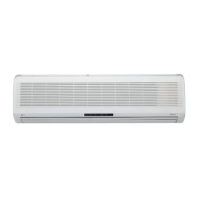
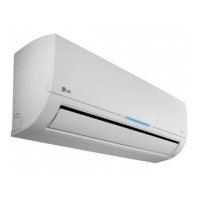
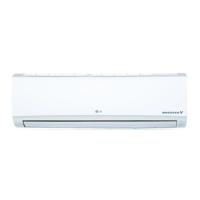
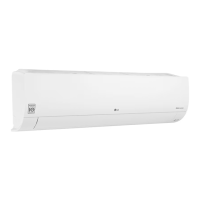
Introduces and illustrates different types of indoor units.
Covers battery insertion, maintenance, and basic operation of the remote.
Details the purpose and use of each button on the remote controller.
Explains how to select different operating modes.
Instructions for using Cooling, Auto Operation, and Auto Changeover modes.
How to select fan speeds and use the CHAOS mode for natural breeze.
How to use the healthy dehumidification mode for optimal comfort.
Explains Auto Operation (Cooling Only) and Auto Changeover (Heat Pump).
Using jet modes for faster cooling/heating and plasma for air purification.
How to use the auto clean feature to maintain the indoor unit.
Using energy-saving mode and adjusting display luminosity.
How to operate the unit manually or perform a test cycle.
How to set sleep mode and adjust the current time.
Detailed steps for setting various timer operations.
How to adjust vertical and horizontal airflow direction.
Using air circulation mode and the auto restart function.
Instructions for cleaning the indoor unit, air filters, plasma filters, and deodorizer filters.
Step-by-step guide to remove filters from Art Cool Type and Art Cool Type Wide models.
Instructions for removing filters from Deluxe Type 1 and Type 2 models.
Steps for closing and removing the front panel.
Methods for opening the front panel on Standard Split Type models.
Guidance on maintaining the outdoor unit and tips for efficient operation.
Explains the unit's error diagnosis capability and check points.
Lists common issues like unit not starting or cooling, with possible causes and solutions.
Lists critical situations requiring immediate contact with service personnel.
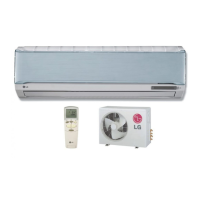
This document is an owner's manual for an LG Room Air Conditioner, providing comprehensive instructions for its operation, maintenance, and troubleshooting. The air conditioner is designed to offer a comfortable and pleasant living environment through various cooling, heating, and air purification functions.
The LG Room Air Conditioner offers a range of operational modes to suit different needs and preferences. The primary functions include:
Cooling Operation: This is the standard mode for reducing room temperature. Users can set the desired indoor temperature between 18°C and 30°C.
Heating Operation: Available in heat pump models, this mode warms the room, with a temperature range of 16°C to 30°C.
Healthy Dehumidification Operation: This function automatically sets the room temperature and airflow volume to optimal conditions for dehumidification, ensuring a healthy and comfortable environment even in very humid seasons. The setting temperature is not displayed or controllable in this mode, and airflow volume adjusts automatically based on an optimization algorithm.
Auto Operation (Cooling Only Model): In this mode, the air conditioner automatically sets the actual setting temperature and fan speed based on the current room temperature using electronic control logic. Users can adjust temperature settings for more cooling or heating effect if desired, but the actual setting temperature and indoor fan speed are not directly controllable. The Chaos swing function can be used in this mode.
Auto Changeover Operation (Heat Pump Model): This mode automatically switches between heating and cooling to maintain the room temperature within ±2°C of the setting temperature.
Jet Cool/Heat Operation: Designed for rapid temperature changes, the Jet Cool function operates in cooling mode with super high fan speed and an 18°C setting for 30 minutes. Jet Heat (available in some models) warms the room quickly at super high fan speed and a 30°C setting for 60 minutes. This function can be activated by pressing the JET COOL button.
NEO Plasma Purification or NEO Plasma + Ion Operation (Optional): This feature utilizes plasma technology to remove microscopic contaminants from the intake air by generating high-charge electrons, providing clean and hygienic air. An ionizer also generates ions for health benefits, stabilizing the user's mind and aiding respiratory health. This function can be activated or deactivated via the PLASMA button on the remote controller.
Auto Clean (Optional): This function removes moisture left in indoor units after cooling or healthy dehumidification operations. When activated, the indoor fan continues to run for about 30 minutes internally without cooling or dehumidification, drying the unit and preventing mold growth. The louver also closes during this process.
Energy-Saving Cooling Mode (Optional): This mode saves energy during cooling and healthy dehumidification by efficiently adapting to changes in time and temperature and automatically adjusting the desired temperature.
Air Circulation Mode: This mode circulates room air without cooling or heating. Users can select the fan speed (low, medium, high, or CHAOS) in this mode.
Auto Restart Function: In the event of a power failure, this function restores the previous operating conditions when power is regained, ensuring the air conditioner resumes operation with the same settings.
The LG Room Air Conditioner is operated primarily via a wireless remote controller, which offers a wide array of settings and controls:
START/STOP Button: Turns the unit on or off.
OPERATION MODE SELECTION Button: Cycles through different operation modes (Cooling, Heating, Dehumidification, Auto).
ROOM TEMPERATURE SETTING Buttons: Adjusts the desired room temperature.
INDOOR FAN SPEED SELECTOR Button: Selects fan speed from low, medium, high, and CHAOS. The CHAOS mode simulates a natural breeze by automatically varying fan speed.
JET COOL Button: Initiates rapid cooling or heating.
CHAOS SWING Button: Controls the vertical (up/down) airflow direction. Pressing it once starts louver movement; pressing it again stops it at the desired angle. The horizontal (left/right) airflow direction can be controlled using a separate button.
ON/OFF TIMER Buttons: Sets the time for the unit to start or stop operation.
TIME SETTING Buttons: Adjusts the current time on the remote controller.
TIMER SET/CANCEL Button: Confirms or cancels timer settings.
SLEEP MODE AUTO Button: Activates sleep mode, which automatically adjusts temperature and fan speed for comfortable sleep. In cooling/dehumidification, the temperature rises by 1°C twice over 30 minutes (2°C in 1 hour).
AIR CIRCULATION Button: Activates air circulation mode.
ROOM TEMPERATURE CHECKING Button: Displays the current room temperature.
PLASMA Button (Optional): Activates or deactivates the plasma purification/ion generation function.
HORIZONTAL AIRFLOW DIRECTION CONTROL Button (Optional): Sets the desired horizontal airflow direction.
RESET Button: Used for resetting time and other settings.
2nd F Button: Activates secondary functions printed in blue on the remote controller buttons.
AUTO CLEAN Button (Optional): Initiates the auto clean function. In some models, this button also controls LED luminosity.
HEATER Button (Optional): Activates the heating function (not available in all models).
LCD/LED LUMINOSITY Button (Optional): Adjusts the brightness of the LCD/LED display.
Remote Controller Battery Installation: Requires two AAA (1.5 volt) batteries. Users are instructed to insert them correctly, ensuring proper polarity, and to replace both batteries simultaneously when needed.
Forced Operation: In cases where the remote control is unavailable, the unit can be operated by pressing an ON/OFF button directly on the indoor unit. This initiates cooling mode at high fan speed and resets after 18 minutes.
Regular maintenance is crucial for the optimal performance and longevity of the LG Room Air Conditioner.
Indoor Unit Cleaning: The indoor unit should be cleaned with a soft, dry cloth. Harsh detergents, solvents, or hot water (above 40°C) should be avoided to prevent damage or discoloration.
Air Filter Cleaning: The air filters, located behind the front panel/grille, should be checked and cleaned every two weeks or more often if necessary. They can be cleaned with a vacuum cleaner or warm soapy water. After washing, they should be dried well in the shade before reinstallation.
Plasma Filter Cleaning: Plasma filters should be checked and cleaned every three months or more often. They can be cleaned with a vacuum cleaner or water, then dried in the shade before reinstallation. Users are cautioned not to touch the plasma filter within 10 seconds of opening the inlet grille due to potential electric shock.
Deodorizer Filter Maintenance: Deodorizer filters, located behind the air filter, should be removed and exposed to direct sunlight for two hours to regenerate them, then reinserted.
Outdoor Unit Cleaning: The heat exchanger coils and panel vents of the outdoor unit should be checked regularly. If clogged with dirt or soot, professional steam cleaning is recommended. Dirty or clogged coils reduce operating efficiency and increase costs.
Self-Diagnosis Function: The unit includes an inbuilt error diagnosis capability. If a thermistor fails, the LED indicator will blink, and users should contact a serviceman/dealer.
Troubleshooting Tips: The manual provides a troubleshooting guide for common issues such as the air conditioner not starting or not cooling effectively, offering solutions like checking power connections, circuit breakers, air filters, and temperature settings.
Professional Service: Users are advised to contact authorized service technicians for repairs, maintenance, or installation. Immediate service is recommended for abnormal occurrences like burning smells, loud noises, damaged power cords, error codes, water leaks, or switch failures. Routine checkups and cleaning by the user are encouraged, but special situations require professional intervention.
 General
| Type | Split AC |
|---|---|
| Star Rating | 3 Star |
| Refrigerant | R32 |
| Power Supply | 230V, 50Hz |
| Outdoor Unit Dimensions (WxHxD) | 870 x 655 x 320 mm |

 To Next Page