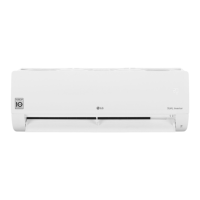
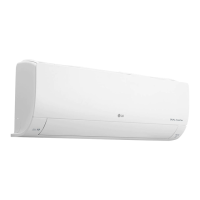
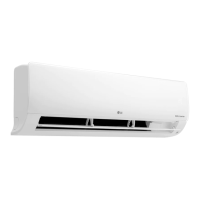
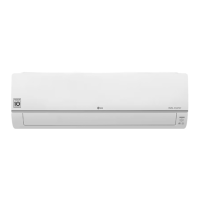
This document is an owner's manual for an LG wall-mounted air conditioner, providing detailed instructions for operation, smart functions, and maintenance.
Function Description
The LG air conditioner is designed to provide cooling, heating (for cooling & heating models), dehumidification, and fan-only operation to maintain a comfortable indoor environment. It includes various modes and special functions to optimize performance, energy efficiency, and user comfort. The appliance can be operated via a wireless remote control or an on/off button on the indoor unit.
Important Technical Specifications
- Type: Wall Mounted
- Refrigerant: Specific refrigerant as indicated on the air conditioner label.
- Power Supply: Standard circuit breaker and fuse conforming to the air conditioner's rating.
- Wireless LAN Module (LCW-003):
- Frequency Range: 2412 to 2472 MHz
- Output Power (Max):
- IEEE 802.11b: 18.37 dBm
- IEEE 802.11g: 17.67 dBm
- IEEE 802.11n: 17.67 dBm
- Wi-Fi Network Support: 2.4 GHz Wi-Fi networks only.
- DRM Compliance (Optional, for Australia, New Zealand): Capable of DRM1, DRM2, and DRM3, complying with standard AS/NZS 4755.3.1.
Usage Features
Operation Modes:
- Cooling Mode: Cools the room to a desired temperature.
- Heating Mode (Cooling & Heating models): Warms the room to a desired temperature.
- Dehumidification Mode: Removes excess moisture, automatically adjusting temperature and fan speed for optimal humidity.
- Fan Mode: Circulates indoor air without changing the room temperature.
- Auto Operation (AI) Mode (Cooling Only models): Automatically sets fan speed and temperature based on room temperature.
- Auto Changeover Mode (Cooling & Heating models): Automatically switches between cooling and heating to maintain a set temperature within ±2 °C.
Quick Temperature Change:
- Jet Mode: Quickly cools or warms indoor air. In Jet Cooling, strong air blows for 30 minutes, then maintains 18 °C. In Jet Heating, strong air blows for 30 minutes, then maintains 30 °C.
Fan Speed and Airflow:
- Fan Speed Function: Allows adjustment of fan speed (High, Medium-High, Medium, Medium-Low, Low, Natural Wind). Natural Wind adjusts automatically.
- Air Flow Direction Function: Adjusts the vertical (and sometimes horizontal) direction of airflow.
Timer Functions:
- On/Off Timer: Sets the air conditioner to turn on/off automatically at a desired time.
- Sleep Function (Optional): Automatically turns off the air conditioner when you go to sleep, with gradual temperature increases for comfortable sleep.
- Simple Timer Function (Optional): Automatically turns off the air conditioner when you go to sleep.
Energy Management:
- Energy Display Function (Optional): Displays instantaneous (kW) and cumulative (kWh) power consumption.
- Energy Saving Function (Optional): Minimizes power consumption during Cooling mode by automatically setting the optimal temperature (22 °C or higher).
- Energy Control Function (Optional): Decreases power input by 20%, 40%, or 60% compared to rated power input.
- Generator Mode Function (Optional): Operates the air conditioner under a previously set power consumption, suitable for generator power supply.
Comfort and Air Quality Features:
- Light Off Function (Optional): Adjusts the brightness of the indoor unit display screen.
- Comfort Air Function (Optional): Sets the vane to deflect supply air away from occupants.
- Ionizer (Special Function): Generates ion particles to sterilize aerial bacteria and other harmful substances, improving indoor air quality.
- Silent Function (Special Function): Reduces noise from outdoor units.
- Ion Care Function (Special Function): Generates ion clusters to moisturize skin.
- Low Heating Function (Special Function): Maintains a minimum room temperature to prevent freezing, suitable for vacations.
- Auto Clean Function (Special Function): Removes moisture generated inside the indoor unit in Cooling and Dehumidification modes.
- Comfort Sleep Function (Special Function): Operates automatically to create a comfortable sleeping environment.
- Mosquito Away Function (Special Function): Fights mosquitos by generating a high-frequency wave.
- Jet Dry Function (Special Function): Maximizes dehumidification performance.
- Plasma Air Purification (Special Function): Removes microscopic contaminants from intake air.
Smart Functions:
- LG ThinQ Application: Allows communication with the appliance via a smartphone for remote control and settings adjustment.
- Smart Diagnosis: Helps diagnose problems with the appliance, either through the LG ThinQ app or by audible diagnosis (transmitting tones to the smartphone).
Maintenance Features
Regular Cleaning:
- Air Filter: Clean every 2 weeks with a vacuum or hand wash.
- Indoor Unit Surface: Clean with a soft, dry cloth.
- Remote Control Batteries: Replace once a year.
Optional Filter Cleaning:
- Micro Dust Filter (Optional): Clean every 6 months with a vacuum or brush (do not wash with water).
- Triple Filter (Optional): Clean every 3 months with a vacuum or brush (do not wash with water).
- Allergy Filter (Optional): Clean every 6 months with a vacuum or brush (do not wash with water).
- Ionizer (Optional): Use a dry cotton bud to remove dust every 6 months.
Professional Cleaning (Once a year):
- Condensate drain pan.
- Condensate drain pipe (every 4 months).
- Heat exchanger coils and panel vents.
- Fan assembly.
- Electric components (with air).
Extended Period Storage:
- Dry the air conditioner in Fan mode for 3 to 4 hours before disconnecting power to prevent internal damage from moisture and remove odors.
Safety Precautions:
- Always disconnect power before cleaning or maintenance.
- Do not use water hotter than 40 °C or volatile substances on filters.
- Do not touch metal parts when removing the air filter.
- Use a sturdy stool or ladder for cleaning at height.

 Need help?
 General

 To Next Page