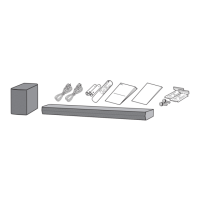
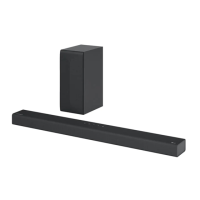
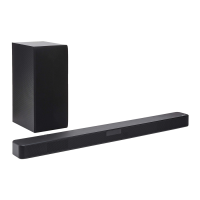
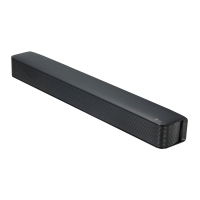
This document is the owner's manual for the LG HIGH POWER SOUND BAR, models SNH5 (SNH5, S67T2-W). It provides comprehensive information on the device's functions, technical specifications, usage, and maintenance.
Function Description
The LG HIGH POWER SOUND BAR is designed to enhance your audio experience, offering various connectivity options and sound modes. It functions as a central audio hub for your entertainment system, connecting to TVs, Blu-ray disc players, DVD players, and other external devices. The sound bar supports both wired and wireless connections, including Bluetooth, Optical, HDMI, and USB. It can be controlled via a remote control or through the LG Sound Sync feature, which allows the TV remote to control the sound bar.
Important Technical Specifications
- Power Requirements: Refer to the main label on the unit.
- Power Consumption: Refer to the main label on the unit.
- Dimensions (W x H x D): Approx. 990.0 mm x 97.0 mm x 125.0 mm (38.9 inch x 3.8 inch x 4.9 inch).
- Operating Temperature: 5 °C to 35 °C.
- Operating Humidity: 5 % to 90 %.
- Bus Power Supply (USB): 5 V === 500 mA.
- Available Digital Input Audio Sampling Frequency: 32 kHz, 44.1 kHz, 48 kHz, 88.2 kHz, 96 kHz.
- Available Digital Input Audio format: Dolby Audio, DTS Digital Surround, PCM.
- Input/Output:
- OPTICAL IN: 3 V (p-p), Optical jack x 1.
- HDMI IN: 19 Pin (Type A, HDMI™ connector) x 1.
- HDMI OUT: 19 Pin (Type A, HDMI™ connector) x 1.
- Amplifier (RMS Output):
- Total: 600 W RMS.
- Front: 100 W RMS x 2 (4 Ω at 1 kHz, THD 10 %).
- Surround: 100 W RMS x 2 (4 Ω at 1 kHz, THD 10 %).
- Subwoofer: 200 W RMS (3 Ω at 80 Hz, THD 10 %).
- Subwoofer:
- Type: 1 Way 1 Speaker.
- Impedance: 3 Ω.
- Rated Input Power: 200 W RMS.
- Max. Input Power: 400 W RMS.
- Dimensions (W x H x D): Approx. 191.0 mm x 386.0 mm x 318.0 mm (7.5 inch x 15.2 inch x 12.5 inch).
- Playable File Formats:
- MP3: within 32 to 48 kHz (Sampling Frequency), within 80 to 320 kbps (Bitrate resolution).
- WMA: within 32 to 48 kHz (Sampling Frequency), within 56 to 128 kbps (Bitrate resolution).
- OGG: within 32 to 48 kHz (Sampling Frequency), within 64 to 500 kbps (Bitrate resolution).
- FLAC: 32 kHz, 44.1 kHz, 48 kHz, 88.2 kHz, 96 kHz, 176.4 kHz and 192 kHz (16 bit/ 24 bit).
- WAV: 32 kHz, 44.1 kHz, 48 kHz, 88.2 kHz, 96 kHz, 176.4 kHz and 192 kHz (16 bit/ 24 bit).
- USB Device Requirement:
- Supports MP3 Player (Flash type MP3 player) and USB Flash Drive (Devices that support USB 2.0).
- Do not extract the USB device while in operation.
- For large capacity USB, it may take longer than a few minutes to be searched.
- To prevent data loss, back up all data.
- The unit's USB Port cannot be connected to PC. The unit can not be used as a storage device.
- The exFAT file system is not supported on this unit (FAT16/FAT32/NTFS systems are available).
- Depending on some devices, it may not available to recognize the followings on this unit: External HDD, Card readers, Locked devices, Hard type USB devices, USB hub, Using USB extension cable, iPhone/iPod/iPad, Android device.
- Maximum files: Up to 2,000.
- Maximum directories: Up to 200.
- A protected file by DRM (Digital rights management) cannot be played on the unit.
- Video files in the USB storage device can not be played.
- Depending on the performance of your USB device, playback may not work well.
- Bluetooth: Wireless communication technology for short-range connection. Version: 4.0. Codec: SBC, AAC. Supports A2DP (Advanced Audio Distribution Profile).
Usage Features
- Front Panel Controls: Includes Standby, Function (F), Volume (+/-), and Remote Sensor. The display window shows current status.
- Rear Panel Connections: WOOFERS (3 Ω), HDMI OUT (TV ARC), HDMI IN, OPTICAL IN, and USB (5V === 500 mA).
- Remote Control: Provides comprehensive control over the sound bar, including power, volume, skip/search, play/pause, sound effect, information display, folder navigation, repeat, and mute.
- Sound Effect Modes:
- AI SOUND PRO: Analyzes the property of the input sound and provides the sound optimized for the content in real time.
- BASS BLAST or BASS BLAST+: Reinforces the bass and powerful sound.
- STANDARD: You can enjoy optimized sound.
- DTS VIRTUAL:X: You can enjoy more immersive and cinematic surround sound.
- Sound Tuning: Adjusts sound level of each speaker (WF, TRE, BAS).
- Speaker Position: The manual illustrates optimal placement for front speakers, surround speakers, and the subwoofer.
- Installing the Sound Bar: Place the unit in front of the TV, maintaining a distance of 10-15 cm (3.9-5.9 inch) between the sound bar and TV. Do not block the remote sensor of the TV.
- Organizing Cables (Optional): Provides instructions on how to hold and tighten cables with cable ties.
- Connecting the Subwoofer: Connect the subwoofer cord to the unit.
- Connecting to your TV:
- Using an OPTICAL cable: Connect the OPTICAL IN jack on the back of the unit to the OPTICAL OUT jack on the TV.
- LG Sound Sync (Wireless/Wired): Allows you to control some functions of this unit by your TV remote control. For wired connection, use an optical cable. For wireless connection, ensure the TV supports LG Sound Sync.
- Using an HDMI cable (ARC - Audio Return Channel): Connect the HDMI OUT (TV ARC) jack on the back of the unit to the HDMI IN (ARC) jack on the TV. This enables the TV to send audio to the sound bar and allows control of the sound bar with the TV remote.
- What is SIMPLINK?: LG's HDMI-CEC feature that allows control of multiple devices with a single remote.
- Additional Information for HDMI: Provides details on HDMI compatibility and troubleshooting.
- Optional Equipment Connection:
- HDMI connection: Connect to a Blu-ray disc player, DVD player, etc.
- OPTICAL IN connection: Connect to an optical output jack of external devices.
- USB connection: Connect a USB memory device to the USB port for music playback.
- Basic Operations (USB): Playback, pause, skip, search, repeat, and folder navigation.
- Other Operations:
- Using your TV remote control: Control volume up/down and mute. Press and hold SOUND EFFECT for about 3 seconds to activate "ON - TV REMOTE" mode.
- AUTO POWER On/Off: The unit automatically turns on by an input source (Optical, LG TV, or Bluetooth).
- Auto function change: The unit recognizes input signals such as Optical, HDMI ARC, Bluetooth, and LG TV and then changes suitable function automatically.
- Quick Start: The unit can stay in standby mode with low power consumption, so that the unit can reduce boot time when you turn on this unit.
- Using a BLUETOOTH Wireless Technology:
- About Bluetooth: Wireless communication technology for short-range connection.
- Listening to Music of a Bluetooth Device: Pair your Bluetooth device with the sound bar to stream audio.
- Controls connected Bluetooth device: Manage playback from the sound bar.
- Bluetooth connection lock (BT LOCK): Prevents unintended Bluetooth connections.
- Using BLUETOOTH App ("Music Flow Bluetooth" App): Install the app on your smartphone to control the sound bar.
Maintenance Features
- When shipping the unit: Save the original shipping carton and packing materials.
- Keeping the exterior surfaces clean:
- Do not use volatile liquids such as insecticide spray near the unit.
- Wiping with strong pressure may damage the surface.
- Do not leave rubber or plastic products in contact with the unit for a long period of time.
- Cleaning the unit: Use a soft, dry cloth. If the surfaces are extremely dirty, use a soft cloth lightly moistened with a mild detergent solution. Do not use strong solvents such as alcohol, benzine, or thinners as these might damage the surface of the unit.
- Troubleshooting: The manual includes a comprehensive troubleshooting section for common issues such as the unit not working properly, no power, no sound, no woofer sound, remote control not working, AUTO POWER function not working, LG Sound Sync not working, USB not recognized, wireless interference, and demo mode. It provides symptoms and corresponding causes & solutions.
- Battery Replacement (Remote Control): Remove the battery cover on the rear of the remote control, and insert the battery with the correct polarity. Risk of fire or explosion if the battery is replaced by an incorrect type.
- Open Source Software Notice Information: Provides details on how to obtain source code under GPL, LGPL, MPL, and other open source licenses, and how to request it on CD-ROM.

 Need help?
 General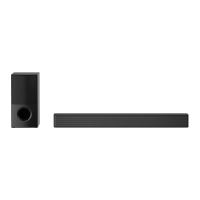

 To Next Page