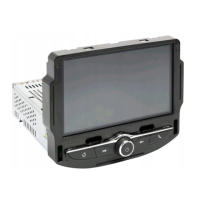
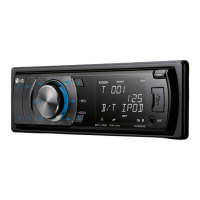
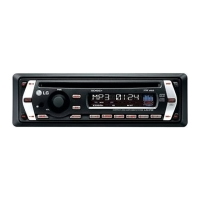
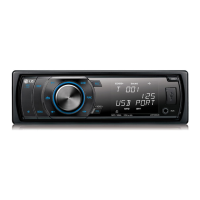
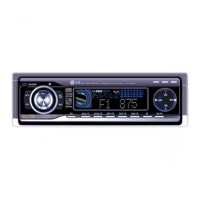
What to do if the LG Car Receiver audio CD indicator does not work?
- DDaniel TaylorSep 23, 2025
If the power is on but the audio CD indicator isn't working on your LG Car Receiver, it might be because no disc is inserted. Try inserting a disc.
What to do if the LG Car Receiver audio CD indicator does not work?
If the power is on but the audio CD indicator isn't working on your LG Car Receiver, it might be because no disc is inserted. Try inserting a disc.
What to do if my LG Home Theater System won't play a DVD/CD?
If your LG Home Theater System won't play a DVD or CD, make sure a disc is inserted correctly with the label facing up. Ensure it's a playable disc type, compatible with the system's color and regional codes. Also, close any open menus by pressing the SETUP button. Lastly, check if parental lock settings are preventing playback based on the DVD's rating; if so, enter your password or adjust the rating level.
Why is there little or no sound from my LG Home Theater System?
If you experience little to no sound from your LG Home Theater System, first, verify that the connected equipment is set to receive the DVD signal output. Also, check that the audio cables are securely connected to both the speakers and the receiver. If the issue persists, the audio cables may be damaged and require replacement.
Why is my LG Receiver remote control not working?
If the remote control for your LG Receiver isn't working properly, ensure you're pointing it directly at the receiver's remote sensor. Try using the remote within 23 ft (7 m) of the receiver, and make sure there are no obstacles blocking the signal. If it still doesn't work, replace the batteries with new ones.
What to do if my LG Receiver has no sound?
If you're experiencing no sound or very low sound from your LG Receiver, first, make sure the connected equipment is set to receive the DVD audio signal output. Then, check that the audio cables are securely connected. Ensure that the equipment connected with the audio cable is turned on. If the issue persists, the audio connecting cable may be damaged and need replacement.
How to adjust the brightness of the LG Car Receiver front panel display?
To brighten the front panel display on your LG Car Receiver, press DIMMER on the remote control.
How to fix LG Car Receiver when radio stations cannot be tuned in?
If you are unable to tune into radio stations with your LG Car Receiver, consider the following: * Ensure the antenna is securely connected. * If tuning with automatic tuning, the signal strength of the stations may be too weak, try tuning in the station manually. * If tuning by scanning preset stations, no stations may have been preset, preset the stations.
Why is the playback picture quality poor on my LG Car Receiver?
If the playback picture quality is poor on your LG Car Receiver, it could be due to: * The disc is dirty, clean the disc. * No disc is inserted, insert a disc. * An unplayable disc is inserted, insert a playable disc. * The disc is placed upside down, place the disc with the playback side down. * The disc is not placed within the guide, place the disc on the disc tray correctly inside the guide. * A menu is on the TV screen, press the SETUP button to turn off the menu screen. * The Rating level is set, cancel the Rating function or change the rating level.
Why can't I tune into radio stations on my LG Receiver?
If radio stations cannot be tuned in on your LG Receiver, ensure the antenna is securely connected. If the signal strength is weak, try tuning in the station manually. If no stations are preset, preset the stations.
Why is my LG Receiver making a loud humming noise?
If you're hearing a loud hum or noise from your LG Receiver, try cleaning the disc first. Ensure that the speakers and components are securely connected. If the problem persists, move the TV away from the audio components, as the receiver may be too close to the TV.
Covers risks of electric shock, fire hazards, and precautions for power cord usage.
Advisory for Class 1 Laser Product safety, preventing direct laser beam exposure.
Diagram and explanation of all input and output connections on the rear panel.
Detailed description of each button's function for operating the unit and TV.
Explains how to connect the unit to a TV using video cables.
Steps for connecting and removing USB devices, including compatibility notes.
Guidance on connecting the supplied speaker cables to the unit and speakers.
Procedure for connecting the unit to an HDMI compatible TV or monitor.
How to change the video output resolution for HDMI and component connections.
Configures Dynamic Range Control, Vocal mode, and HD AV Sync for optimal audio output.
Adjusts speaker volume, distance, and tests speaker output for 5.1 surround sound.
Setting rating, password, and area code for parental control on DVDs.
Explains operation of buttons like PLAY, PAUSE, SKIP, SCAN, REPEAT, ZOOM, TITLE, MENU, SUBTITLE, AUDIO, SLOW for disc playback.
Information on compatibility and basic playback of Audio CDs, MP3, and WMA files.
Instructions for displaying subtitles and notes on audio/virtual sound during DivX playback.
Steps for storing, recalling, and clearing radio station presets.
Solutions for no power, no picture, or no sound issues.
Addresses poor picture quality, playback start failures, and noise.
| Touchscreen | Yes |
|---|---|
| Bluetooth | Yes |
| USB Port | Yes |
| AUX Input | Yes |
| Radio | Yes |
| GPS Navigation | Yes |
| Rear View Camera Input | Yes |
| Type | Receiver |
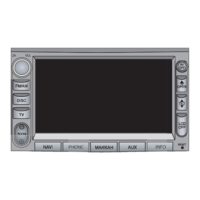
| Display Size | 7 inches |