Custom-designed Features 7
1
Tap Settings Extensions Air Motion Shortcut and capture.
2
Tap to activate this feature.
3
Select desired apps under Swipe left and Swipe right to use as
shortcuts with Air Motion.
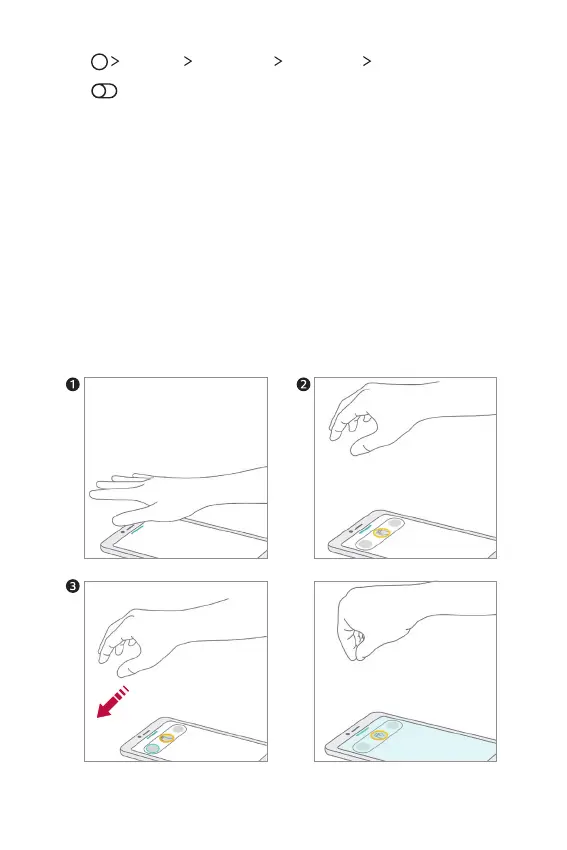
Hand gestures
1
To enable Air Motion, place your palm at a distance of 2-5 inches from
the device.
2
When the Air Motion bar appears at the top of the screen, cup your
hand in the air while lifting it to the distance of 6-8 inches from the
device to launch the Swipe shortcuts controller.
3
Swipe your hand left or right to open the desired app.
Or, pinch with all fingers to take a screenshot.
To open an app To take a screenshot
or


 To Next Page