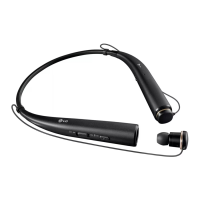
EasyManua.ls Logo

LG TONE PRO HBS-910 - User Manual

LG TONE PRO HBS-910
8 pages
Print Icon
To Next Page IconTo Next Page
Loading...
1
ENG
ENG
User’s Guide
Bluetooth
®
Stereo Headset
LG TONE PRO™
Please read the Important Safety Precautions for the proper use of this product.
After reading, store this User’s Guide in an easily accessible place for all users.
NOTE : Please read all information carefully prior to using the HBS-910 in order to prevent damages
to the product and to enjoy the best performance.
WARNING : This product contains chemicals known to the State of California to cause cancer and
birth defects or other reproductive harm. Call (800) 243-0000 for more information.
Wash hands after handling.
HBS-910 www.lg.com
Rev 1.0 US
All rights reserved.
LG Electronics Inc., 2015
Contents
Safety Cautions 2
HD Speaker 2
apt-X® 3
Product Components 3
Product Tour 4
Battery Charging and Alerts 4
HBS-910 Registration/Connection 5
Indicator lamp 6
Mobile Calling Functions 7
Playing Music 7
Vibration Alert Settings 8
Out of Range 8
Find Me 8
Tone & Talk 9
Summary of HBS-910 Functions 9
Troubleshooting 10
Specications and Features 11
Declaration of Conrmation 11
Additional Information 12
Limited Warranty 14
Important Safety Information 14

Questions and Answers

  • J
    Jason JohnsonAug 9, 2025
    What to do if my LG TONE PRO HBS-910 Headsets don't turn on?
    • M
      mcintoshjohnAug 9, 2025
      If your LG Headsets fail to power on, the first step is to verify the battery level and charge the device if necessary.

  • K
    keithreyesAug 23, 2025
    Why can't I make a call with my LG TONE PRO HBS-910 HBS-910?
    • S
      Sarah DuarteAug 23, 2025
      If you are unable to make calls using your LG Headsets HBS-910, it might be because your mobile phone does not support headset and hands-free functions. Also, check the battery level and charge it if it is low.

Summary

Safety Cautions

apt-X

Battery Charging and Alerts

HBS-910 Registration;Connection

Connecting Quickly

Steps for quick Bluetooth pairing and connection.

Connecting Manually

Procedure for manual Bluetooth connection.

Mobile Calling Functions

Receiving a Call;Hanging Up

How to answer, end, or reject calls using the call button.

Playing Music

Tone & Talk

Troubleshooting

Specifications and Features

Declaration of Confirmation

Limited Warranty

Important Safety Information

LG TONE PRO HBS-910 Specifications

General IconGeneral
ModelHBS-910
TypeIn-ear
WirelessYes
BluetoothYes
Bluetooth Version4.1
MicrophoneYes
Music Play Time10 hours
Charging Time2 hours
Audio CodecaptX
Noise CancellationNo
Water ResistanceNo
Frequency Response20 Hz - 20 kHz
CompatibilityBluetooth-enabled devices
Wireless Range10 meters
FeaturesMulti-point connection

Related product manuals