EasyManua.ls Logo

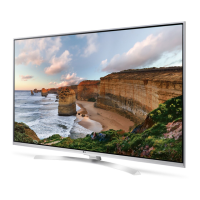
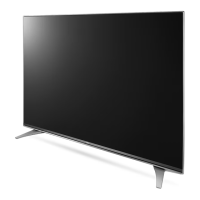
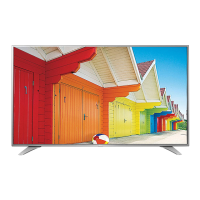
LG UH78 Series - User Manual

LG UH78 Series
44 pages
Print Icon
To Next Page IconTo Next Page
Loading...
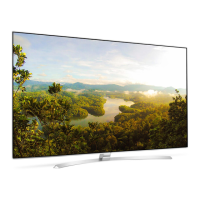
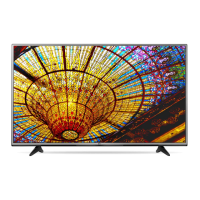
LED TV
UH85**
UH78**
UH95**
www.lg.com
P/No: MFL69361302 (1602-REV02)
Printed in Korea
: Depending on model / Abhängig vom Modell / Selon le modèle / In base al modello / En función del modelo / Dependendo do modelo / Afhankelijk van het model /
Ανάλογα με το μοντέλο / Odvisno od modela / Típusfüggő / Zależnie od modelu / Závisí na modelu / V závislosti od modelu / În funcţie de model / В зависимост
от модела / Sõltub mudelist / Priklauso nuo modelio / Atkarībā no modeļa / U zavisnosti od modela / Ovisno o modelu / Në varësi të modelit / Ovisno o modelu /
Во зависност од моделот / Beroende på modell / Avhengig av modell / Afhængigt af modellen / Mallin mukaan /
AA
12 14 16 20
X 4
(M4 X L12)
UH78**, UH85**,
55/65UH95**
12 14 16 20
X 4
(M4 X L20)
86UH95**
a
b
12 14 16 20
X 5
(M5 X L12)

Questions and Answers

  • C
    Christine BoydAug 20, 2025
    What to do if LG UH78 remote control not working?
    • T
      Theodore RamseyAug 20, 2025
      If you cannot control your LG LED TV with the remote, first check the remote control sensor on the TV and try again. Ensure there are no obstacles between the remote and the TV. Also, verify that the batteries in the remote are working and properly installed.
  • B
    Brian BerryAug 22, 2025
    How to fix LG UH78 LED TV remote not working?
    • E
      edgaryoungAug 22, 2025
      If you're unable to control your LG LED TV with the remote, first ensure there are no obstructions between the remote and the TV. Next, check the remote control sensor on the TV and try again. Finally, make sure the batteries in the remote are working and correctly installed.
  • K
    Karen ColonAug 25, 2025
    What to do if my LG UH78 turns off suddenly?
    • B
      Brenda BaileyAug 25, 2025
      If your LG LED TV turns off suddenly, it could be due to a few reasons. First, the power supply may be interrupted, so check the power control settings. Also, verify if the Sleep Timer or Timer Power Off is activated in the TIMERS settings. Another possibility is that the Auto Power Off feature is enabled in the General Eco Mode settings, depending on your model. Finally, if the TV is on but not receiving a signal, it will automatically turn off after 15 minutes of inactivity.
  • A
    Amber ColemanAug 26, 2025
    How to fix LG LED TV remote control not working?
    • K
      Kristina JacobsAug 26, 2025
      If you can't control your LG LED TV with the remote, first, ensure there are no obstacles blocking the path between the remote and the TV's sensor. Then, check the remote control sensor on the product and try again. Lastly, verify that the batteries in the remote are working and properly installed.
  • B
    Barbara GibsonAug 27, 2025
    Why my LG UH78 LED TV has no image and sound?
    • J
      Jose WilliamsAug 27, 2025
      If your LG LED TV shows no image and produces no sound, ensure that the TV is turned on and that the power cord is properly connected to a working wall outlet. You can check the wall outlet by connecting other products to see if it works.
  • L
    Lance MurphyAug 29, 2025
    How to fix LG UH78 LED TV that turns off suddenly?
    • J
      James BrewerAug 29, 2025
      If your LG LED TV turns off suddenly, check the power control settings to ensure the power supply isn't interrupted. Also, verify if the Sleep Timer or Timer Power Off is activated in the TIMERS settings. Note that the TV will turn off automatically after 15 minutes of inactivity if there is no signal.
  • J
    John JonesAug 31, 2025
    What to do if my LG UH78 LED TV has no picture and sound?
    • J
      jordanmaryAug 31, 2025
      If your LG LED TV shows no image and produces no sound, start by checking if the TV is turned on. Then, verify that the power cord is securely connected to a working wall outlet. To confirm the outlet's functionality, try connecting other devices to it.
  • Z
    zwestSep 2, 2025
    Why does my LG LED TV keep turning off by itself?
    • T
      tthomasSep 2, 2025
      If your LG LED TV turns off unexpectedly, examine the power control settings. The power supply may be interrupted. Also, check if the Sleep Timer or Timer Power Off is activated within the TIMERS settings. Another setting to review is the Auto Power Off feature located in General -> ECO MODE. Finally, if the TV is left on without a signal, it will automatically turn off after 15 minutes of inactivity.
  • T
    Tiffany BrownSep 4, 2025
    Why my LG LED TV remote control is not working?
    • G
      Gregory IbarraSep 4, 2025
      If you cannot control your LG LED TV with the remote, there might be a few reasons. Ensure that there is no obstacle between the remote control and the TV. Check the remote control sensor on the TV and try again. Also, verify that the batteries in the remote are working and properly installed.
  • M
    Michael SmithSep 6, 2025
    What to do if my LG UH78 has no image and sound?
    • B
      Benjamin WebsterSep 6, 2025
      If your LG LED TV shows no image and produces no sound, first check if the TV is turned on. Next, make sure the power cord is properly connected to a wall outlet. To rule out a problem with the outlet, connect other products to the same outlet to see if they work.

LG UH78 Series Specifications

General IconGeneral
BrandLG
ModelUH78 Series
CategoryLED TV
LanguageEnglish

Related product manuals