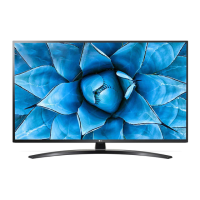
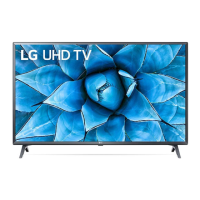
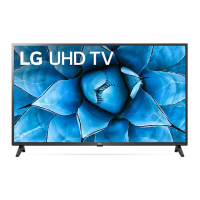
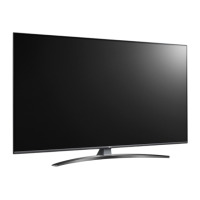
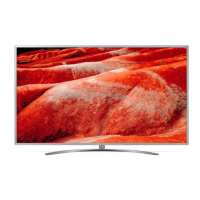
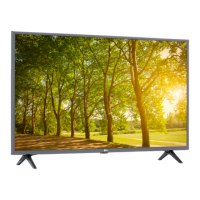
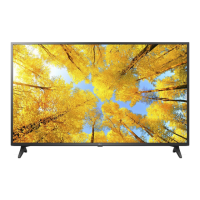
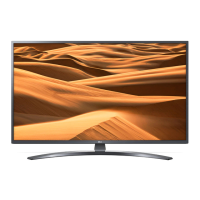
This document is a user manual for an LG LED TV, specifically models in the UN73* series, including 43UN7340PVC, 43UN7300PTC, 43UN7350PTD, and other UN71*, UN72*, UN73*, UN74*, UN80*, and UN81* variants across different screen sizes. It provides essential information for safe operation, setup, usage, and maintenance of the television.
Function Description:
The LG LED TV is a display device designed for home entertainment, offering various functionalities for viewing digital and analogue television broadcasts, connecting external media devices, and accessing smart TV features. It utilizes an LCD screen with LED backlights. The TV supports multiple input sources, including HDMI, USB, AV, Component, LAN, and antenna/cable connections, allowing users to connect Blu-ray players, HD receivers, DVD players, VCRs, audio systems, USB storage devices, PCs, and gaming consoles. The TV is capable of displaying ULTRA HD content, with specific models supporting Deep Colour for enhanced picture quality. It also features a CI module slot for viewing encrypted (pay) digital TV services. Smart TV capabilities are implied through the mention of "Home menu," "Quick Settings," and "Streaming Service buttons" on the remote control, suggesting access to apps and online content. The Magic Remote Control enhances user interaction with voice recognition and pointer functions.
Important Technical Specifications:
- Display Type: LED TV (LCD screen with LED backlights).
- Power Requirement: AC 100-240 V~50/60 Hz.
- Dimensions (43-inch models): A: 973 mm, B: 623 mm, C: 216 mm, D: 572 mm, E: 85.0 mm.
- Weight (43-inch models): 8.1 kg (without stand), 8.0 kg (with stand).
- VESA Wall Mount Standard:
- 200 x 200 mm (M6 screws) for 43UN71*, 43/50UN72*, 43/50UN73*, 43UN74*, 50UN80*, 43/50UN81* models.
- 300 x 300 mm (M6 screws) for 49/55UN71*, 49/55UN72*, 49/55UN73*, 49/55UN74*, 55UN80*, 55UN81* models.
- 300 x 300 mm (M6 screws) for 60/65UN71*, 65UN72*, 65UN73*, 65UN74*, 65UN80*, 65UN81* models.
- 600 x 400 mm (M8 screws) for 75UN71*, 75UN72*, 70UN73*, 75/82/86UN80*, 75/82/86UN81* models.
- Broadcasting Specifications:
- Digital TV: DVB-T/T2 (some models support DVB-T2/C/S2).
- Analogue TV: PAL B/B, PAL B/G, PAL D/K, PAL-I, SECAM B/G, SECAM D/K, NTSC-M.
- Programme Coverage: VHF, UHF, C-Band (some models), Ku-Band (some models), CATV.
- Max Storable Programmes: 3,000 (DVB-T/T2 & Analogue TV), 6,000 (DVB-S/S2).
- External Antenna Impedance: 75 Ω.
- CI Module Dimensions: 100.0mm x 55.0mm x 5.0mm.
- Wireless Module (LGSBWAC92/LGSBWAC02) Specifications:
- Wireless LAN (IEEE 802.11a/b/g/n/ac):
- Frequency Range: 2,400 to 2,483.5 MHz (Output Power Max: 18 dBm / 17 dBm)
- Frequency Range: 5,150 to 5,725 MHz (Output Power Max: 18 dBm / 19 dBm)
- Frequency Range: 5,725 to 5,850 MHz (Output Power Max: 12 dBm / 10.5 dBm)
- Bluetooth:
- Frequency Range: 2,400 to 2,483.5 MHz (Output Power Max: 8 dBm / 8.5 dBm)
- Operating Distance: Minimum 20 cm between device and body.
- Note: IEEE 802.11ac is not available in all countries. 5,150 – 5,350 MHz band restricted to indoor use only in Australia and New Zealand.
- Environment Condition:
- Operating Temperature: 0 °C to 40 °C.
- Operating Humidity: Less than 80%.
- Storage Temperature: -20 °C to 60 °C.
- Storage Humidity: Less than 85%.
- HDMI Audio Format Support: True HD (48 kHz), Dolby Digital / Dolby Digital Plus (32/44.1/48 kHz), PCM (32/44.1/48/96/192 kHz).
Usage Features:
- Initial Setup: The TV may take a few minutes to initialize when first turned on.
- Remote Control: The TV can be operated using a standard remote control or an optional Magic Remote Control (MR20GA). The Magic Remote offers advanced features like voice recognition, a pointer, and quick access to functions.
- Magic Remote Pairing: To use the Magic Remote, it must be paired with the TV by inserting batteries (1.5 V AA) and pressing the Wheel (OK) button while pointing at the TV. To deregister, press and hold the BACK and HOME buttons simultaneously for five seconds.
- Basic Button Operation: A single button on the TV allows for power on/off, input source change, volume adjustment, and programme scrolling.
- External Device Connectivity: Supports HDMI, USB, AV, Component, LAN, and antenna/cable inputs. For optimal HDMI connection, cables and USB devices should have bezels less than 10 mm thick and 18 mm width. Use certified HDMI cables for best performance.
- PC Mode: When connecting a PC, users may need to adjust resolution, refresh rate, brightness, or contrast to achieve a clear picture.
- Antenna/Cable Connection: Connects to a wall antenna socket with a 75 Ω RF cable. Signal amplifiers may be needed for poor image quality.
- Satellite Dish Connection: Connects to a satellite dish with a 75 Ω satellite RF cable.
- CI Module: For viewing encrypted digital TV services, insert the CI module correctly into the PCMCIA card slot.
- HDMI ULTRA HD Deep Colour: This setting can be adjusted in the Picture > Additional Settings menu to enhance picture clarity for compatible devices. If a connected device does not support it, the setting may need to be turned off.
- USB Hubs: Some USB hubs may not work; direct connection to the TV's USB port is recommended for USB devices.
- Freeview Plus (Australia region only): Provides access to content and services from Freeview networks, including a 7+ day EPG, Catch Up TV, recommendations, reminders, and favourites. Requires an internet connection.
Maintenance Features:
- Cleaning: Unplug the power cord before cleaning. Wipe gently with a soft/dry cloth. Do not spray water or other liquids directly on the TV. Avoid using chemicals like glass cleaner, air freshener, insecticide, lubricants, wax, abrasive cleaners, thinner, benzene, or alcohol, as these can damage the product or panel.
- Battery Replacement: For remote controls, replace batteries (1.5 V AAA for standard, 1.5 V AA for Magic Remote) when the low battery message appears. Ensure correct polarity. Dispose of batteries properly according to local regulations.
- Ventilation: Install the TV in a well-ventilated area, avoiding confined spaces, carpets, or cushions. Do not block ventilation openings.
- Power Cord Protection: Protect the power cord from physical damage. Do not move the TV while plugged in. Grasp the plug, not the cord, when unplugging.
- Safety Precautions:
- Avoid exposing the TV to direct sunlight, high humidity, heat sources, steam, oil, rain, wind, dripping/splashing liquids, or flammable objects.
- Do not insert metallic or inflammable objects into the product.
- Do not touch the end of the power cord when plugged in.
- If the product is damaged, water/substance enters, or smoke/odors are detected, unplug immediately and contact customer service.
- Do not modify the product without authorization.
- Use only LG-approved attachments/accessories.
- Ensure proper grounding for the power plug.
- Do not let children climb or cling to the TV.
- For outdoor antennas, ensure proper grounding away from power lines.
- Mounting:
- Table Mounting: Lift and tilt the TV into an upright position on a table, leaving at least 10 cm space from the wall for ventilation.
- Wall Mounting: Use VESA standard wall mount brackets. Remove the stand first. Ensure screws are inserted correctly and fastened securely. Do not apply foreign substances to screw parts. Do not install the TV by hanging power and signal cables on the back. Avoid installing in areas exposed to oil or oil mist.
- Securing TV to Wall: For added safety, insert eye-bolts or TV brackets on the back of the TV, mount wall brackets to the wall, and connect them tightly with a sturdy rope, keeping it horizontal. Use a strong platform or cabinet.
- Troubleshooting: The manual provides guidance for issues such as remote control malfunction, no image/sound, sudden power off, no signal from PC (HDMI), and abnormal display (e.g., "cracking" noise, panel buzzing, tiny dots, brightness/colour variations, image sticking).
- Environmental Information (India region only): Provides guidelines for the disposal of old appliances (e-waste) according to the E-Waste Management and Handling Rules, 2011. This includes handing over to authorized recyclers, not opening the product by unauthorized personnel, and avoiding mixing with household waste. Contact information for collection centres is provided.

 Need help?

 To Next Page
 General