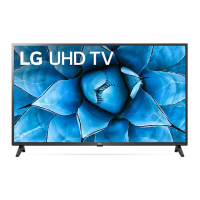
This document is an owner's manual for an LG LED TV, providing comprehensive information on its setup, operation, maintenance, and technical specifications.
Function Description
The LG LED TV serves as a primary display device for various media content, including broadcast television, external video sources, and networked media. It supports multiple input types for connecting other devices and offers features for adjusting picture and sound settings. The TV can be mounted on a table or wall, providing flexibility in placement. It includes functionalities for remote control operation, basic button controls, and advanced settings adjustments via an external control device. The TV also supports network connectivity for accessing online content and software updates.
Important Technical Specifications
Display:
The TV utilizes an LED-backlit LCD screen. The display may exhibit tiny black dots or brightly colored dots (red, blue, or green) at a size of 1 ppm on the panel, which is considered normal and not a malfunction. Displaying a still image for a prolonged period may cause image sticking.
Broadcasting Specifications (Depending on country):
- Digital TV: DVB-S/S2, DVB-T/T2, DVB-C.
- Analogue TV: PAL/SECAM B/G, D/K, I; SECAM L.
- Channel Coverage (Band):
- DVB-S/S2: 950 – 2,150 MHz
- DVB-C: 46 – 890 MHz
- DVB-T/T2: VHF III: 174 – 230 MHz, UHF IV: 470 – 606 MHz, UHF V: 606 – 862 MHz, S Band II: 230 – 300 MHz, S Band III: 300 – 470 MHz
- Analogue TV: 46 – 862 MHz
- Maximum number of storable programmes: Digital TV: 6,000; Analogue TV: 3,000.
- External antenna impedance: 75 Ω.
- CI Module (W x H x D): 100.0 mm x 55.0 mm x 5.0 mm.
Wireless Module (LGSBWAC95) Specifications:
- Wireless LAN (IEEE 802.11a/b/g/n/ac):
- Frequency Range: 2,400 to 2,483.5 MHz (Output Power: 19 dBm), 5,150 to 5,725 MHz (Output Power: 18 dBm), 5,725 to 5,850 MHz (Output Power: 13.5 dBm).
- Bluetooth:
- Frequency Range: 2,400 to 2,483.5 MHz (Output Power: 9 dBm).
- As band channels can vary per country, the user cannot change or adjust the operating frequency. This product is configured for the regional frequency table.
- For consideration of the user, this device should be installed and operated with a minimum distance of 20 cm between the device and the body.
Environment Condition:
- Operating Temperature: 0 °C to 40 °C (Portrait: 0 °C to 35 °C).
- Operating Humidity: Less than 80 %.
- Storage Temperature: -20 °C to 60 °C.
- Storage Humidity: Less than 85 %.
Supported Formats:
- HDMI-DTV: Supports various resolutions from 640 x 480p to 4096 x 2160p with different horizontal and vertical frequencies.
- HDMI-PC: Supports various resolutions from 640 x 350 to 4096 x 2160 with different horizontal and vertical frequencies.
- Photo Formats: JPEG, JPG, JPE, PNG, BMP. Minimum/Maximum resolutions vary by format.
- Audio Formats: MP3, WAV, OGG, WMA, FLAC. Supports various sample frequencies, bit rates, and channels (mono, stereo).
- Video Formats: ASF, WMV, AVI, MP4, M4V, MOV, 3GP, 3G2, TS, TRP, TP, MTS, MPG, MPEG, DAT, VOB. Supports various codecs like VC-1, WMA, Xvid, MPEG-1/2/4, H.264/AVC, HEVC, AAC, AMR-NB, AMR-WB, Dolby Digital, Dolby Digital Plus, LPCM, ADPCM.
- Subtitle Formats: External (SMI, SRT, SUB, TXT, PSB, DCS) and Embedded (Matroska, Sub Station Alpha, SRT, Timed text).
External Control Device Setup (RS-232C):
- Baud rate: 9,600 bps (UART).
- Data length: 8 bits.
- Parity: None.
- Stop bit: 1 bit.
- Communication code: ASCII code.
- Use a crossed (reverse) cable.
- Set ID: 1-99.
Usage Features
- Mounting Options: The TV can be mounted on a table using its stand or on a wall using a VESA-compatible wall mount bracket. Specific dimensions and screw types are provided for various models.
- Connectivity:
- Antenna/Cable: Connects to a wall antenna socket (75 Ω). Requires a signal splitter for more than 2 TVs.
- Satellite Dish: Connects to a satellite dish socket (75 Ω).
- CI Module: Inserts into the COMMON INTERFACE card slot for encrypted (pay) services.
- HDMI: Supports various audio and video formats, including ULTRA HD.
- USB: Connects USB storage devices for media playback.
- External Speakers: Connects external speakers via a 3.5 mm stereo jack.
- Network (LAN): Connects to a modem or router for wired network access.
- Basic Functions: Power On/Off, Menu Control, Volume Up/Down, Input Source selection, Channel Up/Down.
- Remote Control: A comprehensive remote control is provided with buttons for power, numbers, text, volume, channel, smart features, mute, page navigation, input selection, settings, and media playback controls.
- Adjusting the Angle: The TV can be swiveled 20 degrees to the left or right when mounted on a table.
- External Control Device: The TV can be controlled remotely via an RS-232C serial port, allowing for integration into a larger control system. Commands are provided for power, aspect ratio, screen mute, volume, contrast, brightness, color, tint, sharpness, OSD select, remote control lock, balance, color temperature, energy saving, auto configuration, equalizer, tune, programme skip/add, key, control backlight, input select, programme block/unblock, fail over mode, fail over input select, and internal storage media contents play.
Maintenance Features
- Safety Precautions:
- Avoid placing candles or other items with open flames on or near the TV.
- Do not place the TV in an unstable location or on a carpet or cushion.
- Do not block ventilation openings.
- Avoid physical shock or impact to the TV.
- Do not allow children to climb on the TV.
- Ensure proper grounding for outdoor antenna systems.
- Keep the product away from direct sunlight, high humidity, and heat sources.
- Avoid exposure to dripping or splashing liquids.
- Do not install in excessively dusty places.
- Do not mix new and old batteries.
- Do not expose batteries to excessive heat.
- Cleaning:
- Unplug the power cord before cleaning.
- Use a soft/dry cloth.
- Do not spray water or other liquids directly on the TV.
- Do not use chemicals like glass cleaner, air freshener, insecticide, lubricants, wax, or industrial cleaners.
- Do not spray water or cleaner onto a dry cloth to wipe the screen.
- Troubleshooting: The manual provides a troubleshooting guide for common issues such as no picture/sound, remote control problems, power issues, and signal problems. It recommends checking connections, power supply, and consulting LG customer support if issues persist.
- Battery Replacement: Instructions are provided for replacing batteries in the remote control.
- Product Disposal: Information on proper disposal of batteries and the TV itself to prevent environmental pollution.
- Software Updates: The TV supports software download information, including SuperSign Software & Manual, available from the LG Electronics website.
- Warranty: The manual advises that any damages caused by using unapproved items are not covered by the manufacturer's warranty.

 Need help?

 To Next Page
 General