Custom-designed Features 23
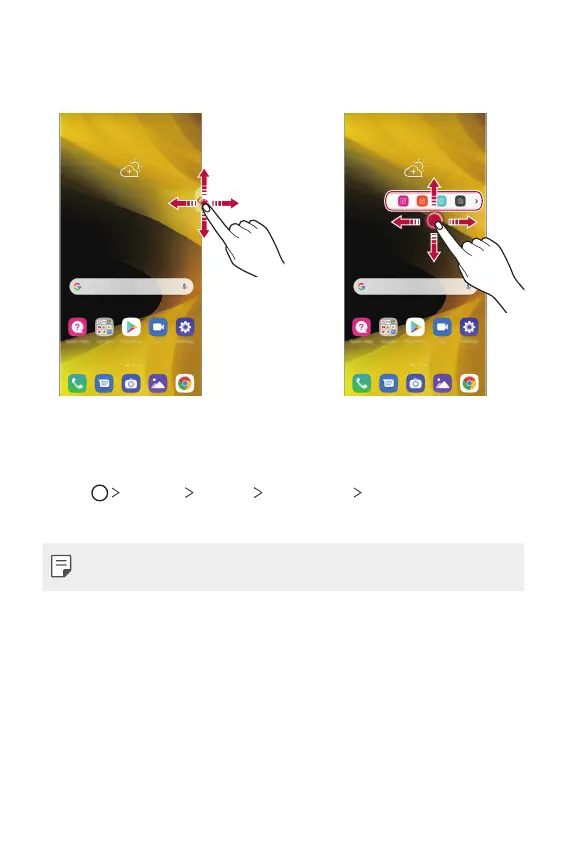
Moving the Floating Bar position
Touch and hold Floating Bar, then drag it to the desired location.
Changing the position of Floating Bar
You can set the area in which the Floating Bar can move or be pinned.
1
Tap Settings General Floating Bar Position.
2
Tap the desired option and tap OK.
• Floating Bar can only be moved within the area between the Status bar
and Quick access bar. See
Home screen layout
for details.



 To Next Page