EasyManua.ls Logo

LG VM242C6A - User Manual

LG VM242C6A
38 pages
Print Icon
To Next Page IconTo Next Page
Loading...
www.lg.com
OWNER’S MANUAL
Copyright © 2016 - 2020 LG Electronics Inc. All Rights Reserved
MFL69849001
Rev.08_061220
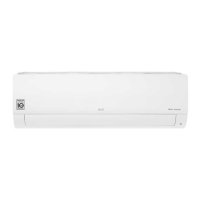
AIR CONDITIONER
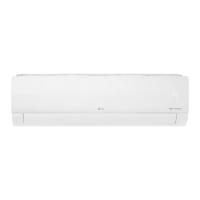
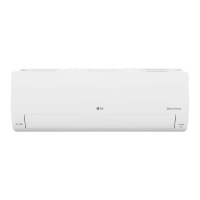
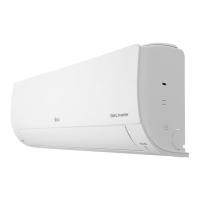
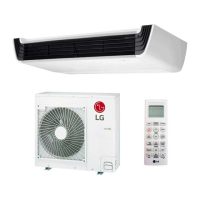
TYPE: WALL MOUNTED
EN ENGLISH SP ESPAÑOL
Read this owner's manual thoroughly before operating the
appliance and keep it handy for reference at all times.

Questions and Answers

  • G
    Gerald HunterSep 8, 2025
    Why can't I adjust the fan speed on my LG VM242C6A Air Conditioner?
    • S
      Stephanie JacksonSep 9, 2025
      If you cannot adjust the fan speed on your LG Air Conditioner, it may be because Jet Mode or Auto Operation Mode is selected. Choose an operation mode that allows fan speed adjustments.
  • T
    Tracy TravisAug 23, 2025
    What to do if my LG Air Conditioner does not work?
    • A
      Alexa MartinAug 23, 2025
      If your LG Air Conditioner isn't working, first check if it's plugged in and the power isolators are switched on. Then, check the fuse and circuit breaker. If there was a power failure, wait 3 minutes after power is restored before turning the unit back on. Ensure the voltage isn't too high or low. Also, confirm the air conditioner wasn't turned off automatically by a timer and that the batteries in the remote are correctly inserted or need replacing.
  • J
    Jacqueline SheltonAug 25, 2025
    How to connect LG VM242C6A to Wi-Fi?
    • B
      Bryan RitterAug 25, 2025
      To connect your LG Air Conditioner to Wi-Fi, first, remove the Wi-Fi network connected to your smartphone and re-register your appliance on LG ThinQ if the password is incorrect. Ensure mobile data is turned off on your smartphone and register the appliance using Wi-Fi. The wireless network name (SSID) should only use English letters and numbers. Only a 2.4 GHz router frequency is supported. Move the router closer to the appliance if the distance is too far.
  • M
    Mary JohnsonAug 27, 2025
    Why is my LG VM242C6A not emitting cool air?
    • M
      Michelle HicksAug 27, 2025
      Several factors can cause your LG Air Conditioner to not emit cool air. Check if anything is blocking the front of the unit, such as curtains or furniture. Ensure the air filter is clean; it's recommended to clean it every 2 weeks. Also, verify that the set temperature is lower than the current room temperature, and that you're not in Fan Mode. High room or outside temperatures can also affect cooling performance. Make sure that no cold air is escaping through ventilation points and avoid using heat generators nearby. In summer, select the Jet Mode to cool the indoor air quickly.
  • D
    dana46Aug 28, 2025
    Why I can't connect my LG VM242C6A Air Conditioner to Wi-Fi?
    • S
      Sarah RodriguezAug 28, 2025
      If your LG Air Conditioner isn't connecting to Wi-Fi, first, make sure you're using the correct Wi-Fi password. Try removing the Wi-Fi network from your smartphone and re-registering the appliance on LG ThinQ. Ensure mobile data is turned off on your smartphone during registration. The wireless network name (SSID) should only contain English letters and numbers, without special characters. Verify your router frequency is 2.4 GHz, as this is the only supported frequency. Finally, ensure the appliance is close enough to the router for a strong signal.
  • R
    Richard NewmanSep 22, 2025
    Why does my LG VM242C6A Air Conditioner indoor unit smell?
    • K
      Kayla WalkerSep 22, 2025
      If your LG Air Conditioner's indoor unit smells, it may be due to absorbed odors like cigarette smoke being discharged with airflow. Try washing the filter. If the smell persists, contact the service center to clean the heat exchanger.
  • V
    vavilaSep 16, 2025
    Why is my LG Air Conditioner fan speed not adjustable?
    • L
      Leslie SchultzSep 16, 2025
      If you cannot adjust the fan speed on your LG Air Conditioner, it may be because you have selected the Jet Mode, or Auto Operation Mode. Select an operation mode in which you can adjust the fan speed.
  • N
    Nicholas YoungSep 18, 2025
    Why is my LG VM242C6A temperature not adjustable?
    • S
      Stephanie HaysSep 18, 2025
      If you cannot adjust the temperature on your LG Air Conditioner, it may be because you have selected the Fan Mode or Jet Mode. Select an operation mode in which you can adjust the temperature.
  • F
    Frances BatesSep 7, 2025
    Why is my LG VM242C6A indoor unit still operating when turned off?
    • J
      Joseph LinSep 7, 2025
      The indoor unit of your LG Air Conditioner may still be operating even after being turned off because the Auto Clean function is active. This feature removes remaining moisture inside the unit. To disable it, simply turn the unit off.
  • J
    jerry92Sep 4, 2025
    What to do if my LG VM242C6A Air Conditioner stops during operation?
    • K
      Katie JacksonSep 4, 2025
      If your LG Air Conditioner stops during operation, check the timer settings as the Timer Function may have timed out. If there was a power failure, and you have the Auto Restart function enabled, your unit will resume its last operation several minutes after power is restored.

LG VM242C6A Specifications

General IconGeneral
Seasonal Energy Efficiency Ratio (SEER)16
RefrigerantR410A
Compressor TypeRotary
Voltage208-230V
Heating Seasonal Performance Factor (HSPF)9.0
Cooling Capacity24000 BTU/h
TypeSplit
Height11.8 inches
Operating Temperature (Heating)5~75°F
Power Supply208-230V/60Hz/1 Phase

Related product manuals