EasyManua.ls Logo

LG W3-4 - User Manual

LG W3-4
84 pages
Print Icon
To Next Page IconTo Next Page
Loading...
OWNER’S MANUAL
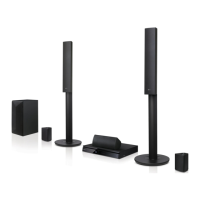
Cinema 3D Sound Blu-ray™
Home Cinema System
Please read this manual carefully before operating
your set and retain it for future reference.
HX753W (HX753W, S93B1-S, S93T1-C/W, T2, W3-4)
HX763W (HX763W, S93T1-S/C/W, S93B1-S, T2, W3-4)
HX773W (HX773W, S93T1-S/C/W, T2, W3-4)
P/NO : SAC35713610

Table of Contents

Questions and Answers

Summary

Safety Information

Power Cord Safety

Precautions for handling and using the power cord to prevent hazards.

Disposal Guidelines

Regulatory and Safety Notices

RF Radiation Exposure

Statement on RF radiation exposure and installation guidelines.

Remote Control Operations

Remote Control Overview

Overview of the remote control buttons and their functions.

Unit Panel Layout

System Positioning

Speaker and Wireless Setup

Physical Speaker Connection

Instructions for connecting speakers to the player and wireless receiver.

Wireless Speaker Configuration

Steps for connecting and configuring wireless speakers, including LED indicators.

TV Connectivity

HDMI Connection to TV

Steps for connecting the player to a TV via HDMI, including notes.

External Device Connections

Network Setup

Wired Network Connection

Instructions for setting up a wired network connection.

Wired Network Configuration

Detailed steps for configuring a wired network connection.

Wireless Network Connection

Overview of connecting via wireless network.

Wireless Network Setup

Steps to set up the wireless network connection.

Initial Setup

Initial Setup Wizard

Guide for the initial setup wizard, including language and network settings.

System Settings

[NETWORK] Menu Options

Details on network settings, connection status, BD-Live, and smart services.

Player Operation Modes

Initialize and Software Update

Options to reset settings, clear storage, and update player software.

Sound Effects and 3 D Audio

Menu Navigation and Content Sharing

Using Smart Share

How to play media from discs, USB, or network devices.

Playing Media Content

Playing Blu-ray 3 D Discs

How to play 3D discs and prepare for 3D viewing.

File Playback from Media

Playing Files from Disc or USB

How to play video, audio, and photo files from discs or USB.

Playing Files from Network Server

How to play files from a DLNA server over a home network.

PC Network Server Setup

Media Enhancement Features

Advanced Features

Wi-Fi Direct Connection

How to connect to Wi-Fi Direct certified devices to play media.

Miracast and BD-Live Enjoyment

Mirroring device screens and using BD-Live features.

LG Smart Features

iPod Operations

Input Devices and Online Services

LG Smart World and Account Management

Using LG Smart World

How to find and download applications from LG Smart World.

Bluetooth Connectivity

Pairing Bluetooth Devices

Steps to pair the player with a Bluetooth device.

Troubleshooting - General Issues

General Symptom and Solution

Common troubleshooting symptoms and solutions for general issues.

Troubleshooting - Network Issues

Troubleshooting - Picture and Sound

Picture Display Issues

Troubleshooting issues related to picture display.

Sound Output Issues

Troubleshooting issues related to sound output.

Customer Support and Software Updates

Information on obtaining software updates and customer support.

Remote Control for TV

Setting Up TV Remote Control

Steps to program the remote control for TV operation.

Software Update

Network Software Update Procedure

How to update the player's software via a network connection.

File Playback Requirements

Audio Output Specifications

Technical Specifications

General and Input;Output Specifications

Technical specifications of the player, including general, inputs/outputs, tuner, amplifier, and system.

LG W3-4 Specifications

General IconGeneral
BrandLG
ModelW3-4
CategoryHome Theater System
LanguageEnglish

Related product manuals