Need help?
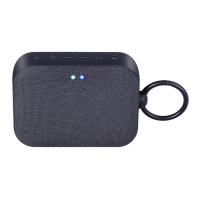
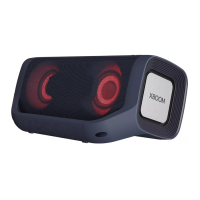
Do you have a question about the LG XBOOM Go PN5M and is the answer not in the manual?
Safe usage and prevention of damage related to the power cord.
Advice for dry environments to prevent static electricity.
Guidelines for using the correct AC adapter to avoid damage and warranty issues.
Automatic unit shutdown for energy saving.
Connect external devices for audio playback via AUX.
Listen to music wirelessly from Bluetooth devices.
Mobile app for enhanced control and features of LG audio devices.
Connect two speakers for stereo sound experience.
Connect multiple speakers for synchronized audio playback.
Meaning of symbols used for user guidance.
Details water-resistance level and necessary precautions.
Displays battery, power, Bluetooth, and sound mode status.
Operation of power, Bluetooth, volume, playback, mood, and sound effect buttons.
DC IN 5V (charging) and AUX (audio input) ports.
Speaker reset function and Dual Mode connection indicator.
Steps to charge the speaker using the provided AC adapter.
Instructions for turning the unit on/off and checking battery.
Steps for pairing and connecting a Bluetooth device.
Details various mood light colors and their descriptions.
Explains the HIGH-FIDELITY (STANDARD) and POWERFUL (SOUND BOOST) sound options.
Connect and play music from external devices using the AUX 3.5mm jack.
Information on Bluetooth, version 5.0, and supported codecs.
Lists A2DP and AVRCP profiles for audio and remote control.
Control playback (play, pause, skip, volume) of connected Bluetooth devices.
Guide to connect two Bluetooth devices at the same time for expanded audio.
Introduction to the LG XBOOM app and its enhanced features.
Steps to install the app using a QR code and scanning software.
Instructions for downloading and installing the app from the Google Play Store.
How the LG XBOOM app facilitates connecting the Bluetooth device to the unit.
Step-by-step guide to connect two speakers for a stereo audio experience.
How to reset the speaker using the RESET button for troubleshooting.
Control the beep sound feature via the LG XBOOM app settings.
Details the auto power-off feature and its configurable settings.
Solutions for no power, no sound, or distorted audio playback.
Steps to resolve issues with Bluetooth pairing and connection.
Guidance for overall operational problems and when standard solutions fail.
Recommendations for packing and protecting the unit during transit.
Instructions for safely cleaning the speaker's exterior surfaces.
 General
| Type | Portable Speaker |
|---|---|
| Brand | LG |
| Model | XBOOM Go PN5M |
| Category | Portable Speakers |
| Audio Channels | 2.0 |
| Output Power | 20W |
| Battery Life | 18 hours |
| Bluetooth | Yes |
| Bluetooth Version | 5.0 |
| Water Resistance | IPX5 |
| USB | USB Type-C |
| Bluetooth Codec | SBC |
| Colors | Black, Red, Blue |

 To Next Page