EasyManua.ls Logo

LG XH-TK9025KZ - User Manual

LG XH-TK9025KZ
30 pages
Print Icon
To Next Page IconTo Next Page
Loading...
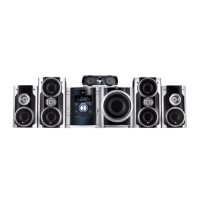
DVD KARAOKE RECEIVER
OWNER’S MANUAL
MODEL: XH-TK9025KZ
XH-TK9025KZ
SH92TR-S
SH92TR-C
SH92TR-W
Before connecting, operating or adjusting this product,
please read this instruction booklet carefully and
completely.
HT902TR-XK.NA6KALX_ENG_5856
R

Questions and Answers

  • R
    randalldanielSep 10, 2025
    How to fix poor playback picture on my LG XH-TK9025KZ?
    • A
      Amy RichardsonSep 10, 2025
      If the playback picture quality is poor, consider these solutions: * The disc may be dirty. Clean the disc. * No disc may be inserted. Insert a disc. Ensure the DVD or audio CD indicator is lit on the DVD display. * An unplayable disc may be inserted. Insert a playable disc, checking the disc type, color system, and regional code. * The disc may be placed upside down. Place the disc with the playback side down. * The disc may not be placed within the guide. Place the disc correctly on the disc tray inside the guide. * A menu may be on the TV screen. Press the SETUP button to turn off the menu screen. * The rating level may be set. Cancel the rating function or change the rating level.
  • M
    meganbellAug 22, 2025
    How to fix LG Karaoke System when there is no picture?
    • K
      Keith BrownAug 22, 2025
      First, ensure your TV is set to receive the DVD signal output. If that doesn't work, check that the video cable is securely connected. Also, make sure your TV is turned on.
  • T
    Todd MartinezAug 25, 2025
    What to do if there is no sound from LG XH-TK9025KZ Karaoke System?
    • E
      Erin CarpenterAug 25, 2025
      If you're not getting any sound, make sure the equipment connected with the audio cable is set to receive the DVD signal output. Check that the audio cables are securely connected and that the connected equipment is powered on. If the issue persists, the audio connecting cable might be damaged and need replacement.
  • J
    jonesvirginiaAug 26, 2025
    How to fix loud hum or noise from LG Karaoke System?
    • A
      Ashley DaviesAug 27, 2025
      If you're hearing a loud hum or noise, start by cleaning the disc. Then, ensure the speakers and components are securely connected. If the noise continues, try moving your TV away from the audio components.
  • A
    Aaron MurphyAug 27, 2025
    How to improve poor playback picture on LG Karaoke System?
    • C
      Chad SandersAug 27, 2025
      To improve the playback picture, try the following: 1. Clean the disc. 2. Ensure a playable disc is inserted correctly (check the disc type, color system and Regional code), with the playback side down, and placed within the guide. 3. If a menu is on the screen, press the SETUP button to turn it off. 4. Cancel the Rating function or change the rating level if it is set.
  • A
    Amanda CoxAug 29, 2025
    Why LG XH-TK9025KZ Karaoke System has no power?
    • J
      Jamie WilsonAug 29, 2025
      If there's no power, the power cord might be disconnected. Plug the power cord securely into the wall outlet.
  • B
    Bailey BauerSep 18, 2025
    What to do if the DVD/CD Receiver indicator does not work on my LG Karaoke System?
    • J
      Jessica WeaverSep 18, 2025
      If the DVD/CD Receiver indicator is not working, a disc may not be inserted. Insert a disc and check that the DVD or audio CD indicator in the DVD display is lit.
  • U
    uholderSep 12, 2025
    How to stop loud hum or noise coming from my LG XH-TK9025KZ Karaoke System?
    • Z
      zwyattSep 12, 2025
      To address loud humming or noise: * The disc may be dirty. Clean the disc. * The speakers and components may not be connected properly. Connect the speakers and components securely. * The DVD/CD Receiver may be too close to the TV. Move the TV away from the audio components.
  • C
    Christine HolmesSep 8, 2025
    Why is there no sound coming from my LG Karaoke System, or is the sound very low?
    • G
      Gloria RossSep 8, 2025
      If you're experiencing sound issues, consider the following: * The equipment connected with the audio cable may not be set to receive DVD audio signal output. Select the correct input mode on the receiver. * The audio cables might not be securely connected. Check the audio cable connections. * The equipment connected with the audio cable may be turned off. Turn on the equipment. * The audio connecting cable could be damaged. Replace the cable with a new one.
  • B
    Brenda GardnerSep 5, 2025
    Why is there no picture on my LG XH-TK9025KZ Karaoke System?
    • M
      Margaret MillerSep 5, 2025
      There are several reasons why you might not see a picture: * The TV might not be set to the correct input. Select the appropriate video input mode on your TV. * The video cable might not be securely connected. Ensure the video cable is properly connected. * The TV might be turned off. Turn on the TV.

LG XH-TK9025KZ Specifications

General IconGeneral
TypeKaraoke System
BrandLG
ModelXH-TK9025KZ
USB PortYes
BluetoothYes
Microphone Inputs2

Related product manuals