YOUR SPEAKER IS READY!
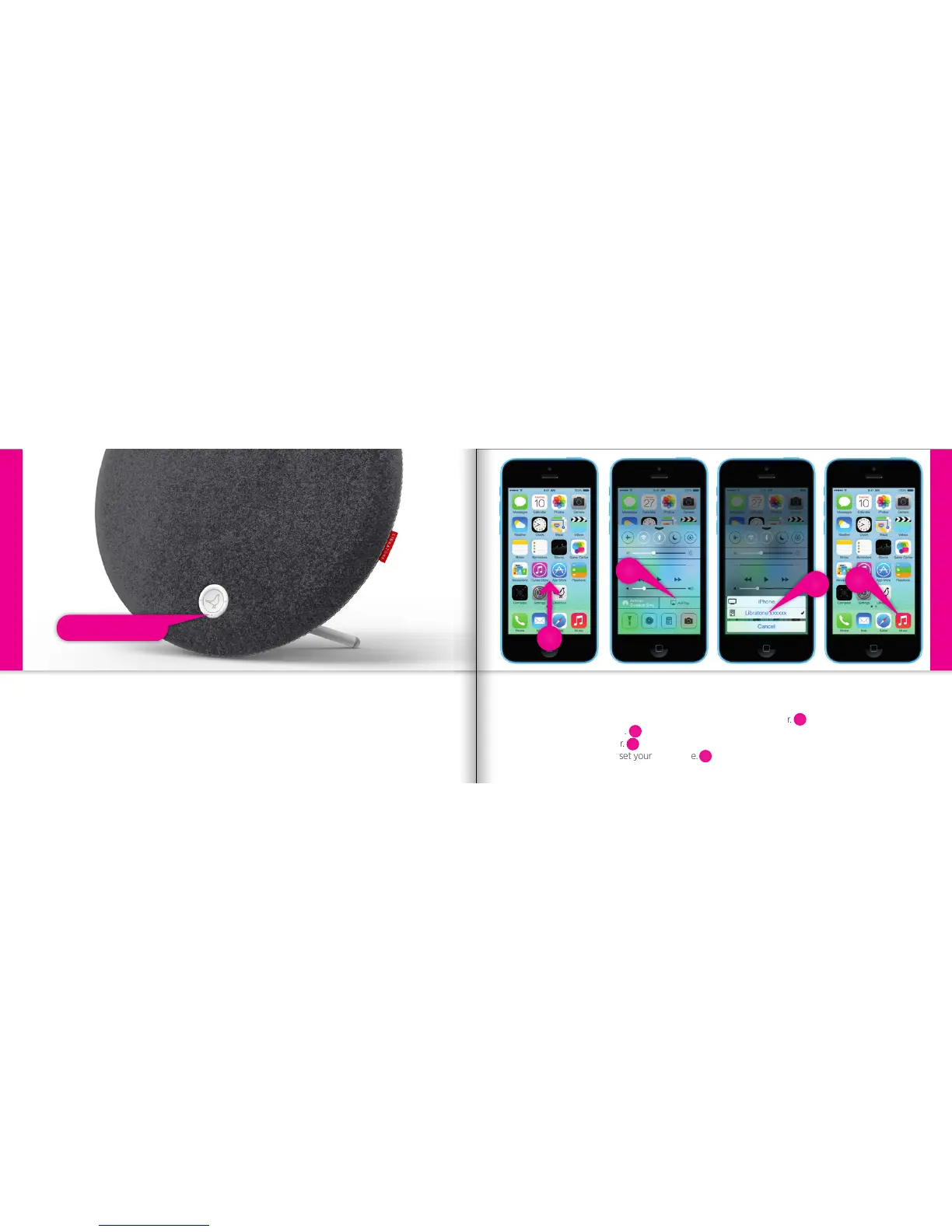
If the “Status Indicator” is breathing WHITE you’re alright and ready for AirPlay.
If it’s not, go to page 12 and start over or visit: www.libratone.com/faq for support.
Status Indicator
iPhone, iPad or iPod touch - Wi-Fi
SET YOUR MUSIC FREE
• Swipe from the bottom of the display to access Control Center.
• Select “AirPlay” icon.
• Choose your speaker.
• Select “Music” and set your music free.
iPhone, iPad or iPod touch - Wi-Fi
6
7
8
5
5
6
7
8
16 17



 To Next Page