2
1
1
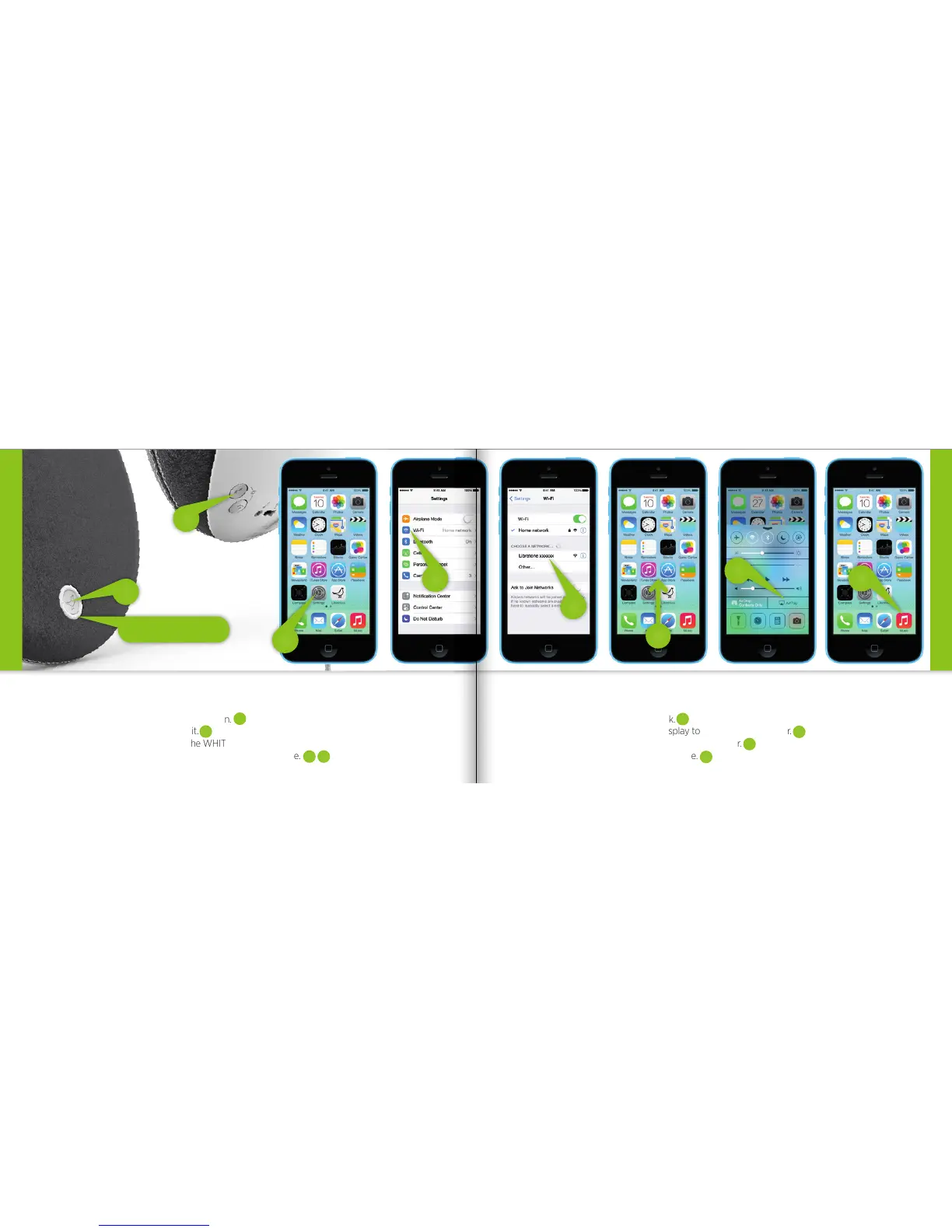
MUSIC ON THE GO - PLAYDIRECT
5
4
• Press the Libratone “Logo Button” to turn it on.
• Press the “PlayDirect” button and wait.
• When the “Status Indicator” shows the WHITE PlayDirect sequence, you’re ready to proceed.
• Open “Settings” and press “Wi-Fi” connections on your iPhone.
PlayDirect
Status Indicator
• Choose the “Libratone” network.
• Swipe from the bottom of the display to access Control Center.
• Press the “AirPlay” icon and choose your speaker.
• Select “Music” and set your music free.
PlayDirect
SET YOUR MUSIC FREE
7
8
3
6
1
2
3 4
5
6
8
7
18 19



 To Next Page