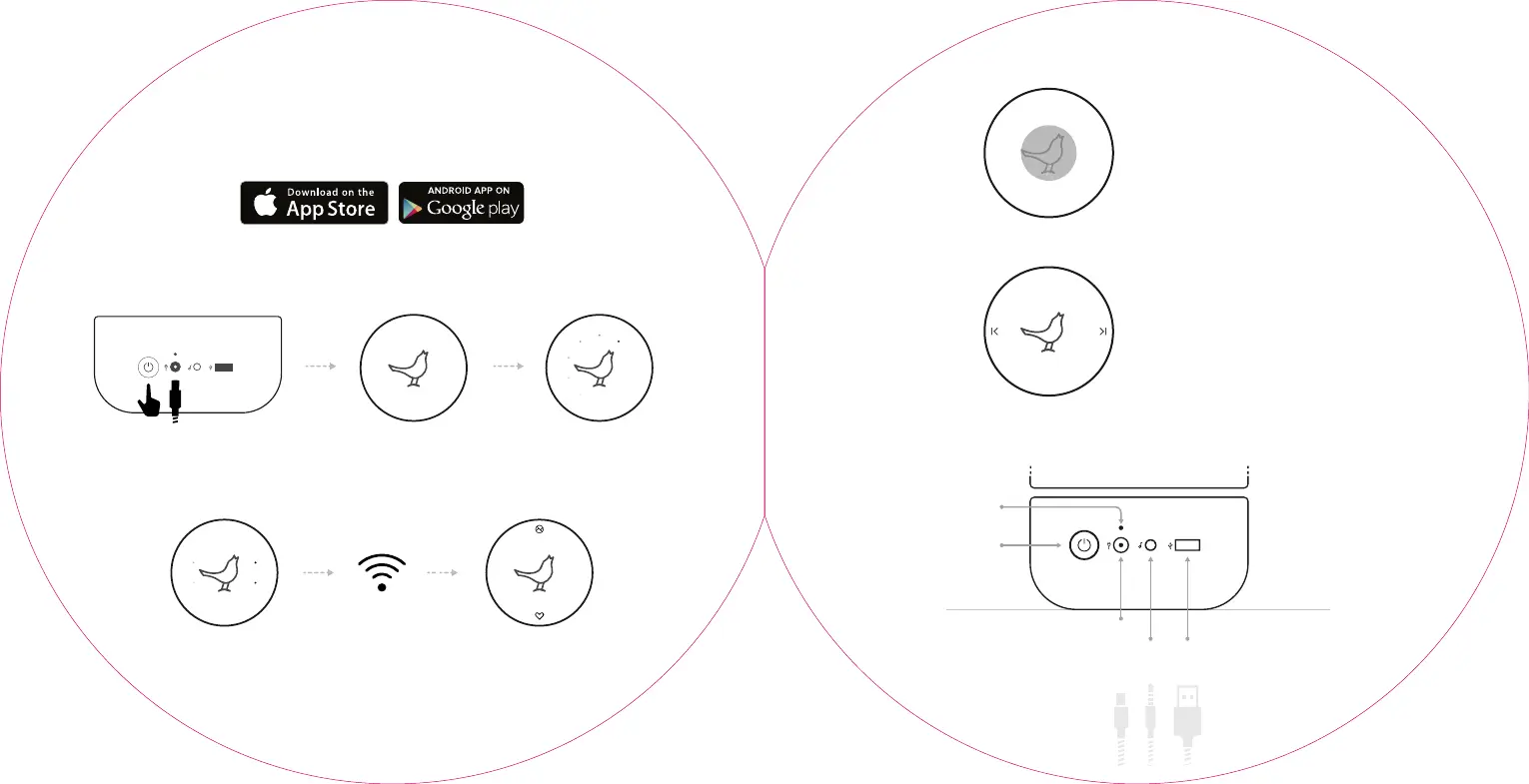
GET STARTED
You’ll need a mobile device and an Internet connection
ENTERING
SETUP MODE
To change WiFi networks
after initial setup, press and
hold the bird for 2 seconds
until the lights pulse.
MUSIC CONTROLS
When playing music, tap the
bird to play or pause, and
left/right to skip.
Search ‘Libratone’
Press the power button
for 3 seconds
Bird lights up Wait for 20 seconds
1. DOWNLOAD APP
2. TURN ON
3. CONNECT TO WIFI
USB PLAY
& CHARGE
Play and charge your
phone via USB to listen
longer and stay connected
on the go.
POWER
CHARGE
INDICATOR
POWER IN
AUX
USB
Speaker will
enter setup
mode on first run
Follow the App to
set up your ZIPP
MINI on WiFi
Connected
to WiFi



 To Next Page