31
3. INTERFACE
3.1 DISPLAY
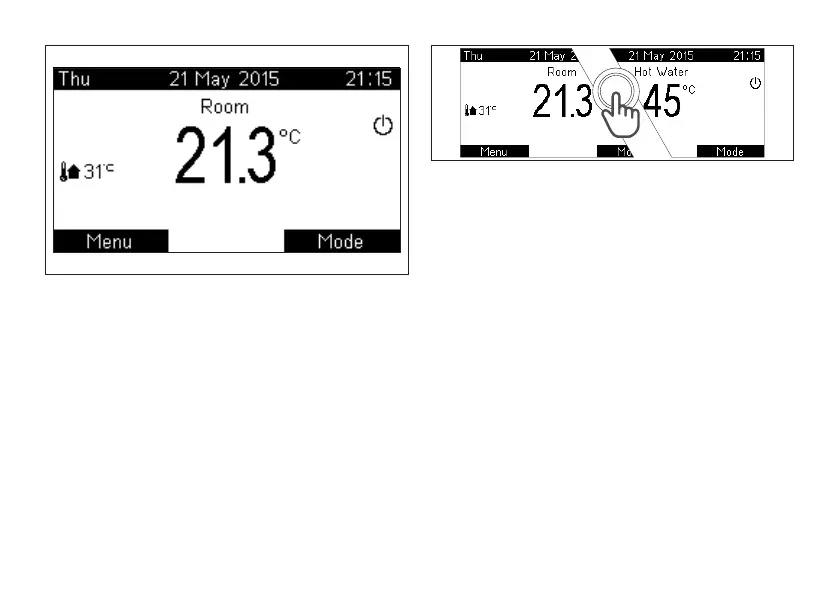
The main pages (Home) are two: Room/Heating and Hot
Water.
Easily pushing the knob, the device allows moving from
Room to Hot Water and back (picture 5). Moving from
one Home to another these information change: name
of main size, measured temperature and, if a program is
active, program and relative Set temperature
Warning: in case of disabled external probe, the Room
page is replaced by the Heating one (which is Offset OTC
picture 4
picture 5
or, if also the external probe is absent/disabled, Delivery).
See Menu HEATING SETTINGS section PARAM.
SETTINGS.
In the example shown on picture 6, in which the status is
Winter and Heating program is automatic, Home shows
the following information:
1. Day/Date/Hour (with automatic winter/summer time
function)
2. Name of main size
3. Measured temperature
4. Presence of ame and level
5. External temperature (if external probe is available)
6. System status (Off/Summer/Winter) and ongoing
request (Hot Water/Heating)
7. Set temperature
8. Space and summary icon of ongoing program for
displayed zone (Standby/Manual/Temporary Man/
Automatic) and possible temporal information
about program (synoptic time scheduling/ function



 To Next Page