36
4.1 MODIFICATION OF STATUS AND PROGRAM
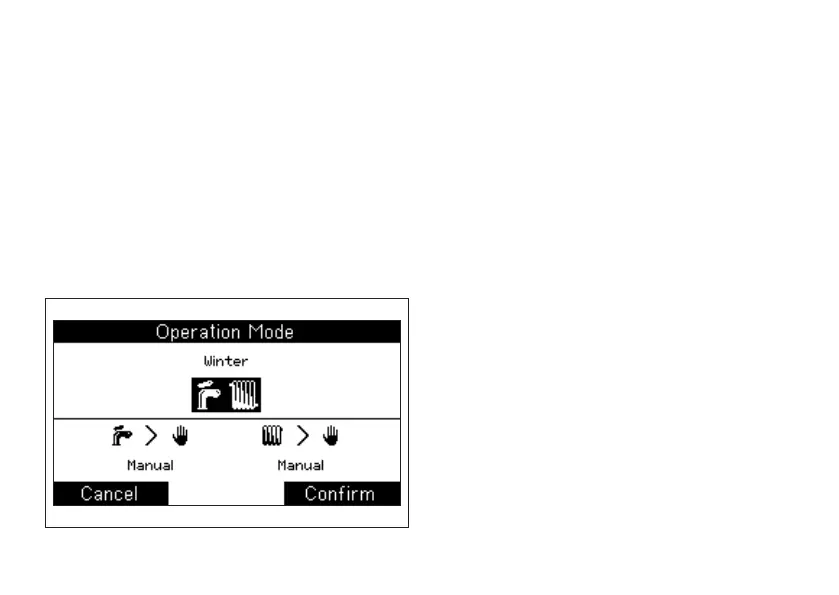
Enter Mode window (pressing R button from Home
window) to change ongoing status and Program.
The window is divided in two parts:
• On the upper part status can be selected (Off,
Winter, Summer)
• On the lower part, according to the status, the
programs (Standby, Auto, Manual) for Hot Water
and Heating can be selected (picture 8)
4. MODE (STATUS AND PROGRAM)
Procedure:
1. Turn knob to change the highlighted variable (picture
8 case: Status)
2. Press knob to conrm and pass to the modication
of following variable (Program)
3. With Conrm button the new settings are saved and
you can go back to Home
If you DO NOT want to save changes, press Cancel
button without conrming.
4.2 STATUS MEANING
OFF (default)
All Hot Water and Heating functions are disabled,
Antifreeze excluded (if enabled).
SUMMER
Hot Water functions are enabled and you can set Hot
Water program.
WINTER
Hot Water and Heating functions are enabled and you can
set a different program for Hot water and Heating.
4.3 MEANING OF HOT WATER PROGRAMS
STANDBY
Hot Water is permanently off, hot water production is
inhibited (some UC do not manage this program).
MANUAL (default)
picture 8



 To Next Page