CL-2 Service Manual
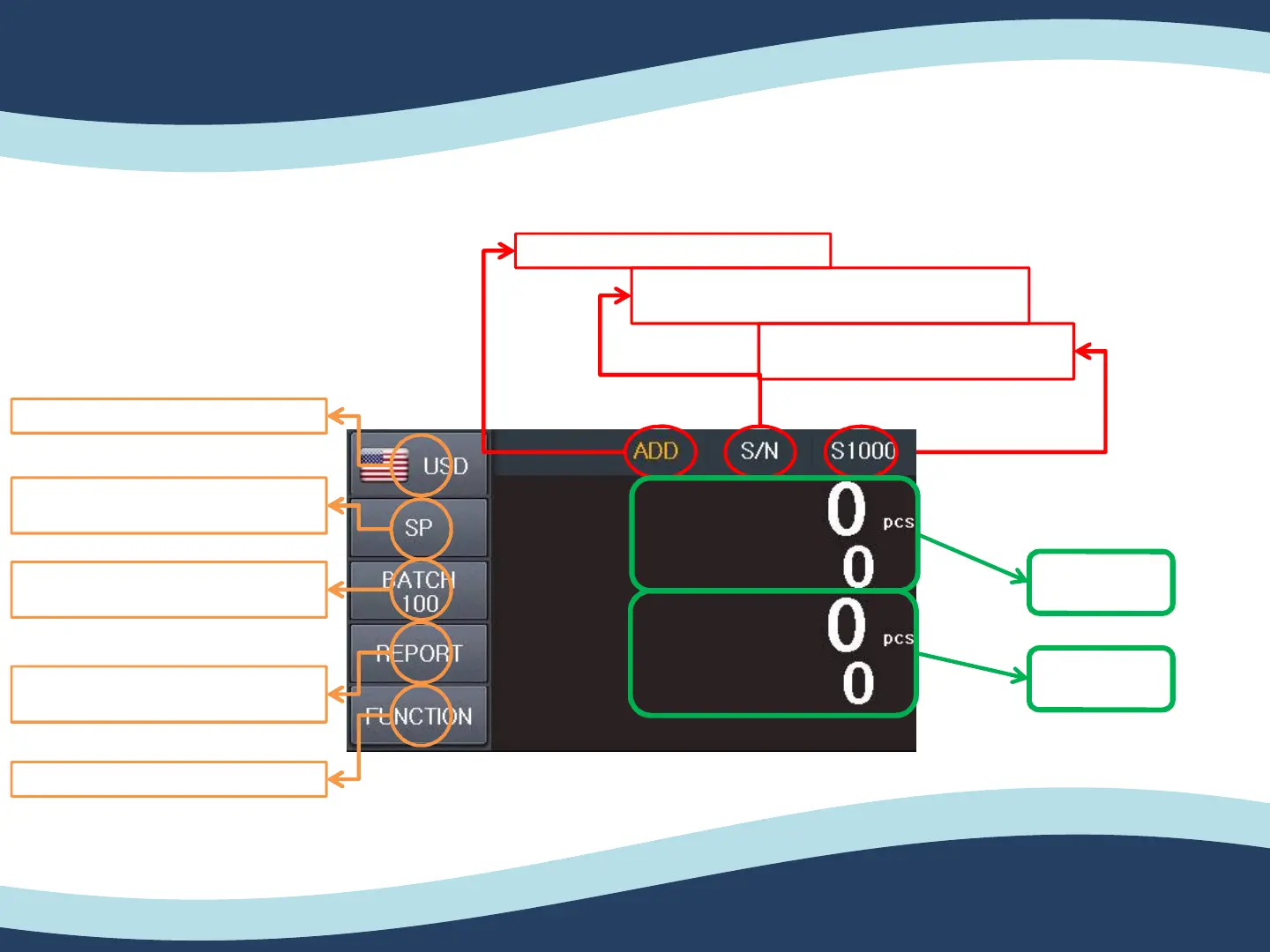
Screen Configuration
2-2. Operation Panel Overview
14
Count mode select button.
(Count / MIX / SP)
Currency select button.
Batch setting button.
Can set each count mode.
Report button to see the counting
detail information.
ADD function
Selecting Counting speed for each
function.
S/N function. (Available for specific currency.)
White letter -> Enabled / Red letter -> Disabled
Function button for use setting.
Pcs
Amount


 To Next Page