CL-2 Service Manual
18
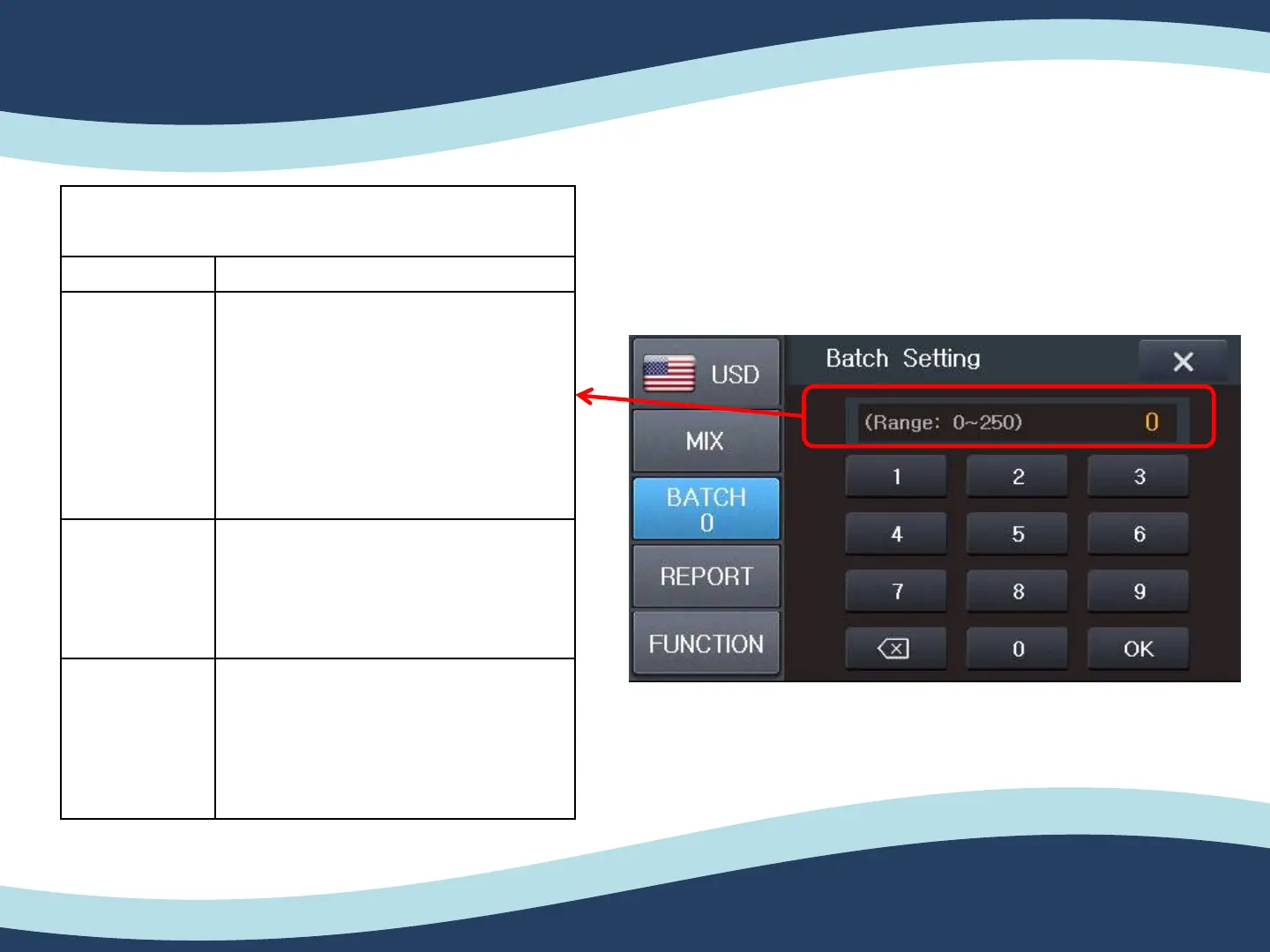
3-3. Batch Setting
Mode Description
Batch Setting
If you select the Batch function on the
screen, the Batch mode setting screen
will be Shown.
As you select the amount the
denominations will be assigned in the
pocket.
Customer
You can freely change the Batch size
by pressing the Up and Down button.
Additional
Button
You can set batch size for each count
mode (Count / Mix / SP) by click this
red circled button.
3. Counting mode


 To Next Page