CL-2 Service Manual
19
3-4. Report
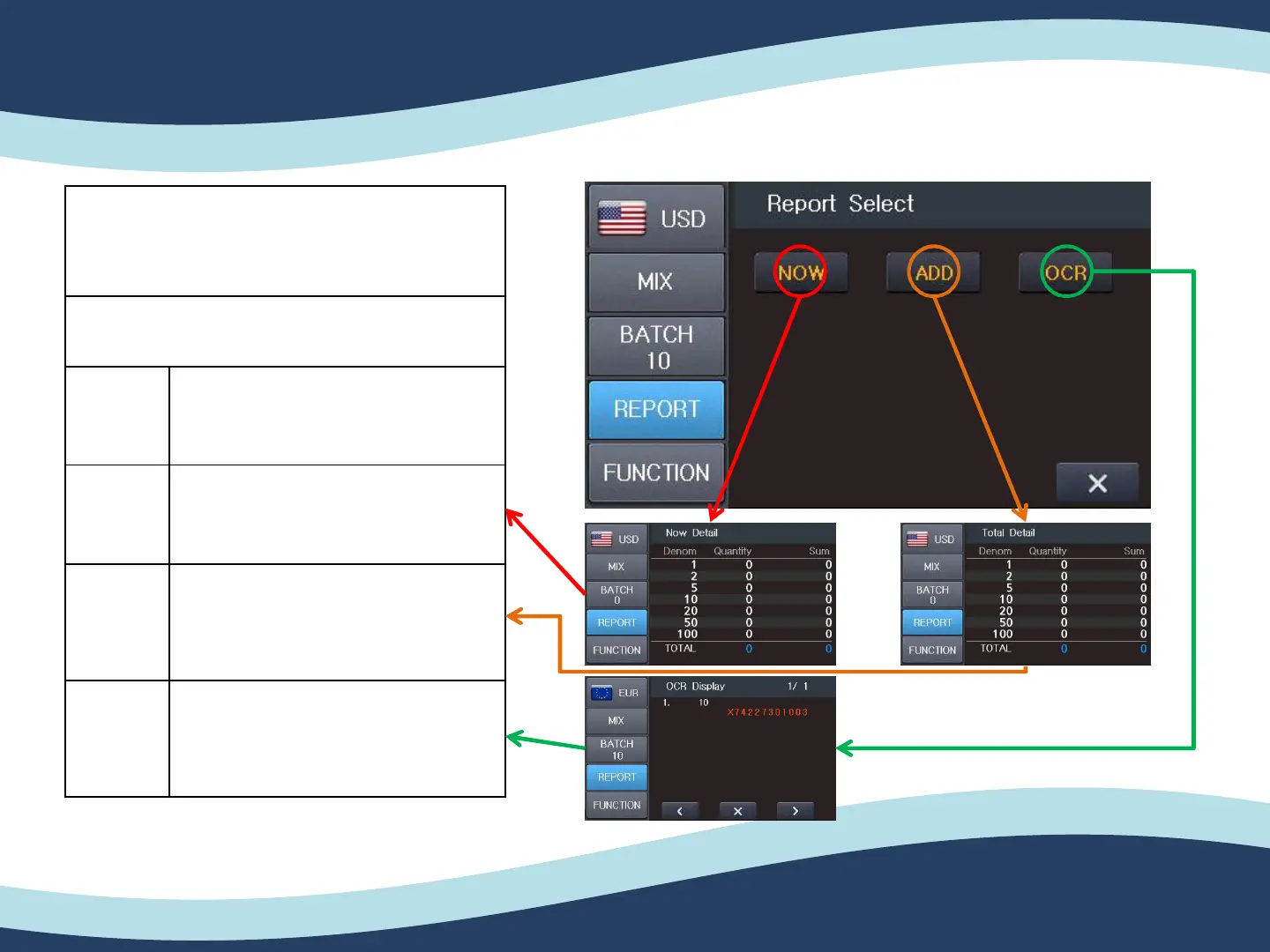
If you select the Report function on the screen,
the Report screen will be shown on the screen.
Mode Description
NOW
You can see the detail information of
last counted result.
ADD
You can see the detail information of
added counted result.
OCR
You can see the serial number of the
counted notes. (Available for specific
currency.)
3. Counting mode


 To Next Page