CL-2 Service Manual
5-6. Firmware Upgrade.
5. ENG Setting (Engineer setting)
60
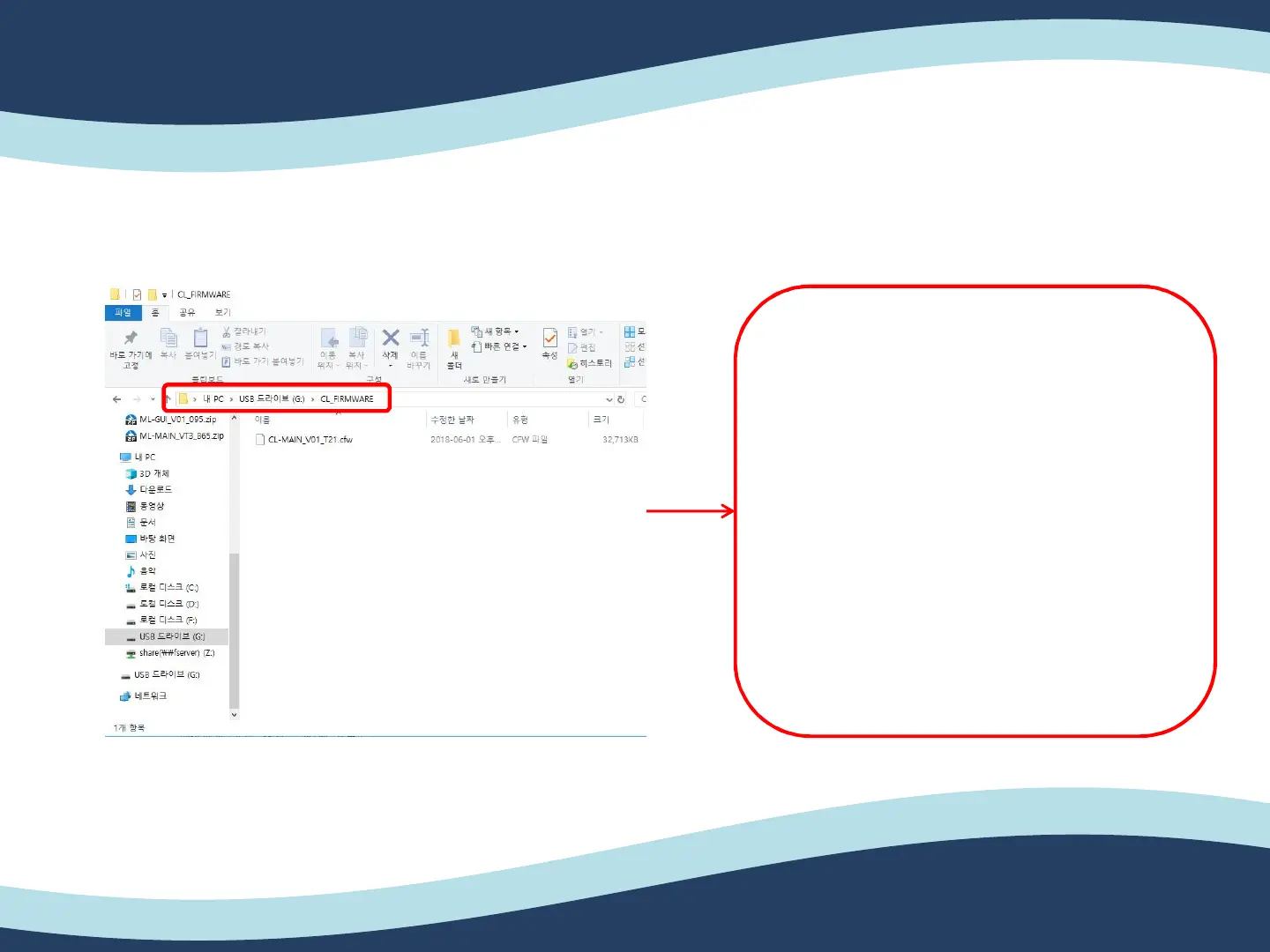
1. Please create folder in the SD card
name as “CL_FIRMWARE”.
2. Then, copy and paste “CL-
MAIN_V01_T01.cfw” into the folder
“CL_FIRMWARE” in the SD card.
3. After above steps, please put in the
SD card on the back side of CL-2.
4. Then, turn on the CL-2.


 To Next Page