please be sure to charge before
.
high speed mode; press the power
LED Display Indicator
- 07 -
it a full
LEDs
This product is equipped with an LED display power indicator. The battery is not fully charged at the time of purchase, so
use (charge for at least 4 hours).
Please note that if the battery power indicator only one LED lit, it means the power is low, please use it after charging
How to use:
It has two speed working modes. Press the power button once to start working at low speed, press the mode switch to
button to turn off the vacuum cleaner.
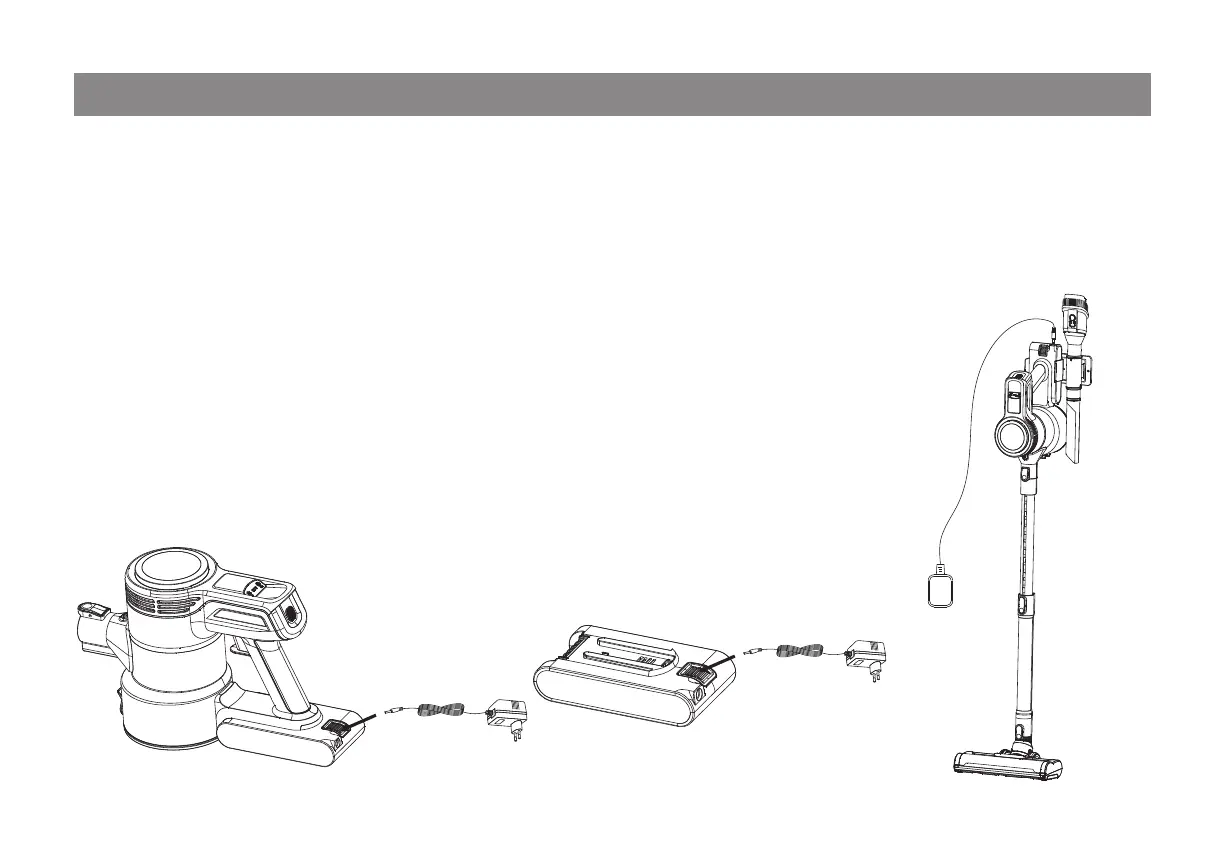
Charging:
1)
2)
3)
4)
Note: You can charge the battery on the main body, or unlock from the main body and charge it. While charging, the 3
on the main body will flash, or the indicator on the battery pack will blink. After fully charged, the 3 LEDs or the
indicator on the battery pack will keep constant on.
If you are using this appliance for the first time or the appliance is to be stored unused for a long period, please give
charge before use.
When the battery is low, please charge it in time to ensure sufficient working time.
After use, please charge the battery while it is cool. The battery cannot be charged when it is overheated.
This appliance cannot be used while charging.



 To Next Page