The LIFAair LAF200 Smart Purifying Fresh Air Unit is a device designed to improve indoor air quality, offering both fresh air ventilation and air purification functionalities. It is developed by LIFAair Oy Ltd. in Finland and manufactured by Dongguan LIFAair Technology Limited in China.
Function Description
The LAF200 unit operates with a main unit and a monitoring controller. The main unit features a working status/power indicator light, power ON/standby button, pairing button for the monitoring controller, fan speed controls (decrease and increase), inner circulation (indoor purification mode) and outer circulation (fresh air mode) buttons, a fresh air outlet, and intake/exhaust openings for outer and inner circulation.
The monitoring controller is equipped with a main display screen, a secondary display screen, and touch buttons for navigation and selection. It allows users to:
- Turn the unit ON/OFF.
- Pair with the main unit.
- Adjust fan speed.
- Select purification modes (inner/outer circulation).
- Access settings.
- View filter status.
- Control various functions via a mobile app.
Photosensitive Sensor: The unit's photosensitive sensor automatically adjusts the LED indicator brightness based on the ambient environment.
Inner Circulation / Outer Circulation:
- Users can switch between inner (indoor purification) and outer (fresh air) circulation modes.
- In inner circulation, the outer ventilation door closes, the inner ventilation door opens, the exhaust fan stops, and only the intake fan operates.
- In outer circulation, the outer ventilation door opens, the inner ventilation door closes, and both intake and exhaust fans operate simultaneously.
UV Light Disinfection Mode:
- After 7 days of cumulative operation, the unit automatically enables UV light mode at night.
- During UV disinfection, all ventilation doors close, fans stop, and the UV light activates for 10 minutes, after which the unit returns to its previous operating mode.
Ventilation Door Warning:
- Rapid flashing of the outer/inner circulation LED indicates a closed or malfunctioning ventilation door.
- Users are advised to check for foreign objects blocking the ventilation door and, if necessary, contact customer service.
PTC Heater Function:
- The PTC heater activates when the fresh air outlet temperature is too low and deactivates when the fan speed is 0.
- Its operation is automatically controlled by the outlet temperature level.
- When active, a "PTC" icon appears on the monitoring controller's secondary display.
Important Technical Specifications
- Product Name: Smart Purifying Fresh Air Unit
- Model Number: LAF200
- Rated Air Flow (Fresh Air Mode): 180m³/h
- Effective Ventilation Rate: ≥90%
- PM2.5 Purification Efficiency: 99.4%
- Noise: 50dB (A)
- Particle Clean Air Delivery Rate (CADR particulate matter): 200m³/h
- Particle Cumulate Clean Mass (CCM particulate matter): P4 level
- Rated Input: 220-240V ~ 50/60Hz
- Purification Power: 60W (total 360W)
- PM2.5 Sensor: Laser type
- TVOC Sensor: Semiconductor type
- Frequency Band (Wi-Fi): 2.412GHz-2.484GHz
- Frequency Band (Bluetooth): 2.402GHz-2.480GHz
- RF Power Output: ≤ 20 dBm (EIRP)
Usage Features
Monitoring Controller Pairing:
- The monitoring controller connects to the main unit via Bluetooth.
- Initial pairing involves pressing and holding the ON/OFF button on the controller, then selecting "Unit Pairing" and confirming.
- On the main unit, the green light will flash rapidly to indicate pairing mode.
- Successful pairing is indicated by the main unit's indicator light turning white and a specific icon appearing on the controller's secondary display.
Air Quality Monitoring:
- The monitoring controller displays real-time values for PM2.5, CO2, TVOC, humidity, and outlet/outdoor temperature.
- PM2.5 Measurement: Displays PM2.5 levels, with a stabilization time of about 40 seconds.
- CO2 Measurement: Shows CO2 concentration, with <1000ppm considered good. Stabilization takes about 40 seconds.
- TVOC Measurement: Uses a semiconductor sensor to measure TVOC levels, categorized into five levels: Good, Moderate, Unhealthy, Very unhealthy, and Hazardous. Stabilization takes about 40 seconds.
Control Modes:
- Unit Off: Powers the unit on/off.
- Smart Mode: Automatically adjusts fan speed based on indoor air quality (recommended).
- Manual Mode: Allows manual adjustment of fan speed, which remains at the set value.
- Night Mode: Runs at ultra-low noise for comfortable sleeping.
- Turbo Mode: Maximum fan speed for rapid purification.
Settings:
- Language: Chinese Mandarin or English.
- Loop Control: Selects outdoor/indoor circulation (default: "Out").
- Silent Running: Enables low noise operation at night (default: "Yes").
- PM2.5 Priority: Unit auto-runs until PM2.5 reaches "good" (default: "Yes").
- Heater Power: "Low" or "High" PTC heating (default: "Low").
- Fresh Air Only: Turns off exhaust fan for unidirectional fresh air supply (default: "No").
- WiFi Login: Connects to the LIFAair mobile app for remote control and data viewing.
- Time Setting: Manual adjustment of time (Note: auto-syncs with Wi-Fi).
- Display Brightness: Adjusts screen brightness (default: "Low").
- Auto Brightness: Turns off main unit indicator and controller display in dark surroundings (default: "On").
- APP Control: Permits/forbids mobile app control (default: "On").
- CO2 Calibration: Allows calibration of CO2 sensor (generally unnecessary).
- Advanced Settings: Manual adjustment of "Target CO2," "Standby CO2," "Target PM2.5," and "Bed Time."
- Factory Settings: Restores controller to factory settings.
Wi-Fi Network Connection:
- The unit can be connected to a Wi-Fi network via the LIFAair mobile app.
- The app allows remote control and displays real-time data from the monitoring controller.
Maintenance Features
Prefilter Cleaning:
- Regular cleaning is recommended when the monitoring controller indicates prefilter lifespan is below 5%.
- Steps:
- Ensure the unit is off and unplugged.
- Remove the front cover of the main unit.
- Remove the front prefilter from the back of the front cover.
- Remove the bottom cover of the main unit.
- Remove the bottom prefilter from underneath the main unit.
- Clean the prefilters with a cleaning solution.
- Reinstall the cleaned filters.
- Reset the filter cleaning status on the monitoring controller.
- Two sets of prefilters are included in the package.
Filter Replacement (3G Filter):
- Replacement is required when the monitoring controller indicates 3G filter capacity is below 5%.
- Steps:
- Ensure the unit is off and unplugged.
- Remove the front cover of the main unit.
- Unscrew the screws securing the seal plate.
- Remove the seal plate and take out the 3G filter.
- Install the new 3G filter.
- Reinstall the main unit components in reverse order.
- Reset the filter replacement status on the monitoring controller.
Troubleshooting:
- Unit not working: Check power cord connection and minimum wind speed.
- Running noise: Check if the filter is properly installed.
- Unable to connect monitoring controller: Follow pairing instructions on pages 7-8.

 Need help?
 General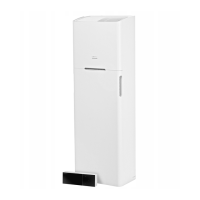

 To Next Page